在 Python 中,“position” 这个词可以根据上下文有不同的含义,以下是几种常见的解释和用法:
字符串或列表中的位置(Index)
在 Python 中,字符串、列表、元组等序列类型可以使用索引(index)来访问特定位置的元素,索引从 0 开始。

示例:
# 字符串中的位置
text = "Hello, World!"
print(text[0])  # 输出: H (位置 0 的字符)
print(text[7])  # 输出: W (位置 7 的字符)
# 列表中的位置
my_list = [10, 20, 30, 40]
print(my_list[2])  # 输出: 30 (位置 2 的元素)
查找某个元素的位置:
你可以使用 .index() 方法来查找某个元素在序列中的位置。
my_list = [10, 20, 30, 40]
print(my_list.index(30))  # 输出: 2 (30 在位置 2)
函数或方法中的位置参数(Positional Arguments)
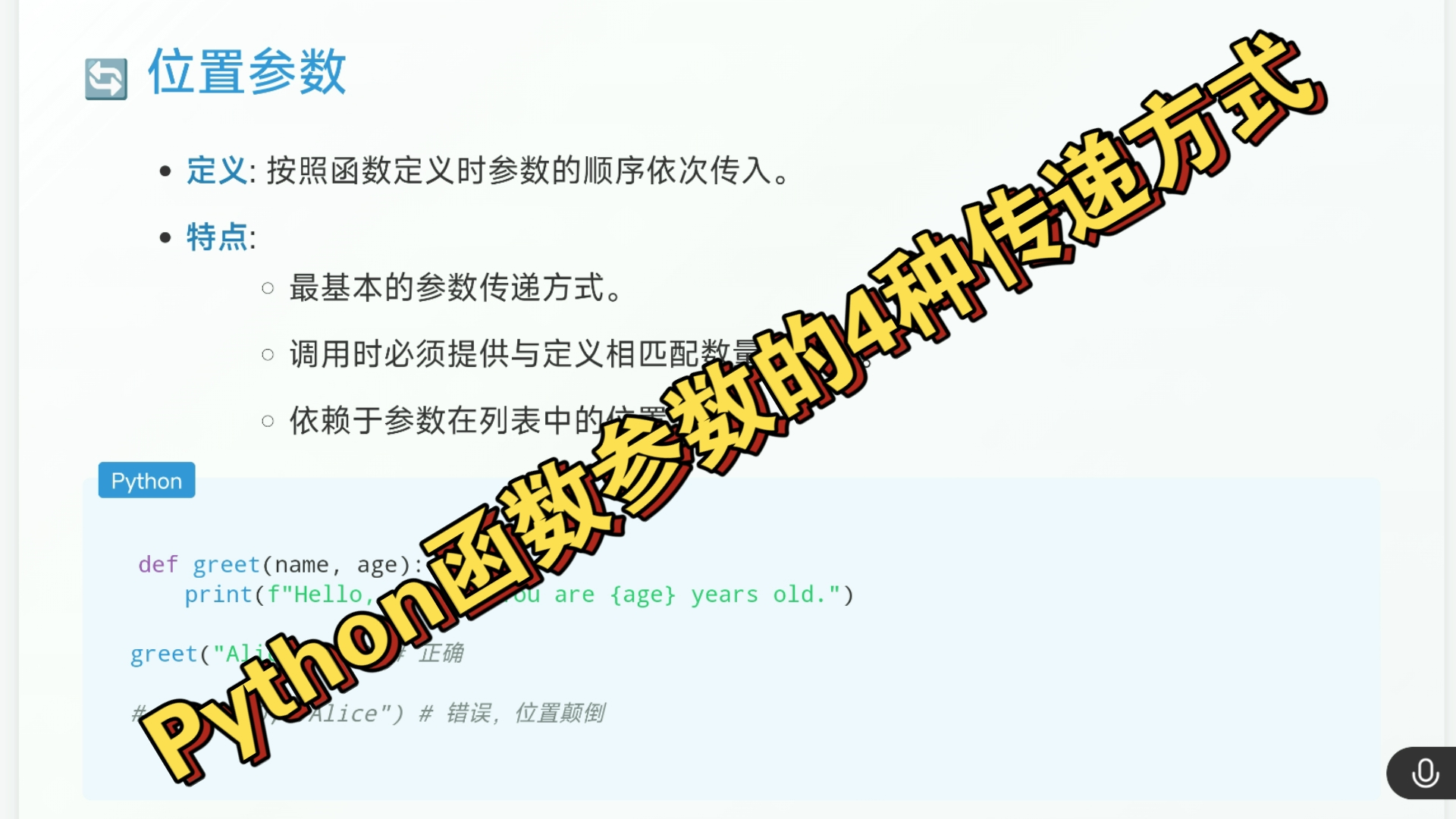
在 Python 函数定义和调用中,“position” 可以指位置参数(positional arguments),位置参数是按照顺序传递的参数,不需要显式指定参数名。
示例:
def greet(name, age):
    print(f"Hello, {name}! You are {age} years old.")
# 位置参数调用
greet("Alice", 25)  # 输出: Hello, Alice! You are 25 years old.
如果参数顺序错误,可能会导致逻辑错误:
greet(25, "Alice") # 输出: Hello, 25! You are Alice years old. (错误!)
为了避免这种情况,可以使用关键字参数(keyword arguments):
greet(age=25, name="Alice") # 输出: Hello, Alice! You are 25 years old.
图形界面中的位置(Position in GUI)
如果你在使用 Python 的图形界面库(如 tkinter、pygame 等),position 可能指的是窗口、按钮或其他控件的位置。
示例(使用 tkinter):
import tkinter as tk
root = tk.Tk()
button = tk.Button(root, text="Click Me")
button.place(x=50, y=50)  # 设置按钮的位置为 (50, 50)
root.mainloop()
数据结构中的位置(如字典、集合)
对于字典(dict)和集合(set),它们是无序的数据结构,因此没有明确的位置概念,但在 Python 3.7+ 中,字典会保持插入顺序。
示例:
my_dict = {"a": 1, "b": 2, "c": 3}
for index, key in enumerate(my_dict.keys()):
    print(f"Position {index}: {key}")
其他场景
- 文件操作中的位置:在使用文件对象时,
position可能指的是文件指针的位置。with open("example.txt", "r") as file: print(file.tell()) # 当前文件指针位置 - 游戏开发中的位置:在
pygame或其他游戏开发框架中,position可能表示物体在屏幕上的坐标。
首发原创文章,作者:王坚,如若转载,请注明出处:https://idctop.com/article/476947.html