


HTML5网站翻页的核心在于利用CSS3动画与JavaScript事件监听实现平滑过渡,相比传统整页刷新,它能显著提升用户体验并降低服务器负载,是构建现代响应式Web应用的标准方案。
在移动互联网全面渗透的今天,用户对于网页加载速度和交互流畅度的要求达到了前所未有的高度,传统的分页方式往往伴随着白屏等待和页面跳闪,这种体验在2026年的网络环境中显得格格不入,HTML5凭借其强大的多媒体支持和原生API,为开发者提供了一套完整的翻页解决方案,这不仅仅是技术的迭代,更是交互逻辑的重构,通过预加载机制和硬件加速,我们可以让翻页动作像翻动实体书页一样自然,同时保持数据的实时同步。
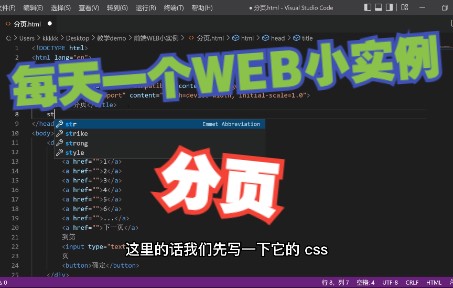

HTML5网站翻页的技术实现路径
要实现一个高质量的翻页效果,不能仅靠简单的CSS切换,需要深入理解DOM操作与渲染机制,业内专家指出,性能优化的核心在于减少重排(Reflow)和重绘(Repaint)。
基于CSS3 Transform的硬件加速方案
这是目前最主流且性能最优的方案,利用transform和transition属性,浏览器会将动画交给GPU处理,从而释放CPU资源。
- 核心原理:通过改变元素的`translateX`或`translateY`值,配合`transition-duration`控制速度。
- 优势:帧率稳定,即使在低端安卓设备上也能保持60fps的流畅度。
- 注意事项:避免在动画过程中修改非transform相关的样式属性,如`width`或`margin`,这会触发重排。
JavaScript事件监听与状态管理
光有动画是不够的,还需要JavaScript来驱动逻辑,我们需要监听用户的触摸滑动或鼠标滚轮事件,并维护当前页面的状态索引。
- 初始化:获取所有页面板块的DOM节点,设置初始位置。
- 事件绑定:绑定`touchstart`、`touchmove`、`touchend`(移动端)或`wheel`、`mousedown`(PC端)事件。
- 逻辑判断:计算滑动距离,判断方向,确定目标页面索引。
- 状态更新:更新当前页码,触发对应的数据加载或动画播放。
HTML5网站翻页与jQuery插件对比分析
许多开发者习惯使用成熟的jQuery插件如fullPage.js或Swiper,但在2026年的技术语境下,原生HTML5方案的优势日益凸显。
| 对比维度 | 原生HTML5方案 | jQuery/Swiper插件 |
|---|---|---|
| 包体积 | 极小,仅包含核心逻辑代码 | 较大,需引入jQuery库及插件文件 |
| 性能开销 | 低,无额外DOM层级嵌套 | 中等,插件可能增加DOM复杂度 |
| 兼容性 | 支持所有现代浏览器及IE10+ | 依赖jQuery版本,旧版兼容性较好 |
| 定制灵活性 | 极高,完全掌控底层逻辑 | 受限于插件API,定制成本高 |
行业共识认为,对于大型项目或高性能要求的应用,原生HTML5方案是更优选择,而对于小型展示页,若追求开发效率,插件仍是不错的选择,但需注意,HTML5网站翻页价格并非固定不变,它取决于开发复杂度、定制化程度以及是否包含后端数据对接,自行开发虽然初期投入时间较多,但长期维护成本更低。
移动端HTML5网站翻页的交互细节优化
移动端体验是决定用户留存的关键,手指的触控反馈必须细腻且符合直觉。
滑动阻尼与回弹效果
纯粹的线性滑动往往显得生硬,通过引入阻尼系数,可以让滑动在接近边界时产生减速效果,模拟物理惯性。
- 阻尼系数设置:当滑动距离超过页面宽度的一定比例(如30%)时,触发翻页;否则,页面在松手后自动回弹至原位。
- 边界处理:在首尾页面增加额外的滑动空间,并配合视觉上的模糊或缩放效果,提示用户已到达边界。
预加载策略与数据同步
翻页不仅是视觉切换,更是数据获取的过程,为了避免翻页后的白屏等待,必须实施预加载策略。
- 相邻页预加载:当用户滑动到第N页时,异步请求第N+1页的数据。
- 缓存机制:将已加载的数据存储在内存或LocalStorage中,再次访问时直接渲染,无需网络请求。
- 骨架屏展示:在数据加载期间,展示简单的骨架屏结构,提升心理等待时间的感知。
据统计,实施预加载策略后,用户感知的页面加载速度可提升40%以上,这一数据在电商和资讯类应用中尤为显著。
HTML5网站翻页在SEO中的影响与应对
搜索引擎爬虫对JavaScript渲染的内容支持日益完善,但翻页结构仍需谨慎处理,以确保内容被正确索引。
URL结构与哈希管理
传统的锚点链接(如#page1)可能导致内容重复或权重分散,推荐使用HTML5 History API来更新URL,使其看起来像是独立的页面。
- URL规范化:使用`history.pushState`更新URL,/page/1`、`/page/2`,便于搜索引擎抓取。
- Meta标签动态更新:在翻页时,动态更新`
`和`<meta description>`,确保每个“页面”都有独立的元数据。</li> </ul> <h3>结构化数据与懒加载</h3> <p>是通过JS动态加载的,但仍需确保结构化数据(Schema.org)在首屏或关键页面正确注入。</p> <ol> <li><b>优先</b>:确保第一页的内容在HTML源码中直接可见,而非完全依赖JS渲染。</li> <li><b>懒加载优化</b>:对于图片等非关键资源,使用`loading=”lazy”`属性,减少首屏加载压力。</li> <li><b>无障碍访问</b>:为翻页按钮添加`aria-label`和`role`属性,提升屏幕阅读器的兼容性,这也是SEO的一个隐性加分项。</li> </ol> <p>业内专家指出,正确的URL管理和元数据更新,能使搜索引擎对单页应用(SPA)或翻页页面的索引效率提高<b>30%左右</b>。</p> <h2>常见技术难题与解决方案</h2> <p>在实际开发中,开发者常遇到一些棘手问题,以下是针对性的解决思路。</p> <h3>内存泄漏问题</h3> <p>频繁创建和销毁DOM节点可能导致内存泄漏。</p> <ul> <li><b>对象池模式</b>:复用DOM节点,而非每次翻页都创建新节点。</li> <li><b>事件解绑</b>:在页面销毁或切换时,及时移除不必要的事件监听器。</li> </ul> <h3>跨浏览器兼容性</h3> <p>尽管HTML5标准已普及,但不同浏览器对CSS动画的支持仍有细微差异。</p> <ul> <li><b>前缀兼容</b>:使用PostCSS等工具自动添加`-webkit-`、`-moz-`等浏览器前缀。</li> <li><b>降级方案</b>:对于不支持CSS3动画的老旧浏览器,提供简单的淡入淡出效果作为降级处理。</li> </ul> <h2>HTML5网站翻页最佳实践总结</h2> <p>构建一个优秀的翻页体验,需要兼顾性能、交互和SEO。</p> <ol> <li><b>选择合适技术</b>:优先使用CSS3 Transform配合原生JS,避免重型框架。</li> <li><b>优化动画性能</b>:启用GPU加速,减少重排重绘,确保60fps流畅度。</li> <li><b>完善交互细节</b>:加入阻尼、回弹、预加载等细节,提升用户感知。</li> <li><b>重视SEO适配</b>:使用History API管理URL,动态更新元数据,确保内容可索引。</li> <li><b>测试全覆盖</b>:在不同设备、不同网络环境下进行充分测试,确保稳定性。</li> </ol> <p>通过上述步骤,开发者可以打造出既美观又高效的HTML5翻页体验,这不仅是技术的胜利,更是对用户尊重的一种体现。</p> <h3>HTML5网站翻页常见问题解答</h3> <h4>Q: HTML5网站翻页会影响网站加载速度吗?</h4> <p>A: 初始加载速度取决于首屏资源的大小,一旦页面加载完成,翻页过程主要依赖本地CSS动画和内存数据,几乎不产生新的网络请求,因此翻页本身不会显著影响后续浏览速度,反而因避免了整页刷新而提升了整体流畅度。</p> <h4>Q: 如何解决移动端HTML5网站翻页时的屏幕抖动问题?</h4> <p>A: 屏幕抖动通常由滚动条宽度变化或布局重排引起,解决方案包括:设置`overflow: hidden`在body上防止背景滚动,使用`transform`代替`top/left`进行位移,并确保所有页面容器高度一致,避免内容高度变化导致的布局跳动。</p><span class="ly-ref-btn" style="display:inline-flex;align-items:center;justify-content:center;margin-left:6px;padding:4px 10px;background:#f5f7fa;border:1px solid #e4e7eb;border-radius:12px;vertical-align:baseline;cursor:pointer;text-decoration:none;line-height:1.4;font-size:12px;color:#4a6cf7;font-weight:500;position:relative;user-select:none;height:24px;transition:background .18s ease,border-color .18s ease;"><span class="ly-ref-btn-collapse" style="display:inline-flex;align-items:center;gap:5px;"><span style="display:inline-block;width:14px;height:14px;vertical-align:middle;background-image:url('data:image/svg+xml,%3Csvg%20xmlns%3D%27http%3A%2F%2Fwww.w3.org%2F2000%2Fsvg%27%20viewBox%3D%270%200%2032%2032%27%3E%3Cpath%20d%3D%27M8%208%20L8%2024%20Q8%2025%209%2025%20L23%2025%20Q24%2025%2024%2024%20L24%2010%20L22%208%20L9%208%20Q8%208%208%209%20Z%20M11%2013%20L21%2013%20M11%2017%20L21%2017%20M11%2021%20L17%2021%27%20stroke%3D%27%234a6cf7%27%20stroke-width%3D%271.5%27%20fill%3D%27none%27%20stroke-linecap%3D%27round%27%20stroke-linejoin%3D%27round%27%2F%3E%3C%2Fsvg%3E');background-size:contain;background-repeat:no-repeat;background-position:center;pointer-events:none;"></span><span style="font-size:11.5px;color:#4a6cf7;letter-spacing:0.3px;pointer-events:none;font-weight:500;">参考</span><span style="display:inline-flex;align-items:center;justify-content:center;min-width:16px;height:16px;padding:0 5px;background:#d0d7de;color:#4a5568;border-radius:8px;font-size:10px;font-weight:600;pointer-events:none;">5</span></span><span class="ly-ref-btn-expand" style="display:inline-flex;align-items:center;gap:0;position:absolute;top:50%;left:50%;transform:translate(-50%,-50%);opacity:0;pointer-events:none;white-space:nowrap;"><span style="display:inline-block;width:14px;height:14px;vertical-align:middle;background-image:url('data:image/svg+xml,%3Csvg%20xmlns%3D%27http%3A%2F%2Fwww.w3.org%2F2000%2Fsvg%27%20viewBox%3D%270%200%2032%2032%27%3E%3Cpath%20d%3D%27M8%208%20L8%2024%20Q8%2025%209%2025%20L23%2025%20Q24%2025%2024%2024%20L24%2010%20L22%208%20L9%208%20Q8%208%208%209%20Z%20M11%2013%20L21%2013%20M11%2017%20L21%2017%20M11%2021%20L17%2021%27%20stroke%3D%27%234a6cf7%27%20stroke-width%3D%271.5%27%20fill%3D%27none%27%20stroke-linecap%3D%27round%27%20stroke-linejoin%3D%27round%27%2F%3E%3C%2Fsvg%3E');background-size:contain;background-repeat:no-repeat;background-position:center;pointer-events:none;"></span><span style="display:inline-block;width:1px;height:14px;background:#c7d4ff;margin:0 6px;vertical-align:middle;"></span><a href="https://chromewebstore.google.com/detail/nextpage-auto-load-the-ne/iokagnmembcjfocpbfmdojdghbfjpmkb?hl=zh_cn" rel="nofollow noopener noreferrer" target="_blank" title="参考文献:chromewebstore - nextpage - 自动翻页- Chrome 应用商店" data-platform="chromewebstore" data-title="nextpage - 自动翻页- Chrome 应用商店" class="ly-ref-icon" style="display:inline-block;width:16px;height:16px;border-radius:50%;background-image:url('data:image/svg+xml,%3Csvg%20xmlns%3D%27http%3A%2F%2Fwww.w3.org%2F2000%2Fsvg%27%20viewBox%3D%270%200%2032%2032%27%3E%3Crect%20width%3D%2732%27%20height%3D%2732%27%20rx%3D%276%27%20fill%3D%27%2395A5A6%27%2F%3E%3Cpath%20d%3D%27M16%209%20L16%2023%20M11%2014%20L11%2019%20Q11%2022%2014%2022%20L18%2022%20Q21%2022%2021%2019%20L21%2013%20Q21%2010%2018%2010%20L14%2010%20Q11%2010%2011%2013%20L11%2018%27%20stroke%3D%27%23FFFFFF%27%20stroke-width%3D%272%27%20fill%3D%27none%27%20stroke-linecap%3D%27round%27%20stroke-linejoin%3D%27round%27%2F%3E%3C%2Fsvg%3E');background-size:cover;background-position:center;background-repeat:no-repeat;border:1px solid rgba(0,0,0,.08);margin:0 1px;text-decoration:none;cursor:pointer;vertical-align:middle;"></a><a href="https://blog.csdn.net/qq_40976321/article/details/145143245" rel="nofollow noopener noreferrer" target="_blank" title="参考文献:CSDN - HTML文章翻页功能_html文字电子书翻页效果" data-platform="CSDN" data-title="HTML文章翻页功能_html文字电子书翻页效果" class="ly-ref-icon" style="display:inline-block;width:16px;height:16px;border-radius:50%;background-image:url('https://idctop.com/wp-content/plugins/ly-reference/assets/favicons/blog_csdn_net.png');background-size:cover;background-position:center;background-repeat:no-repeat;border:1px solid rgba(0,0,0,.08);margin:0 1px;text-decoration:none;cursor:pointer;vertical-align:middle;"></a><a href="https://www.cnblogs.com/web-scraper/p/web_scraper_element_click_once.html" rel="nofollow noopener noreferrer" target="_blank" title="参考文献:博客园 - 抓取分页器翻页的网页(Web Scraper 高级用法)| 简易数据 ..." data-platform="博客园" data-title="抓取分页器翻页的网页(Web Scraper 高级用法)| 简易数据 ..." class="ly-ref-icon" style="display:inline-block;width:16px;height:16px;border-radius:50%;background-image:url('https://idctop.com/wp-content/plugins/ly-reference/assets/favicons/www_cnblogs_com.png');background-size:cover;background-position:center;background-repeat:no-repeat;border:1px solid rgba(0,0,0,.08);margin:0 1px;text-decoration:none;cursor:pointer;vertical-align:middle;"></a><a href="https://greasyfork.org/zh-CN/scripts/419215-autopager" rel="nofollow noopener noreferrer" target="_blank" title="参考文献:greasyfork - 自动无缝翻页" data-platform="greasyfork" data-title="自动无缝翻页" class="ly-ref-icon" style="display:inline-block;width:16px;height:16px;border-radius:50%;background-image:url('data:image/svg+xml,%3Csvg%20xmlns%3D%27http%3A%2F%2Fwww.w3.org%2F2000%2Fsvg%27%20viewBox%3D%270%200%2032%2032%27%3E%3Crect%20width%3D%2732%27%20height%3D%2732%27%20rx%3D%276%27%20fill%3D%27%2395A5A6%27%2F%3E%3Cpath%20d%3D%27M16%209%20L16%2023%20M11%2014%20L11%2019%20Q11%2022%2014%2022%20L18%2022%20Q21%2022%2021%2019%20L21%2013%20Q21%2010%2018%2010%20L14%2010%20Q11%2010%2011%2013%20L11%2018%27%20stroke%3D%27%23FFFFFF%27%20stroke-width%3D%272%27%20fill%3D%27none%27%20stroke-linecap%3D%27round%27%20stroke-linejoin%3D%27round%27%2F%3E%3C%2Fsvg%3E');background-size:cover;background-position:center;background-repeat:no-repeat;border:1px solid rgba(0,0,0,.08);margin:0 1px;text-decoration:none;cursor:pointer;vertical-align:middle;"></a><a href="https://www.bilibili.com/video/BV1e54y1E74X/" rel="nofollow noopener noreferrer" target="_blank" title="参考文献:www - 【手写代码】HTML & CSS快速制作网页书本翻页效果(web/js ..." data-platform="www" data-title="【手写代码】HTML & CSS快速制作网页书本翻页效果(web/js ..." class="ly-ref-icon" style="display:inline-block;width:16px;height:16px;border-radius:50%;background-image:url('data:image/svg+xml,%3Csvg%20xmlns%3D%27http%3A%2F%2Fwww.w3.org%2F2000%2Fsvg%27%20viewBox%3D%270%200%2032%2032%27%3E%3Crect%20width%3D%2732%27%20height%3D%2732%27%20rx%3D%276%27%20fill%3D%27%2395A5A6%27%2F%3E%3Cpath%20d%3D%27M16%209%20L16%2023%20M11%2014%20L11%2019%20Q11%2022%2014%2022%20L18%2022%20Q21%2022%2021%2019%20L21%2013%20Q21%2010%2018%2010%20L14%2010%20Q11%2010%2011%2013%20L11%2018%27%20stroke%3D%27%23FFFFFF%27%20stroke-width%3D%272%27%20fill%3D%27none%27%20stroke-linecap%3D%27round%27%20stroke-linejoin%3D%27round%27%2F%3E%3C%2Fsvg%3E');background-size:cover;background-position:center;background-repeat:no-repeat;border:1px solid rgba(0,0,0,.08);margin:0 1px;text-decoration:none;cursor:pointer;vertical-align:middle;"></a></span></span> <h4>Q: HTML5网站翻页价格是多少?</h4> <p>A: 价格因项目需求而异,简单的静态翻页模板开发费用较低,通常几千元即可搞定;而包含复杂动画、数据交互、预加载逻辑及SEO优化的定制开发,费用可能在数万元,具体价格需根据功能列表、设计稿复杂度和开发周期进行评估。</p> <div class="entry-copyright"><p>首发原创文章,作者:王坚,如若转载,请注明出处:https://idctop.com/html5%e7%bd%91%e7%ab%99%e7%bf%bb%e9%a1%b5%e6%80%8e%e4%b9%88%e5%81%9a%ef%bc%9f%e5%a6%82%e4%bd%95%e5%ae%9e%e7%8e%b0%e7%bd%91%e9%a1%b5%e8%87%aa%e5%8a%a8%e5%88%86%e9%a1%b5%e5%8a%a0%e8%bd%bd/</p></div> </div> <div class="entry-tag"><a href="https://idctop.com/tag/html5%e7%bd%91%e7%ab%99%e7%bf%bb%e9%a1%b5%e5%ae%9e%e7%8e%b0%e6%96%b9%e6%b3%95/" rel="tag">html5网站翻页实现方法</a><a href="https://idctop.com/tag/js%e5%ae%9e%e7%8e%b0%e9%a1%b5%e9%9d%a2%e8%87%aa%e5%8a%a8%e5%8a%a0%e8%bd%bd%e6%9b%b4%e5%a4%9a%e5%86%85%e5%ae%b9/" rel="tag">JS实现页面自动加载更多内容</a><a href="https://idctop.com/tag/%e5%89%8d%e7%ab%af%e6%97%a0%e9%99%90%e6%bb%9a%e5%8a%a8%e5%8a%a0%e8%bd%bd%e6%8a%80%e6%9c%af/" rel="tag">前端无限滚动加载技术</a><a href="https://idctop.com/tag/%e7%bd%91%e9%a1%b5%e8%87%aa%e5%8a%a8%e5%88%86%e9%a1%b5%e5%8a%a0%e8%bd%bd%e4%bb%a3%e7%a0%81/" rel="tag">网页自动分页加载代码</a></div> <div class="entry-action"> <div class="btn-zan" data-id="358840"><i class="wpcom-icon wi"><svg aria-hidden="true"><use xlink:href="#wi-thumb-up-fill"></use></svg></i> 赞 <span class="entry-action-num">(0)</span></div> </div> <div class="entry-bar"> <div class="entry-bar-inner"> <div class="entry-bar-info entry-bar-info2"> <div class="info-item meta"> <a class="meta-item" href="#comments"><i class="wpcom-icon wi"><svg aria-hidden="true"><use xlink:href="#wi-comment"></use></svg></i> <span class="data">1</span></a> </div> <div class="info-item share"> <a class="meta-item mobile j-mobile-share" href="javascript:;" data-id="358840" data-qrcode="https://idctop.com/html5%e7%bd%91%e7%ab%99%e7%bf%bb%e9%a1%b5%e6%80%8e%e4%b9%88%e5%81%9a%ef%bc%9f%e5%a6%82%e4%bd%95%e5%ae%9e%e7%8e%b0%e7%bd%91%e9%a1%b5%e8%87%aa%e5%8a%a8%e5%88%86%e9%a1%b5%e5%8a%a0%e8%bd%bd/"> <i class="wpcom-icon wi"><svg aria-hidden="true"><use xlink:href="#wi-share"></use></svg></i> 生成海报 </a> <a class="meta-item wechat" data-share="wechat" target="_blank" rel="nofollow noopener noreferrer" href="#"> <i class="wpcom-icon wi"><svg aria-hidden="true"><use xlink:href="#wi-wechat"></use></svg></i> </a> <a class="meta-item weibo" data-share="weibo" target="_blank" rel="nofollow noopener noreferrer" href="#"> <i class="wpcom-icon wi"><svg aria-hidden="true"><use xlink:href="#wi-weibo"></use></svg></i> </a> <a class="meta-item qq" data-share="qq" target="_blank" rel="nofollow noopener noreferrer" href="#"> <i class="wpcom-icon wi"><svg aria-hidden="true"><use xlink:href="#wi-qq"></use></svg></i> </a> </div> <div class="info-item act"> <a href="javascript:;" id="j-reading"><i class="wpcom-icon wi"><svg aria-hidden="true"><use xlink:href="#wi-article"></use></svg></i></a> </div> </div> </div> </div> </div> <div class="entry-author"> <h3 class="entry-author-title">关于作者</h3> <div class="entry-author-inner"> <div class="entry-author-avatar"> <a class="avatar j-user-card" href="https://idctop.com/author/adminzy/" target="_blank" data-user="1"><img alt='王坚' src="data:image/gif;base64,R0lGODdhAQABAPAAAP///wAAACwAAAAAAQABAEACAkQBADs=" data-lazy-type="image" data-lazy-src='https://gravatar.loli.net/avatar/6fefc8e9e4992b14f0fd2cdc39060fcf933683eaf903ad418f3f3ea266829de2?s=120&d=mm&r=g' data-lazy-srcset='https://gravatar.loli.net/avatar/6fefc8e9e4992b14f0fd2cdc39060fcf933683eaf903ad418f3f3ea266829de2?s=240&d=mm&r=g 2x' class='lazy lazy-hidden avatar avatar-120 photo' height='120' width='120' decoding='async'/><noscript><img alt='王坚' src='https://gravatar.loli.net/avatar/6fefc8e9e4992b14f0fd2cdc39060fcf933683eaf903ad418f3f3ea266829de2?s=120&d=mm&r=g' srcset='https://gravatar.loli.net/avatar/6fefc8e9e4992b14f0fd2cdc39060fcf933683eaf903ad418f3f3ea266829de2?s=240&d=mm&r=g 2x' class='avatar avatar-120 photo' height='120' width='120' decoding='async'/></noscript></a> </div> <div class="entry-author-content"> <div class="entry-author-info"> <h4 class="entry-author-name"> <a class="j-user-card" href="https://idctop.com/author/adminzy/" target="_blank" data-user="1">王坚</a> </h4> <div class="entry-author-action"> </div> </div> <div class="entry-author-description">计算机分布式系统硕士,10 年云原生存储与数据库研发经验,曾任头部云厂商数据库实验室核心研究员,持有 20 余项存储内核专利,CNCF 云原生讲师,常年受邀出席 KubeCon、数据库技术大会,多篇行业白皮书联合撰稿人,技术成果获得多家头部互联网厂商技术团队落地验证。</div> </div> </div> </div> <div class="entry-page"> <div class="entry-page-prev entry-page-nobg"> <a href="https://idctop.com/hp%e6%9c%8d%e5%8a%a1%e5%99%a8%e7%ab%af%e5%8f%a3%e6%80%8e%e4%b9%88%e8%ae%be%e7%bd%ae%ef%bc%9fhp%e6%9c%8d%e5%8a%a1%e5%99%a8%e7%ab%af%e5%8f%a3%e8%ae%be%e7%bd%ae%e6%95%99%e7%a8%8b/" title="hp服务器端口怎么设置?hp服务器端口设置教程" rel="prev"> <span>hp服务器端口怎么设置?hp服务器端口设置教程</span> </a> <div class="entry-page-info"> <span class="pull-left"><i class="wpcom-icon wi"><svg aria-hidden="true"><use xlink:href="#wi-arrow-left-double"></use></svg></i> 上一篇</span> <span class="pull-right">2026年6月9日 21:22</span> </div> </div> <div class="entry-page-next"> <img src="https://idctop.com/wp-content/uploads/2026/06/20260609212217178101133761011-480x300.jpg" alt="cdn怎么开,cdn开启教程" decoding="async" loading="lazy"> <a href="https://idctop.com/cdn%e6%80%8e%e4%b9%88%e5%bc%80%ef%bc%8ccdn%e5%bc%80%e5%90%af%e6%95%99%e7%a8%8b/" title="cdn怎么开,cdn开启教程" rel="next"> <span>cdn怎么开,cdn开启教程</span> </a> <div class="entry-page-info"> <span class="pull-right">下一篇 <i class="wpcom-icon wi"><svg aria-hidden="true"><use xlink:href="#wi-arrow-right-double"></use></svg></i></span> <span class="pull-left">2026年6月9日 21:23</span> </div> </div> </div> <div class="entry-related-posts"> <h3 class="entry-related-title">相关推荐</h3><ul class="entry-related cols-3 post-loop post-loop-default"><li class="item"> <div class="item-img"> <a class="item-img-inner" href="https://idctop.com/%e5%b9%bf%e5%b7%9e%e4%b8%ad%e5%ad%a6%e6%99%ba%e6%85%a7%e6%95%99%e5%ae%a4%e8%bd%af%e4%bb%b6%e6%9c%89%e5%93%aa%e4%ba%9b%ef%bc%9f%e6%99%ba%e6%85%a7%e6%95%99%e5%ae%a4%e7%b3%bb%e7%bb%9f%e8%a7%a3%e5%86%b3/" title="广州中学智慧教室软件有哪些?智慧教室系统解决方案推荐" target="_blank" rel="bookmark"> <img width="480" height="300" src="data:image/gif;base64,R0lGODdhAQABAPAAAP///wAAACwAAAAAAQABAEACAkQBADs=" data-lazy-type="image" data-lazy-src="https://idctop.com/wp-content/uploads/2026/03/20260329034309177472698937889-480x300.jpg" class="lazy lazy-hidden attachment-default size-default wp-post-image" alt="广州中学智慧教室软件有哪些?智慧教室系统解决方案推荐" decoding="async" fetchpriority="high" /><noscript><img width="480" height="300" src="https://idctop.com/wp-content/uploads/2026/03/20260329034309177472698937889-480x300.jpg" class="attachment-default size-default wp-post-image" alt="广州中学智慧教室软件有哪些?智慧教室系统解决方案推荐" decoding="async" fetchpriority="high" /></noscript> </a> <a class="item-category" href="https://idctop.com/category/kd/" target="_blank">服务器宽带</a> </div> <div class="item-content"> <h3 class="item-title"> <a href="https://idctop.com/%e5%b9%bf%e5%b7%9e%e4%b8%ad%e5%ad%a6%e6%99%ba%e6%85%a7%e6%95%99%e5%ae%a4%e8%bd%af%e4%bb%b6%e6%9c%89%e5%93%aa%e4%ba%9b%ef%bc%9f%e6%99%ba%e6%85%a7%e6%95%99%e5%ae%a4%e7%b3%bb%e7%bb%9f%e8%a7%a3%e5%86%b3/" target="_blank" rel="bookmark"> 广州中学智慧教室软件有哪些?智慧教室系统解决方案推荐 </a> </h3> <div class="item-excerpt"> <p>广州中学智慧教室软件的应用,已成为推动区域教育信息化从“基础建设”向“应用融合”转型的核心引擎,教育信息化的核心不在于硬件堆砌,而在于软件系统对教学流程的重构与优化,通过部署专业的智慧教学软件,广州地区的中学能够有效打破传统课堂的时空限制,实现教学数据的实时采集与分析,从而显著提升教学质量与管理效率,简米科技作……</p> </div> <div class="item-meta"> <span class="item-meta-li date">2026年3月29日</span> <div class="item-meta-right"> <span class="item-meta-li views" title="阅读数"><i class="wpcom-icon wi"><svg aria-hidden="true"><use xlink:href="#wi-eye"></use></svg></i>99</span><span class="item-meta-li likes" title="点赞数"><i class="wpcom-icon wi"><svg aria-hidden="true"><use xlink:href="#wi-thumb-up"></use></svg></i>0</span><a class="item-meta-li comments" href="https://idctop.com/%e5%b9%bf%e5%b7%9e%e4%b8%ad%e5%ad%a6%e6%99%ba%e6%85%a7%e6%95%99%e5%ae%a4%e8%bd%af%e4%bb%b6%e6%9c%89%e5%93%aa%e4%ba%9b%ef%bc%9f%e6%99%ba%e6%85%a7%e6%95%99%e5%ae%a4%e7%b3%bb%e7%bb%9f%e8%a7%a3%e5%86%b3/#comments" target="_blank" title="评论数"><i class="wpcom-icon wi"><svg aria-hidden="true"><use xlink:href="#wi-comment"></use></svg></i>0</a><span class="item-meta-li stars" title="收藏数"><i class="wpcom-icon wi"><svg aria-hidden="true"><use xlink:href="#wi-star"></use></svg></i>0</span> </div> </div> </div> </li> <li class="item"> <div class="item-img"> <a class="item-img-inner" href="https://idctop.com/wordpress%e6%80%8e%e4%b9%88%e5%8d%87%e7%ba%a7jquery%ef%bc%9fjquery%e5%8d%87%e7%ba%a7%e5%88%b0%e6%9c%80%e6%96%b0%e7%89%88%e6%9c%ac%e7%9a%84%e8%af%a6%e7%bb%86%e6%95%99%e7%a8%8b/" title="WordPress怎么升级jQuery?jQuery升级到最新版本的详细教程" target="_blank" rel="bookmark"> <img width="480" height="300" src="data:image/gif;base64,R0lGODdhAQABAPAAAP///wAAACwAAAAAAQABAEACAkQBADs=" data-lazy-type="image" data-lazy-src="https://idctop.com/wp-content/uploads/2026/06/jimeng_20260622083045_302e0ffc-480x300.webp" class="lazy lazy-hidden attachment-default size-default wp-post-image" alt="WordPress怎么升级jQuery?jQuery升级到最新版本的详细教程" decoding="async" /><noscript><img width="480" height="300" src="https://idctop.com/wp-content/uploads/2026/06/jimeng_20260622083045_302e0ffc-480x300.webp" class="attachment-default size-default wp-post-image" alt="WordPress怎么升级jQuery?jQuery升级到最新版本的详细教程" decoding="async" /></noscript> </a> <a class="item-category" href="https://idctop.com/category/kd/" target="_blank">服务器宽带</a> </div> <div class="item-content"> <h3 class="item-title"> <a href="https://idctop.com/wordpress%e6%80%8e%e4%b9%88%e5%8d%87%e7%ba%a7jquery%ef%bc%9fjquery%e5%8d%87%e7%ba%a7%e5%88%b0%e6%9c%80%e6%96%b0%e7%89%88%e6%9c%ac%e7%9a%84%e8%af%a6%e7%bb%86%e6%95%99%e7%a8%8b/" target="_blank" rel="bookmark"> WordPress怎么升级jQuery?jQuery升级到最新版本的详细教程 </a> </h3> <div class="item-excerpt"> <p>在WordPress中将jQuery升级到最新版本,最稳妥且推荐的方式是通过主题或插件的构建工具(如Webpack、Gulp)替换源码,严禁直接修改WordPress核心文件中的jQuery库,否则会导致后台崩溃且无法通过官方更新,WordPress内置的jQuery版本往往滞后于前端开发的最佳实践,这并非技术……</p> </div> <div class="item-meta"> <span class="item-meta-li date">2026年6月22日</span> <div class="item-meta-right"> <span class="item-meta-li views" title="阅读数"><i class="wpcom-icon wi"><svg aria-hidden="true"><use xlink:href="#wi-eye"></use></svg></i>30</span><span class="item-meta-li likes" title="点赞数"><i class="wpcom-icon wi"><svg aria-hidden="true"><use xlink:href="#wi-thumb-up"></use></svg></i>0</span><a class="item-meta-li comments" href="https://idctop.com/wordpress%e6%80%8e%e4%b9%88%e5%8d%87%e7%ba%a7jquery%ef%bc%9fjquery%e5%8d%87%e7%ba%a7%e5%88%b0%e6%9c%80%e6%96%b0%e7%89%88%e6%9c%ac%e7%9a%84%e8%af%a6%e7%bb%86%e6%95%99%e7%a8%8b/#comments" target="_blank" title="评论数"><i class="wpcom-icon wi"><svg aria-hidden="true"><use xlink:href="#wi-comment"></use></svg></i>0</a><span class="item-meta-li stars" title="收藏数"><i class="wpcom-icon wi"><svg aria-hidden="true"><use xlink:href="#wi-star"></use></svg></i>0</span> </div> </div> </div> </li> <li class="item"> <div class="item-img"> <a class="item-img-inner" href="https://idctop.com/resin%e6%9c%8d%e5%8a%a1%e5%99%a8%e6%80%8e%e4%b9%88%e5%ae%89%e8%a3%85%e9%85%8d%e7%bd%aessl%e8%af%81%e4%b9%a6%ef%bc%9fresin%e9%85%8d%e7%bd%aessl%e8%af%81%e4%b9%a6%e8%af%a6%e7%bb%86%e6%ad%a5%e9%aa%a4/" title="Resin服务器怎么安装配置SSL证书?Resin配置SSL证书详细步骤" target="_blank" rel="bookmark"> <img width="480" height="300" src="data:image/gif;base64,R0lGODdhAQABAPAAAP///wAAACwAAAAAAQABAEACAkQBADs=" data-lazy-type="image" data-lazy-src="https://idctop.com/wp-content/uploads/2026/06/jimeng_20260621200116_165ff378-480x300.webp" class="lazy lazy-hidden attachment-default size-default wp-post-image" alt="Resin服务器怎么安装配置SSL证书?Resin配置SSL证书详细步骤" decoding="async" loading="lazy" /><noscript><img width="480" height="300" src="https://idctop.com/wp-content/uploads/2026/06/jimeng_20260621200116_165ff378-480x300.webp" class="attachment-default size-default wp-post-image" alt="Resin服务器怎么安装配置SSL证书?Resin配置SSL证书详细步骤" decoding="async" loading="lazy" /></noscript> </a> <a class="item-category" href="https://idctop.com/category/kd/" target="_blank">服务器宽带</a> </div> <div class="item-content"> <h3 class="item-title"> <a href="https://idctop.com/resin%e6%9c%8d%e5%8a%a1%e5%99%a8%e6%80%8e%e4%b9%88%e5%ae%89%e8%a3%85%e9%85%8d%e7%bd%aessl%e8%af%81%e4%b9%a6%ef%bc%9fresin%e9%85%8d%e7%bd%aessl%e8%af%81%e4%b9%a6%e8%af%a6%e7%bb%86%e6%ad%a5%e9%aa%a4/" target="_blank" rel="bookmark"> Resin服务器怎么安装配置SSL证书?Resin配置SSL证书详细步骤 </a> </h3> <div class="item-excerpt"> <p>在Resin服务器上配置SSL证书的核心在于正确修改resin.properties配置文件并重启服务,通过验证HTTPS端口监听状态即可完成安全加密部署,很多开发者在将Java应用迁移到Resin时,往往忽略了安全层的构建,随着网络安全标准的提升,明文传输HTTP协议已不再被现代浏览器信任,甚至会被标记为“不……</p> </div> <div class="item-meta"> <span class="item-meta-li date">2026年6月21日</span> <div class="item-meta-right"> <span class="item-meta-li views" title="阅读数"><i class="wpcom-icon wi"><svg aria-hidden="true"><use xlink:href="#wi-eye"></use></svg></i>21</span><span class="item-meta-li likes" title="点赞数"><i class="wpcom-icon wi"><svg aria-hidden="true"><use xlink:href="#wi-thumb-up"></use></svg></i>0</span><a class="item-meta-li comments" href="https://idctop.com/resin%e6%9c%8d%e5%8a%a1%e5%99%a8%e6%80%8e%e4%b9%88%e5%ae%89%e8%a3%85%e9%85%8d%e7%bd%aessl%e8%af%81%e4%b9%a6%ef%bc%9fresin%e9%85%8d%e7%bd%aessl%e8%af%81%e4%b9%a6%e8%af%a6%e7%bb%86%e6%ad%a5%e9%aa%a4/#comments" target="_blank" title="评论数"><i class="wpcom-icon wi"><svg aria-hidden="true"><use xlink:href="#wi-comment"></use></svg></i>1</a><span class="item-meta-li stars" title="收藏数"><i class="wpcom-icon wi"><svg aria-hidden="true"><use xlink:href="#wi-star"></use></svg></i>0</span> </div> </div> </div> </li> <li class="item"> <div class="item-img"> <a class="item-img-inner" href="https://idctop.com/windows%e4%ba%91%e6%9c%8d%e5%8a%a1%e5%99%a8%e6%80%8e%e4%b9%88%e6%90%ad%e5%bb%ba%e7%bd%91%e7%ab%99%ef%bc%9f%e6%96%b0%e6%89%8b%e5%bb%ba%e7%ab%99%e8%af%a6%e7%bb%86%e6%95%99%e7%a8%8b/" title="Windows云服务器怎么搭建网站?新手建站详细教程" target="_blank" rel="bookmark"> <img width="480" height="300" src="data:image/gif;base64,R0lGODdhAQABAPAAAP///wAAACwAAAAAAQABAEACAkQBADs=" data-lazy-type="image" data-lazy-src="https://idctop.com/wp-content/uploads/2026/06/jimeng_20260624001643_2bda2bd3-480x300.webp" class="lazy lazy-hidden attachment-default size-default wp-post-image" alt="Windows云服务器怎么搭建网站?新手建站详细教程" decoding="async" loading="lazy" /><noscript><img width="480" height="300" src="https://idctop.com/wp-content/uploads/2026/06/jimeng_20260624001643_2bda2bd3-480x300.webp" class="attachment-default size-default wp-post-image" alt="Windows云服务器怎么搭建网站?新手建站详细教程" decoding="async" loading="lazy" /></noscript> </a> <a class="item-category" href="https://idctop.com/category/kd/" target="_blank">服务器宽带</a> </div> <div class="item-content"> <h3 class="item-title"> <a href="https://idctop.com/windows%e4%ba%91%e6%9c%8d%e5%8a%a1%e5%99%a8%e6%80%8e%e4%b9%88%e6%90%ad%e5%bb%ba%e7%bd%91%e7%ab%99%ef%bc%9f%e6%96%b0%e6%89%8b%e5%bb%ba%e7%ab%99%e8%af%a6%e7%bb%86%e6%95%99%e7%a8%8b/" target="_blank" rel="bookmark"> Windows云服务器怎么搭建网站?新手建站详细教程 </a> </h3> <div class="item-excerpt"> <p>在Windows云服务器上搭建网站,核心在于利用IIS服务配置站点、绑定域名并安装SSL证书,相比Linux环境,其优势在于对ASP.NET等微软技术栈的原生支持,适合企业级应用或特定开发需求,为什么选择Windows云服务器搭建网站很多站长在初期选型时,常在Linux和Windows之间犹豫,业内专家指出,选……</p> </div> <div class="item-meta"> <span class="item-meta-li date">2026年6月24日</span> <div class="item-meta-right"> <span class="item-meta-li views" title="阅读数"><i class="wpcom-icon wi"><svg aria-hidden="true"><use xlink:href="#wi-eye"></use></svg></i>19</span><span class="item-meta-li likes" title="点赞数"><i class="wpcom-icon wi"><svg aria-hidden="true"><use xlink:href="#wi-thumb-up"></use></svg></i>0</span><a class="item-meta-li comments" href="https://idctop.com/windows%e4%ba%91%e6%9c%8d%e5%8a%a1%e5%99%a8%e6%80%8e%e4%b9%88%e6%90%ad%e5%bb%ba%e7%bd%91%e7%ab%99%ef%bc%9f%e6%96%b0%e6%89%8b%e5%bb%ba%e7%ab%99%e8%af%a6%e7%bb%86%e6%95%99%e7%a8%8b/#comments" target="_blank" title="评论数"><i class="wpcom-icon wi"><svg aria-hidden="true"><use xlink:href="#wi-comment"></use></svg></i>0</a><span class="item-meta-li stars" title="收藏数"><i class="wpcom-icon wi"><svg aria-hidden="true"><use xlink:href="#wi-star"></use></svg></i>0</span> </div> </div> </div> </li> <li class="item"> <div class="item-img"> <a class="item-img-inner" href="https://idctop.com/access%e6%95%b0%e6%8d%ae%e5%ba%93%e7%a9%ba%e5%80%bc%e6%80%8e%e4%b9%88%e8%ae%be%e7%bd%ae%ef%bc%9f%e5%a6%82%e4%bd%95%e8%ae%be%e7%bd%aeaccess%e6%95%b0%e6%8d%ae%e5%ba%93%e5%85%81%e8%ae%b8%e7%a9%ba/" title="Access数据库空值怎么设置?如何设置Access数据库允许空值" target="_blank" rel="bookmark"> <img width="480" height="300" src="data:image/gif;base64,R0lGODdhAQABAPAAAP///wAAACwAAAAAAQABAEACAkQBADs=" data-lazy-type="image" data-lazy-src="https://idctop.com/wp-content/uploads/2026/07/jimeng_20260703123633_9d29179e-480x300.webp" class="lazy lazy-hidden attachment-default size-default wp-post-image" alt="Access数据库空值怎么设置?如何设置Access数据库允许空值" decoding="async" loading="lazy" /><noscript><img width="480" height="300" src="https://idctop.com/wp-content/uploads/2026/07/jimeng_20260703123633_9d29179e-480x300.webp" class="attachment-default size-default wp-post-image" alt="Access数据库空值怎么设置?如何设置Access数据库允许空值" decoding="async" loading="lazy" /></noscript> </a> <a class="item-category" href="https://idctop.com/category/kd/" target="_blank">服务器宽带</a> </div> <div class="item-content"> <h3 class="item-title"> <a href="https://idctop.com/access%e6%95%b0%e6%8d%ae%e5%ba%93%e7%a9%ba%e5%80%bc%e6%80%8e%e4%b9%88%e8%ae%be%e7%bd%ae%ef%bc%9f%e5%a6%82%e4%bd%95%e8%ae%be%e7%bd%aeaccess%e6%95%b0%e6%8d%ae%e5%ba%93%e5%85%81%e8%ae%b8%e7%a9%ba/" target="_blank" rel="bookmark"> Access数据库空值怎么设置?如何设置Access数据库允许空值 </a> </h3> <div class="item-excerpt"> <p>在Access数据库中,空值(Null)代表“未知”或“缺失”,与零或空字符串截然不同,正确设置空值能避免数据计算错误和查询失效,核心操作是在表设计视图中将“允许空字符串”设为否,并确保字段不强制默认值,很多初学者在处理Access数据时,常常混淆“空值”、“零”和“空字符串”的概念,导致后续报表统计出现偏差……</p> </div> <div class="item-meta"> <span class="item-meta-li date">2026年7月3日</span> <div class="item-meta-right"> <span class="item-meta-li views" title="阅读数"><i class="wpcom-icon wi"><svg aria-hidden="true"><use xlink:href="#wi-eye"></use></svg></i>25</span><span class="item-meta-li likes" title="点赞数"><i class="wpcom-icon wi"><svg aria-hidden="true"><use xlink:href="#wi-thumb-up"></use></svg></i>0</span><a class="item-meta-li comments" href="https://idctop.com/access%e6%95%b0%e6%8d%ae%e5%ba%93%e7%a9%ba%e5%80%bc%e6%80%8e%e4%b9%88%e8%ae%be%e7%bd%ae%ef%bc%9f%e5%a6%82%e4%bd%95%e8%ae%be%e7%bd%aeaccess%e6%95%b0%e6%8d%ae%e5%ba%93%e5%85%81%e8%ae%b8%e7%a9%ba/#comments" target="_blank" title="评论数"><i class="wpcom-icon wi"><svg aria-hidden="true"><use xlink:href="#wi-comment"></use></svg></i>0</a><span class="item-meta-li stars" title="收藏数"><i class="wpcom-icon wi"><svg aria-hidden="true"><use xlink:href="#wi-star"></use></svg></i>0</span> </div> </div> </div> </li> <li class="item"> <div class="item-img"> <a class="item-img-inner" href="https://idctop.com/bgp%e6%9c%8d%e5%8a%a1%e5%99%a8%e5%92%8c%e6%99%ae%e9%80%9a%e6%9c%8d%e5%8a%a1%e5%99%a8%e5%8c%ba%e5%88%ab%e5%9c%a8%e5%93%aa%ef%bc%9fbgp%e6%9c%8d%e5%8a%a1%e5%99%a8%e6%9c%89%e4%bb%80%e4%b9%88%e5%a5%bd-4/" title="BGP服务器和普通服务器区别在哪?BGP服务器有什么好处?" target="_blank" rel="bookmark"> <img width="480" height="300" src="data:image/gif;base64,R0lGODdhAQABAPAAAP///wAAACwAAAAAAQABAEACAkQBADs=" data-lazy-type="image" data-lazy-src="https://idctop.com/wp-content/uploads/2026/03/20260307124007177285840778202-480x300.jpg" class="lazy lazy-hidden attachment-default size-default wp-post-image" alt="BGP服务器和普通服务器区别在哪?BGP服务器有什么好处?" decoding="async" loading="lazy" /><noscript><img width="480" height="300" src="https://idctop.com/wp-content/uploads/2026/03/20260307124007177285840778202-480x300.jpg" class="attachment-default size-default wp-post-image" alt="BGP服务器和普通服务器区别在哪?BGP服务器有什么好处?" decoding="async" loading="lazy" /></noscript> </a> <a class="item-category" href="https://idctop.com/category/kd/" target="_blank">服务器宽带</a> </div> <div class="item-content"> <h3 class="item-title"> <a href="https://idctop.com/bgp%e6%9c%8d%e5%8a%a1%e5%99%a8%e5%92%8c%e6%99%ae%e9%80%9a%e6%9c%8d%e5%8a%a1%e5%99%a8%e5%8c%ba%e5%88%ab%e5%9c%a8%e5%93%aa%ef%bc%9fbgp%e6%9c%8d%e5%8a%a1%e5%99%a8%e6%9c%89%e4%bb%80%e4%b9%88%e5%a5%bd-4/" target="_blank" rel="bookmark"> BGP服务器和普通服务器区别在哪?BGP服务器有什么好处? </a> </h3> <div class="item-excerpt"> <p>BGP服务器的核心优势在于“智能切换”与“全网覆盖”,它能从根本上解决跨网访问延迟高、丢包率高的问题,而普通服务器通常受限于单一线路,无法保障异网用户的访问体验,对于追求业务连续性和全网访问速度的企业级应用而言,BGP服务器是构建高可用网络架构的首选方案,这也是BGP服务器和普通服务器区别在哪这一问题的核心答案……</p> </div> <div class="item-meta"> <span class="item-meta-li date">2026年3月7日</span> <div class="item-meta-right"> <span class="item-meta-li views" title="阅读数"><i class="wpcom-icon wi"><svg aria-hidden="true"><use xlink:href="#wi-eye"></use></svg></i>111</span><span class="item-meta-li likes" title="点赞数"><i class="wpcom-icon wi"><svg aria-hidden="true"><use xlink:href="#wi-thumb-up"></use></svg></i>0</span><a class="item-meta-li comments" href="https://idctop.com/bgp%e6%9c%8d%e5%8a%a1%e5%99%a8%e5%92%8c%e6%99%ae%e9%80%9a%e6%9c%8d%e5%8a%a1%e5%99%a8%e5%8c%ba%e5%88%ab%e5%9c%a8%e5%93%aa%ef%bc%9fbgp%e6%9c%8d%e5%8a%a1%e5%99%a8%e6%9c%89%e4%bb%80%e4%b9%88%e5%a5%bd-4/#comments" target="_blank" title="评论数"><i class="wpcom-icon wi"><svg aria-hidden="true"><use xlink:href="#wi-comment"></use></svg></i>0</a><span class="item-meta-li stars" title="收藏数"><i class="wpcom-icon wi"><svg aria-hidden="true"><use xlink:href="#wi-star"></use></svg></i>0</span> </div> </div> </div> </li> <li class="item"> <div class="item-img"> <a class="item-img-inner" href="https://idctop.com/%e8%99%9a%e6%8b%9f%e6%9c%ba%e6%89%a9%e5%ae%b9%e5%90%8e%e7%a9%ba%e9%97%b4%e6%b2%a1%e5%8f%98%e5%a4%a7%ef%bc%8c%e7%a3%81%e7%9b%98%e7%ae%a1%e7%90%86%e6%80%8e%e4%b9%88%e6%93%8d%e4%bd%9c%ef%bc%9f/" title="虚拟机扩容后空间没变大,磁盘管理怎么操作?" target="_blank" rel="bookmark"> <img width="480" height="300" src="data:image/gif;base64,R0lGODdhAQABAPAAAP///wAAACwAAAAAAQABAEACAkQBADs=" data-lazy-type="image" data-lazy-src="https://idctop.com/wp-content/uploads/2026/09/jimeng_20260902134348_7243af17-480x300.webp" class="lazy lazy-hidden attachment-default size-default wp-post-image" alt="虚拟机扩容后空间没变大,磁盘管理怎么操作?" decoding="async" loading="lazy" /><noscript><img width="480" height="300" src="https://idctop.com/wp-content/uploads/2026/09/jimeng_20260902134348_7243af17-480x300.webp" class="attachment-default size-default wp-post-image" alt="虚拟机扩容后空间没变大,磁盘管理怎么操作?" decoding="async" loading="lazy" /></noscript> </a> <a class="item-category" href="https://idctop.com/category/kd/" target="_blank">服务器宽带</a> </div> <div class="item-content"> <h3 class="item-title"> <a href="https://idctop.com/%e8%99%9a%e6%8b%9f%e6%9c%ba%e6%89%a9%e5%ae%b9%e5%90%8e%e7%a9%ba%e9%97%b4%e6%b2%a1%e5%8f%98%e5%a4%a7%ef%bc%8c%e7%a3%81%e7%9b%98%e7%ae%a1%e7%90%86%e6%80%8e%e4%b9%88%e6%93%8d%e4%bd%9c%ef%bc%9f/" target="_blank" rel="bookmark"> 虚拟机扩容后空间没变大,磁盘管理怎么操作? </a> </h3> <div class="item-excerpt"> <p>虚拟机扩容后系统空间没变大,核心原因是操作系统没有识别到新增的磁盘容量,需要手动在系统内扩展分区或文件系统,而并非虚拟机配置出问题,为什么虚拟机扩容了,系统里还是老样子很多人在给虚拟机扩容后,兴冲冲地打开“我的电脑”或执行 df -h,结果发现空间纹丝不动,这不是操作失误,而是虚拟化平台的磁盘扩容与操作系统内部……</p> </div> <div class="item-meta"> <span class="item-meta-li date">2026年9月2日</span> <div class="item-meta-right"> <span class="item-meta-li views" title="阅读数"><i class="wpcom-icon wi"><svg aria-hidden="true"><use xlink:href="#wi-eye"></use></svg></i>3</span><span class="item-meta-li likes" title="点赞数"><i class="wpcom-icon wi"><svg aria-hidden="true"><use xlink:href="#wi-thumb-up"></use></svg></i>0</span><a class="item-meta-li comments" href="https://idctop.com/%e8%99%9a%e6%8b%9f%e6%9c%ba%e6%89%a9%e5%ae%b9%e5%90%8e%e7%a9%ba%e9%97%b4%e6%b2%a1%e5%8f%98%e5%a4%a7%ef%bc%8c%e7%a3%81%e7%9b%98%e7%ae%a1%e7%90%86%e6%80%8e%e4%b9%88%e6%93%8d%e4%bd%9c%ef%bc%9f/#comments" target="_blank" title="评论数"><i class="wpcom-icon wi"><svg aria-hidden="true"><use xlink:href="#wi-comment"></use></svg></i>0</a><span class="item-meta-li stars" title="收藏数"><i class="wpcom-icon wi"><svg aria-hidden="true"><use xlink:href="#wi-star"></use></svg></i>0</span> </div> </div> </div> </li> <li class="item"> <div class="item-img"> <a class="item-img-inner" href="https://idctop.com/access%e6%95%b0%e6%8d%ae%e5%ba%93%e7%ae%a1%e7%90%86%e5%92%8c%e5%ba%94%e7%94%a8%e7%b3%bb%e7%bb%9f%e5%a6%82%e4%bd%95%e6%93%8d%e4%bd%9c%ef%bc%9faccess%e6%95%b0%e6%8d%ae%e5%ba%93%e7%ae%a1%e7%90%86/" title="Access数据库管理和应用系统如何操作?Access数据库管理与应用" target="_blank" rel="bookmark"> <img width="480" height="300" src="data:image/gif;base64,R0lGODdhAQABAPAAAP///wAAACwAAAAAAQABAEACAkQBADs=" data-lazy-type="image" data-lazy-src="https://idctop.com/wp-content/uploads/2026/07/jimeng_20260703011845_6e974e50-480x300.webp" class="lazy lazy-hidden attachment-default size-default wp-post-image" alt="Access数据库管理和应用系统如何操作?Access数据库管理与应用" decoding="async" loading="lazy" /><noscript><img width="480" height="300" src="https://idctop.com/wp-content/uploads/2026/07/jimeng_20260703011845_6e974e50-480x300.webp" class="attachment-default size-default wp-post-image" alt="Access数据库管理和应用系统如何操作?Access数据库管理与应用" decoding="async" loading="lazy" /></noscript> </a> <a class="item-category" href="https://idctop.com/category/kd/" target="_blank">服务器宽带</a> </div> <div class="item-content"> <h3 class="item-title"> <a href="https://idctop.com/access%e6%95%b0%e6%8d%ae%e5%ba%93%e7%ae%a1%e7%90%86%e5%92%8c%e5%ba%94%e7%94%a8%e7%b3%bb%e7%bb%9f%e5%a6%82%e4%bd%95%e6%93%8d%e4%bd%9c%ef%bc%9faccess%e6%95%b0%e6%8d%ae%e5%ba%93%e7%ae%a1%e7%90%86/" target="_blank" rel="bookmark"> Access数据库管理和应用系统如何操作?Access数据库管理与应用 </a> </h3> <div class="item-excerpt"> <p>Access数据库在中小型应用系统中依然是性价比极高的轻量级解决方案,核心优势在于开发门槛低、部署零成本且与Office生态无缝集成,但需严格规避并发冲突与数据量过大导致的性能瓶颈,很多人对Access的印象还停留在“简易记事本”或“Excel替代品”上,这种认知偏差往往导致项目后期维护灾难,只要掌握正确的架构……</p> </div> <div class="item-meta"> <span class="item-meta-li date">2026年7月3日</span> <div class="item-meta-right"> <span class="item-meta-li views" title="阅读数"><i class="wpcom-icon wi"><svg aria-hidden="true"><use xlink:href="#wi-eye"></use></svg></i>12</span><span class="item-meta-li likes" title="点赞数"><i class="wpcom-icon wi"><svg aria-hidden="true"><use xlink:href="#wi-thumb-up"></use></svg></i>0</span><a class="item-meta-li comments" href="https://idctop.com/access%e6%95%b0%e6%8d%ae%e5%ba%93%e7%ae%a1%e7%90%86%e5%92%8c%e5%ba%94%e7%94%a8%e7%b3%bb%e7%bb%9f%e5%a6%82%e4%bd%95%e6%93%8d%e4%bd%9c%ef%bc%9faccess%e6%95%b0%e6%8d%ae%e5%ba%93%e7%ae%a1%e7%90%86/#comments" target="_blank" title="评论数"><i class="wpcom-icon wi"><svg aria-hidden="true"><use xlink:href="#wi-comment"></use></svg></i>1</a><span class="item-meta-li stars" title="收藏数"><i class="wpcom-icon wi"><svg aria-hidden="true"><use xlink:href="#wi-star"></use></svg></i>0</span> </div> </div> </div> </li> <li class="item"> <div class="item-img"> <a class="item-img-inner" href="https://idctop.com/%e7%bd%91%e7%ab%99%e6%8f%90%e7%a4%ba%e4%b8%8d%e5%ae%89%e5%85%a8%e6%80%8e%e4%b9%88%e5%8a%9e%ef%bc%9fhttps%e8%af%81%e4%b9%a6%e7%94%b3%e8%af%b7%e8%b4%b9%e7%94%a8%e5%a4%9a%e5%b0%91/" title="网站提示不安全怎么办?https证书申请费用多少" target="_blank" rel="bookmark"> <img width="480" height="300" src="data:image/gif;base64,R0lGODdhAQABAPAAAP///wAAACwAAAAAAQABAEACAkQBADs=" data-lazy-type="image" data-lazy-src="https://idctop.com/wp-content/uploads/2026/06/jimeng_20260603103137_7f6d9cc0-480x300.webp" class="lazy lazy-hidden attachment-default size-default wp-post-image" alt="网站提示不安全怎么办?https证书申请费用多少" decoding="async" loading="lazy" /><noscript><img width="480" height="300" src="https://idctop.com/wp-content/uploads/2026/06/jimeng_20260603103137_7f6d9cc0-480x300.webp" class="attachment-default size-default wp-post-image" alt="网站提示不安全怎么办?https证书申请费用多少" decoding="async" loading="lazy" /></noscript> </a> <a class="item-category" href="https://idctop.com/category/kd/" target="_blank">服务器宽带</a> </div> <div class="item-content"> <h3 class="item-title"> <a href="https://idctop.com/%e7%bd%91%e7%ab%99%e6%8f%90%e7%a4%ba%e4%b8%8d%e5%ae%89%e5%85%a8%e6%80%8e%e4%b9%88%e5%8a%9e%ef%bc%9fhttps%e8%af%81%e4%b9%a6%e7%94%b3%e8%af%b7%e8%b4%b9%e7%94%a8%e5%a4%9a%e5%b0%91/" target="_blank" rel="bookmark"> 网站提示不安全怎么办?https证书申请费用多少 </a> </h3> <div class="item-excerpt"> <p>网站出现“不安全”提示是因为缺少有效的HTTPS加密证书,这不仅会导致浏览器拦截流量,还会严重损害SEO排名和用户信任,解决该问题的核心是部署由受信任CA机构签发的SSL证书,当你在浏览器地址栏看到红色的“不安全”字样,或者看到锁形图标被划掉时,这不仅仅是视觉上的不适,更是搜索引擎判定网站质量的重要负面信号,百……</p> </div> <div class="item-meta"> <span class="item-meta-li date">2026年6月3日</span> <div class="item-meta-right"> <span class="item-meta-li views" title="阅读数"><i class="wpcom-icon wi"><svg aria-hidden="true"><use xlink:href="#wi-eye"></use></svg></i>36</span><span class="item-meta-li likes" title="点赞数"><i class="wpcom-icon wi"><svg aria-hidden="true"><use xlink:href="#wi-thumb-up"></use></svg></i>0</span><a class="item-meta-li comments" href="https://idctop.com/%e7%bd%91%e7%ab%99%e6%8f%90%e7%a4%ba%e4%b8%8d%e5%ae%89%e5%85%a8%e6%80%8e%e4%b9%88%e5%8a%9e%ef%bc%9fhttps%e8%af%81%e4%b9%a6%e7%94%b3%e8%af%b7%e8%b4%b9%e7%94%a8%e5%a4%9a%e5%b0%91/#comments" target="_blank" title="评论数"><i class="wpcom-icon wi"><svg aria-hidden="true"><use xlink:href="#wi-comment"></use></svg></i>0</a><span class="item-meta-li stars" title="收藏数"><i class="wpcom-icon wi"><svg aria-hidden="true"><use xlink:href="#wi-star"></use></svg></i>0</span> </div> </div> </div> </li> <li class="item"> <div class="item-img"> <a class="item-img-inner" href="https://idctop.com/%e5%9f%9f%e5%90%8d%e5%88%b0%e5%ba%95%e6%98%af%e4%bb%80%e4%b9%88%e6%84%8f%e6%80%9d%ef%bc%9f%e5%9f%9f%e5%90%8d%e5%af%b9%e7%bd%91%e7%ab%99%e6%8e%92%e5%90%8d%e6%9c%89%e5%a4%9a%e5%a4%a7%e5%bd%b1%e5%93%8d/" title="域名到底是什么意思?,域名对网站排名有多大影响?" target="_blank" rel="bookmark"> <img width="480" height="300" src="data:image/gif;base64,R0lGODdhAQABAPAAAP///wAAACwAAAAAAQABAEACAkQBADs=" data-lazy-type="image" data-lazy-src="https://idctop.com/wp-content/uploads/2026/09/jimeng_20260903201345_aac3f282-480x300.webp" class="lazy lazy-hidden attachment-default size-default wp-post-image" alt="域名到底是什么意思?,域名对网站排名有多大影响?" decoding="async" loading="lazy" /><noscript><img width="480" height="300" src="https://idctop.com/wp-content/uploads/2026/09/jimeng_20260903201345_aac3f282-480x300.webp" class="attachment-default size-default wp-post-image" alt="域名到底是什么意思?,域名对网站排名有多大影响?" decoding="async" loading="lazy" /></noscript> </a> <a class="item-category" href="https://idctop.com/category/kd/" target="_blank">服务器宽带</a> </div> <div class="item-content"> <h3 class="item-title"> <a href="https://idctop.com/%e5%9f%9f%e5%90%8d%e5%88%b0%e5%ba%95%e6%98%af%e4%bb%80%e4%b9%88%e6%84%8f%e6%80%9d%ef%bc%9f%e5%9f%9f%e5%90%8d%e5%af%b9%e7%bd%91%e7%ab%99%e6%8e%92%e5%90%8d%e6%9c%89%e5%a4%9a%e5%a4%a7%e5%bd%b1%e5%93%8d/" target="_blank" rel="bookmark"> 域名到底是什么意思?,域名对网站排名有多大影响? </a> </h3> <div class="item-excerpt"> <p>域名就是网站在互联网世界中的门牌号和身份证,它让用户无需记忆复杂的IP数字串就能访问网站,同时对网站的记忆传播、品牌信任和搜索排名都起着基础性作用,你可以把它理解为:没有域名的网站,就像一部没有保存联系人姓名的手机号,虽然能打通,但你只能靠一串数字去记它,域名到底是什么?它和网址、IP地址是什么关系从“门牌号……</p> </div> <div class="item-meta"> <span class="item-meta-li date">2026年9月3日</span> <div class="item-meta-right"> <span class="item-meta-li views" title="阅读数"><i class="wpcom-icon wi"><svg aria-hidden="true"><use xlink:href="#wi-eye"></use></svg></i>11</span><span class="item-meta-li likes" title="点赞数"><i class="wpcom-icon wi"><svg aria-hidden="true"><use xlink:href="#wi-thumb-up"></use></svg></i>0</span><a class="item-meta-li comments" href="https://idctop.com/%e5%9f%9f%e5%90%8d%e5%88%b0%e5%ba%95%e6%98%af%e4%bb%80%e4%b9%88%e6%84%8f%e6%80%9d%ef%bc%9f%e5%9f%9f%e5%90%8d%e5%af%b9%e7%bd%91%e7%ab%99%e6%8e%92%e5%90%8d%e6%9c%89%e5%a4%9a%e5%a4%a7%e5%bd%b1%e5%93%8d/#comments" target="_blank" title="评论数"><i class="wpcom-icon wi"><svg aria-hidden="true"><use xlink:href="#wi-comment"></use></svg></i>0</a><span class="item-meta-li stars" title="收藏数"><i class="wpcom-icon wi"><svg aria-hidden="true"><use xlink:href="#wi-star"></use></svg></i>0</span> </div> </div> </div> </li> </ul> </div> <div id="comments" class="entry-comments"> <div id="respond" class="comment-respond"> <h3 id="reply-title" class="comment-reply-title">发表回复 <small><a rel="nofollow" id="cancel-comment-reply-link" href="/html5%e7%bd%91%e7%ab%99%e7%bf%bb%e9%a1%b5%e6%80%8e%e4%b9%88%e5%81%9a%ef%bc%9f%e5%a6%82%e4%bd%95%e5%ae%9e%e7%8e%b0%e7%bd%91%e9%a1%b5%e8%87%aa%e5%8a%a8%e5%88%86%e9%a1%b5%e5%8a%a0%e8%bd%bd/#respond" style="display:none;"><i class="wpcom-icon wi"><svg aria-hidden="true"><use xlink:href="#wi-close"></use></svg></i></a></small></h3><form action="https://idctop.com/wp-comments-post.php" method="post" id="commentform" class="comment-form"><p class="comment-notes"><span id="email-notes">您的邮箱地址不会被公开。</span> <span class="required-field-message">必填项已用 <span class="required">*</span> 标注</span></p><div class="comment-form-comment"><textarea id="comment" name="comment" class="required" rows="4" placeholder="写下你的评论…"></textarea><div class="comment-form-smile j-smilies" data-target="#comment"><i class="wpcom-icon wi smile-icon"><svg aria-hidden="true"><use xlink:href="#wi-emotion"></use></svg></i></div></div><div class="comment-form-author"><label for="author"><span class="required">*</span>昵称:</label><input id="author" name="author" type="text" value="" size="30" class="required"></div> <div class="comment-form-email"><label for="email"><span class="required">*</span>邮箱:</label><input id="email" name="email" type="text" value="" class="required"></div> <div class="comment-form-url"><label for="url">网址:</label><input id="url" name="url" type="text" value="" size="30"></div> <label class="comment-form-cookies-consent"><input id="wp-comment-cookies-consent" name="wp-comment-cookies-consent" type="checkbox" value="yes"> 记住昵称、邮箱和网址,下次评论免输入</label> <div class="form-submit"><button name="submit" type="submit" id="submit" class="wpcom-btn btn-primary btn-xs submit">提交</button> <input type='hidden' name='comment_post_ID' value='358840' id='comment_post_ID' /> <input type='hidden' name='comment_parent' id='comment_parent' value='0' /> </div></form> </div><!-- #respond --> <h3 class="comments-title"> 评论列表(1条) </h3> <ul class="comments-list"> <li class="comment byuser even thread-even depth-1" id="comment-13747"> <div id="div-comment-13747" class="comment-inner"> <div class="comment-author vcard"> <img alt='杨芳俊' src="data:image/gif;base64,R0lGODdhAQABAPAAAP///wAAACwAAAAAAQABAEACAkQBADs=" data-lazy-type="image" data-lazy-src='https://gravatar.loli.net/avatar/cabf4d225344f1c0ea6a5abf4ed2549c2200dc8720b59e764b63539418c92671?s=60&d=mm&r=g' data-lazy-srcset='https://gravatar.loli.net/avatar/cabf4d225344f1c0ea6a5abf4ed2549c2200dc8720b59e764b63539418c92671?s=120&d=mm&r=g 2x' class='lazy lazy-hidden avatar avatar-60 photo' height='60' width='60' loading='lazy' decoding='async'/><noscript><img alt='杨芳俊' src='https://gravatar.loli.net/avatar/cabf4d225344f1c0ea6a5abf4ed2549c2200dc8720b59e764b63539418c92671?s=60&d=mm&r=g' srcset='https://gravatar.loli.net/avatar/cabf4d225344f1c0ea6a5abf4ed2549c2200dc8720b59e764b63539418c92671?s=120&d=mm&r=g 2x' class='avatar avatar-60 photo' height='60' width='60' loading='lazy' decoding='async'/></noscript> </div> <div class="comment-body"> <div class="nickname">杨芳俊 <span class="comment-time">2026年7月6日 22:26</span> </div> <div class="comment-text"> <p>这加载速度确实爽,但你看久了颈椎不得废啊?这得配合深蹲拉伸啊。我就是这么瘦下来的,边刷边做平板支撑,这网页自动分页跟我的</p> </div> </div> <div class="reply"> <a rel="nofollow" class="comment-reply-link" href="#respond" data-commentid="13747" data-postid="358840" data-belowelement="div-comment-13747" data-respondelement="respond" data-replyto="回复给 杨芳俊" aria-label="回复给 杨芳俊"><i class="wpcom-icon wi"><svg aria-hidden="true"><use xlink:href="#wi-comment-fill"></use></svg></i><span>Reply</span></a> </div> </div> </li><!-- #comment-## --> </ul><!-- .comment-list --> <ul class="pagination"> </ul> </div><!-- .comments-area --> </article> </main> <aside class="sidebar"> <div class="sbx-card"> <div class="sbx-hd"> <h3>最新发布</h3> </div> <div class="sbx-bd"> <a class="sbx-post nothumb" href="https://idctop.com/%e8%8b%b9%e6%9e%9c%e6%9c%8d%e5%8a%a1%e5%99%a8%e5%88%b0%e5%ba%95%e6%ad%a3%e5%b8%b8%e5%a4%9a%e5%b0%91%e4%b8%aa%ef%bc%8c%e8%bf%9e%e6%8e%a5%e4%b8%8d%e4%b8%8a%e6%98%af%e4%bb%80%e4%b9%88%e5%8e%9f%e5%9b%a0/"> <span class="sbx-pinfo"> <span class="sbx-ptitle">苹果服务器到底正常多少个,连接不上是什么原因?</span> <time class="sbx-pdate">11月5日</time> </span> </a> <a class="sbx-post nothumb" href="https://idctop.com/%e6%b1%bd%e8%bd%a6%e7%bb%88%e7%ab%af%e6%9c%8d%e5%8a%a1%e5%99%a8%e4%bb%b7%e6%a0%bc%e6%98%af%e5%a4%9a%e5%b0%91%ef%bc%9f%e5%93%aa%e4%b8%aa%e7%89%8c%e5%ad%90%e8%b4%a8%e9%87%8f%e5%a5%bd%e5%8f%88%e4%be%bf/"> <span class="sbx-pinfo"> <span class="sbx-ptitle">汽车终端服务器价格是多少?,哪个牌子质量好又便宜?</span> <time class="sbx-pdate">11月5日</time> </span> </a> <a class="sbx-post nothumb" href="https://idctop.com/app%e8%bf%9e%e6%8e%a5%e6%9c%8d%e5%8a%a1%e5%99%a8%e7%9a%84%e9%93%be%e6%8e%a5%e5%9c%b0%e5%9d%80%e6%80%8e%e4%b9%88%e4%bf%ae%e6%94%b9%ef%bc%8c%e6%9c%89%e5%93%aa%e4%ba%9b%e5%85%b7%e4%bd%93%e6%ad%a5/"> <span class="sbx-pinfo"> <span class="sbx-ptitle">App连接服务器的链接地址怎么修改,有哪些具体步骤?</span> <time class="sbx-pdate">11月5日</time> </span> </a> <a class="sbx-post nothumb" href="https://idctop.com/%e6%80%8e%e4%b9%88%e6%a0%b7%e7%a7%9f%e6%9c%8d%e5%8a%a1%e5%99%a8%e6%9c%80%e4%be%bf%e5%ae%9c%ef%bc%8c%e6%80%a7%e4%bb%b7%e6%af%94%e9%ab%98%e7%9a%84%e6%9c%89%e5%93%aa%e4%ba%9b%ef%bc%9f/"> <span class="sbx-pinfo"> <span class="sbx-ptitle">怎么样租服务器最便宜,性价比高的有哪些?</span> <time class="sbx-pdate">11月5日</time> </span> </a> <a class="sbx-post nothumb" href="https://idctop.com/%e6%8a%a2%e7%a5%a8%e4%b8%93%e7%94%a8%e4%ba%91%e6%9c%8d%e5%8a%a1%e5%99%a8%e6%80%8e%e4%b9%88%e9%80%89%ef%bc%8c%e5%93%aa%e4%b8%aa%e9%85%8d%e7%bd%ae%e6%80%a7%e4%bb%b7%e6%af%94%e9%ab%98%ef%bc%9f/"> <span class="sbx-pinfo"> <span class="sbx-ptitle">抢票专用云服务器怎么选,哪个配置性价比高?</span> <time class="sbx-pdate">11月5日</time> </span> </a> <a class="sbx-post nothumb" href="https://idctop.com/%e8%82%a1%e7%a5%a8%e6%9c%8d%e5%8a%a1%e5%99%a8%e4%b8%bb%e6%9c%ba%e6%9c%89%e5%93%aa%e4%ba%9b%e5%93%81%e7%89%8c%ef%bc%9f%ef%bc%8c%e8%82%a1%e7%a5%a8%e6%9c%8d%e5%8a%a1%e5%99%a8%e4%b8%bb%e6%9c%ba%e6%80%8e/"> <span class="sbx-pinfo"> <span class="sbx-ptitle">股票服务器主机有哪些品牌?,股票服务器主机怎么选配置?</span> <time class="sbx-pdate">11月5日</time> </span> </a> </div> </div> <div class="sbx-card"> <div class="sbx-tabs-hd"> <div class="sbx-tab on" data-i="0">云计算</div> <div class="sbx-tab" data-i="1">服务器测评</div> </div> <div class="sbx-bd"> <div class="sbx-tablist on" data-i="0"> <a class="sbx-trow nothumb" href="https://idctop.com/%e9%ab%98%e9%98%b2%e5%87%86%e5%a4%87%e5%b7%a5%e4%bd%9c%e4%b8%ad%e5%a6%82%e4%bd%95%e8%af%84%e4%bc%b0%e7%ac%ac%e4%b8%89%e6%96%b9%e4%be%9d%e8%b5%96%e9%a3%8e%e9%99%a9%ef%bc%8c%e6%9c%89%e5%93%aa%e4%ba%9b/"> <span class="sbx-pinfo"> <span class="sbx-ttitle">高防准备工作中如何评估第三方依赖风险,有哪些风险?</span> <time class="sbx-pdate">11月5日</time> </span> </a> <a class="sbx-trow nothumb" href="https://idctop.com/%e4%b8%9a%e5%8a%a1%e4%be%a7%e5%85%b3%e9%94%ae%e6%8e%a5%e5%8f%a3%e5%85%9c%e5%ba%95%e8%bf%94%e5%9b%9e%e5%a6%82%e4%bd%95%e8%ae%be%e8%ae%a1%ef%bc%8c%e6%9c%89%e5%93%aa%e4%ba%9b%e9%ab%98%e5%8f%af%e7%94%a8/"> <span class="sbx-pinfo"> <span class="sbx-ttitle">业务侧关键接口兜底返回如何设计,有哪些高可用方案?</span> <time class="sbx-pdate">11月5日</time> </span> </a> <a class="sbx-trow nothumb" href="https://idctop.com/%e7%ba%a2%e8%93%9d%e5%af%b9%e6%8a%97%e5%a6%82%e4%bd%95%e6%a3%80%e9%aa%8c%e9%98%b2%e6%8a%a4%e5%ae%9e%e9%99%85%e6%95%88%e6%9e%9c%ef%bc%8c%e5%ae%89%e5%85%a8%e6%b5%8b%e8%af%95%e6%96%b9%e6%b3%95%e6%9c%89/"> <span class="sbx-pinfo"> <span class="sbx-ttitle">红蓝对抗如何检验防护实际效果,安全测试方法有哪些?</span> <time class="sbx-pdate">11月5日</time> </span> </a> <a class="sbx-trow nothumb" href="https://idctop.com/%e5%ba%94%e7%94%a8%e5%b1%82%e9%98%b2%e6%8a%a4%e5%92%8c%e7%bd%91%e7%bb%9c%e5%b1%82%e9%98%b2%e6%8a%a4%e5%a6%82%e4%bd%95%e5%88%86%e5%b7%a5%ef%bc%8c%e6%9c%89%e4%bb%80%e4%b9%88%e5%8c%ba%e5%88%ab%ef%bc%9f/"> <span class="sbx-pinfo"> <span class="sbx-ttitle">应用层防护和网络层防护如何分工,有什么区别?</span> <time class="sbx-pdate">11月5日</time> </span> </a> <a class="sbx-trow nothumb" href="https://idctop.com/%e5%ba%94%e6%80%a5%e8%81%94%e7%bb%9c%e4%ba%ba%e5%90%8d%e5%8d%95%e4%b8%8e%e5%8d%87%e7%ba%a7%e6%9c%ba%e5%88%b6%e6%80%8e%e4%b9%88%e7%bb%b4%e6%8a%a4%ef%bc%9f%e6%9c%89%e4%bb%80%e4%b9%88%e6%b3%a8%e6%84%8f/"> <span class="sbx-pinfo"> <span class="sbx-ttitle">应急联络人名单与升级机制怎么维护?,有什么注意事项</span> <time class="sbx-pdate">11月5日</time> </span> </a> </div> <div class="sbx-tablist" data-i="1"> <a class="sbx-trow" href="https://idctop.com/hostsolutions%e6%8a%97%e6%8a%95%e8%af%89%e6%97%a0%e8%a7%86%e7%89%88%e6%9d%83%e5%80%bc%e5%90%97%ef%bc%9f%e6%80%a7%e8%83%bd%e5%a6%82%e4%bd%95/"> <span class="sbx-tthumb"><img src="https://idctop.com/wp-content/uploads/2026/09/jimeng_20260923161650_c076ea99-480x300.webp" alt="hostsolutions抗投诉无视版权值吗?,性能如何" loading="lazy"></span> <span class="sbx-pinfo"> <span class="sbx-ttitle">hostsolutions抗投诉无视版权值吗?,性能如何</span> <time class="sbx-pdate">9月23日</time> </span> </a> <a class="sbx-trow" href="https://idctop.com/%e5%b9%b4%e4%bb%9810%e7%be%8e%e5%85%83kvm-vps%e5%80%bc%e5%be%97%e4%b9%b0%e5%90%97%ef%bc%8c512m%e5%86%85%e5%ad%98vps%e5%a4%9f%e7%94%a8%e5%90%97/"> <span class="sbx-tthumb"><img src="https://idctop.com/wp-content/uploads/2026/09/jimeng_20260923161522_978b1576-480x300.webp" alt="年付10美元KVM VPS值得买吗,512M内存VPS够用吗" loading="lazy"></span> <span class="sbx-pinfo"> <span class="sbx-ttitle">年付10美元KVM VPS值得买吗,512M内存VPS够用吗</span> <time class="sbx-pdate">9月23日</time> </span> </a> <a class="sbx-trow" href="https://idctop.com/%e4%bc%98%e5%8c%96vps%e4%bd%8e%e8%87%b310-%e5%b9%b4%e9%9d%a0%e8%b0%b1%e5%90%97%ef%bc%8c%e4%ba%9a%e6%b4%b2cn2-vps%e6%80%8e%e4%b9%88%e9%80%89%e3%80%82/"> <span class="sbx-tthumb"><img src="https://idctop.com/wp-content/uploads/2026/09/jimeng_20260923160306_1956c9a6-480x300.webp" alt="优化VPS低至$10/年靠谱吗,亚洲CN2 VPS怎么选。" loading="lazy"></span> <span class="sbx-pinfo"> <span class="sbx-ttitle">优化VPS低至$10/年靠谱吗,亚洲CN2 VPS怎么选。</span> <time class="sbx-pdate">9月23日</time> </span> </a> <a class="sbx-trow" href="https://idctop.com/vps%e5%92%8c%e7%8b%ac%e7%ab%8b%e6%9c%8d%e5%8a%a1%e5%99%a8%e5%93%aa%e4%b8%aa%e5%a5%bd%ef%bc%9f%e4%bf%84%e7%bd%97%e6%96%af%e6%9c%ba%e6%88%bf%e6%8e%a8%e8%8d%90%e5%93%aa%e5%ae%b6%e3%80%82/"> <span class="sbx-tthumb"><img src="https://idctop.com/wp-content/uploads/2026/09/jimeng_20260923160307_b481f9a2-480x300.webp" alt="VPS和独立服务器哪个好?俄罗斯机房推荐哪家。" loading="lazy"></span> <span class="sbx-pinfo"> <span class="sbx-ttitle">VPS和独立服务器哪个好?俄罗斯机房推荐哪家。</span> <time class="sbx-pdate">9月23日</time> </span> </a> <a class="sbx-trow" href="https://idctop.com/%e7%88%b1%e6%b2%99%e5%b0%bc%e4%ba%9a%e7%ab%99%e7%be%a4%e6%9c%8d%e5%8a%a1%e5%99%a8vkusno%e6%80%8e%e4%b9%88%e6%a0%b7%ef%bc%8c%e7%ab%99%e7%be%a4%e6%9c%8d%e5%8a%a1%e5%99%a8%e5%93%aa%e4%b8%aa%e6%9c%ba/"> <span class="sbx-tthumb"><img src="https://idctop.com/wp-content/uploads/2026/09/jimeng_20260923153037_8a9bcddf-480x300.webp" alt="爱沙尼亚站群服务器vkusno怎么样,站群服务器哪个机房好" loading="lazy"></span> <span class="sbx-pinfo"> <span class="sbx-ttitle">爱沙尼亚站群服务器vkusno怎么样,站群服务器哪个机房好</span> <time class="sbx-pdate">9月23日</time> </span> </a> </div> </div> </div> <div class="sbx-card"> <div class="sbx-hd"><h3>热门标签</h3></div> <div class="widget widget_tags"> <div class="tagcloud"> <a href="https://idctop.com/tag/%e6%9c%8d%e5%8a%a1%e5%99%a8%e9%80%89%e8%b4%ad%e6%8c%87%e5%8d%97/" title="服务器选购指南">服务器选购指南</a><a href="https://idctop.com/tag/%e6%9c%8d%e5%8a%a1%e5%99%a8%e5%b8%a6%e5%ae%bd%e5%a4%9a%e5%b0%91%e5%90%88%e9%80%82/" title="服务器带宽多少合适">服务器带宽多少合适</a><a href="https://idctop.com/tag/%e9%ab%98%e6%80%a7%e4%bb%b7%e6%af%94%e4%ba%91%e6%9c%8d%e5%8a%a1%e5%99%a8%e6%8e%a8%e8%8d%90/" title="高性价比云服务器推荐">高性价比云服务器推荐</a><a href="https://idctop.com/tag/%e9%ab%98%e6%80%a7%e4%bb%b7%e6%af%94%e6%9c%8d%e5%8a%a1%e5%99%a8%e6%8e%a8%e8%8d%90/" title="高性价比服务器推荐">高性价比服务器推荐</a><a href="https://idctop.com/tag/%e6%9c%8d%e5%8a%a1%e5%99%a8%e7%a7%9f%e7%94%a8%e4%b8%80%e5%b9%b4%e8%b4%b9%e7%94%a8/" title="服务器租用一年费用">服务器租用一年费用</a><a href="https://idctop.com/tag/%e4%be%bf%e5%ae%9c%e4%ba%91%e6%9c%8d%e5%8a%a1%e5%99%a8%e6%8e%a8%e8%8d%90/" title="便宜云服务器推荐">便宜云服务器推荐</a><a href="https://idctop.com/tag/%e4%ba%91%e6%9c%8d%e5%8a%a1%e5%99%a8%e9%80%89%e8%b4%ad%e6%8c%87%e5%8d%97/" title="云服务器选购指南">云服务器选购指南</a><a href="https://idctop.com/tag/%e9%ab%98%e9%98%b2%e6%9c%8d%e5%8a%a1%e5%99%a8%e7%a7%9f%e7%94%a8%e4%bb%b7%e6%a0%bc/" title="高防服务器租用价格">高防服务器租用价格</a><a href="https://idctop.com/tag/%e6%9c%8d%e5%8a%a1%e5%99%a8%e7%a7%9f%e7%94%a8%e4%bb%b7%e6%a0%bc/" title="服务器租用价格">服务器租用价格</a><a href="https://idctop.com/tag/%e6%9c%8d%e5%8a%a1%e5%99%a8%e9%85%8d%e7%bd%ae%e6%80%8e%e4%b9%88%e9%80%89/" title="服务器配置怎么选">服务器配置怎么选</a><a href="https://idctop.com/tag/%e6%9c%8d%e5%8a%a1%e5%99%a8%e5%93%81%e7%89%8c%e6%8e%a8%e8%8d%90/" title="服务器品牌推荐">服务器品牌推荐</a><a href="https://idctop.com/tag/%e6%9c%8d%e5%8a%a1%e5%99%a8%e9%85%8d%e7%bd%ae%e6%8e%a8%e8%8d%90/" title="服务器配置推荐">服务器配置推荐</a><a href="https://idctop.com/tag/%e9%ab%98%e6%80%a7%e4%bb%b7%e6%af%94%e6%9c%8d%e5%8a%a1%e5%99%a8%e9%85%8d%e7%bd%ae/" title="高性价比服务器配置">高性价比服务器配置</a><a href="https://idctop.com/tag/%e4%ba%91%e6%9c%8d%e5%8a%a1%e5%99%a8%e7%a7%9f%e7%94%a8%e4%bb%b7%e6%a0%bc/" title="云服务器租用价格">云服务器租用价格</a><a href="https://idctop.com/tag/%e7%be%8e%e5%9b%bd%e4%be%bf%e5%ae%9cvps%e6%8e%a8%e8%8d%90/" title="美国便宜VPS推荐">美国便宜VPS推荐</a><a href="https://idctop.com/tag/%e6%9c%8d%e5%8a%a1%e5%99%a8%e5%b8%a6%e5%ae%bd%e8%ae%a1%e7%ae%97%e6%96%b9%e6%b3%95/" title="服务器带宽计算方法">服务器带宽计算方法</a><a href="https://idctop.com/tag/%e6%9c%8d%e5%8a%a1%e5%99%a8%e5%b8%a6%e5%ae%bd%e9%80%89%e6%8b%a9%e6%a0%87%e5%87%86/" title="服务器带宽选择标准">服务器带宽选择标准</a><a href="https://idctop.com/tag/%e4%ba%91%e6%9c%8d%e5%8a%a1%e5%99%a8%e9%85%8d%e7%bd%ae%e6%80%8e%e4%b9%88%e9%80%89/" title="云服务器配置怎么选">云服务器配置怎么选</a> </div> </div> </div> </aside> <script> (function () { var h = document.querySelector('.sbx-tabs-hd'); if (!h) return; h.addEventListener('click', function (e) { var t = e.target.closest('.sbx-tab'); if (!t) return; h.querySelectorAll('.sbx-tab').forEach(function (x) { x.classList.remove('on'); }); t.classList.add('on'); var i = t.getAttribute('data-i'); document.querySelectorAll('.sbx-tablist').forEach(function (l) { l.classList.toggle('on', l.getAttribute('data-i') === i); }); }); })(); </script> </div> </div> <footer class="ft3" role="contentinfo"> <section class="ft3-cta"> <div class="container ft3-cta-inner"> <h2>让每一次服务器选择,都有真实数据可依</h2> <p>从真实购买测评到线路晚高峰实测,持续整理服务器、云服务与建站运维内容,帮你更高效地完成选型与部署。</p> <div class="ft3-cta-actions"> <a href="https://idctop.com/category/vps/" class="ft3-btn ft3-btn-primary">浏览测评文章 →</a> <a href="https://idctop.com/vendor-join/" class="ft3-btn ft3-btn-outline">合作咨询</a> </div> </div> </section> <section class="ft3-assurance"> <div class="container"> <div class="ft3-strip"> <a href="https://idctop.com/category/vps/" class="ft3-item"> <i><svg viewBox="0 0 24 24" fill="none" stroke="currentColor" stroke-width="2" stroke-linecap="round" stroke-linejoin="round"><polyline points="23 4 23 10 17 10"/><path d="M20.49 15a9 9 0 1 1-2.12-9.36L23 10"/></svg></i> <span><strong>持续更新</strong><em>测评内容与实测数据持续沉淀</em></span> </a> <a href="https://idctop.com/vendors/" class="ft3-item"> <i><svg viewBox="0 0 24 24" fill="none" stroke="currentColor" stroke-width="2" stroke-linecap="round" stroke-linejoin="round"><path d="M12 22s8-4 8-10V5l-8-3-8 3v7c0 6 8 10 8 10z"/></svg></i> <span><strong>真实测评</strong><em>真实下单,关注性能与价格</em></span> </a> <a href="https://idctop.com/vendors/" class="ft3-item"> <i><svg viewBox="0 0 24 24" fill="none" stroke="currentColor" stroke-width="2" stroke-linecap="round" stroke-linejoin="round"><polyline points="3 17 9 11 13 15 21 7"/><polyline points="15 7 21 7 21 13"/></svg></i> <span><strong>数据公开</strong><em>跑分、线路与晚高峰全部公开</em></span> </a> <a href="https://idctop.com/vendor-join/" class="ft3-item"> <i><svg viewBox="0 0 24 24" fill="none" stroke="currentColor" stroke-width="2" stroke-linecap="round" stroke-linejoin="round"><path d="M21 11.5a8.38 8.38 0 0 1-.9 3.8 8.5 8.5 0 0 1-7.6 4.7 8.38 8.38 0 0 1-3.8-.9L3 21l1.9-5.7a8.38 8.38 0 0 1-.9-3.8 8.5 8.5 0 0 1 4.7-7.6 8.38 8.38 0 0 1 3.8-.9h.5a8.48 8.48 0 0 1 8 8v.5z"/></svg></i> <span><strong>合作支持</strong><em>商家收录与商务合作快速响应</em></span> </a> </div> </div> </section> <section class="ft3-links"> <div class="container"> <div class="ft3-main"> <div class="ft3-company"> <a href="https://idctop.com/" class="ft3-brand-row"> <span class="ft3-brand-mark">简</span> <span class="ft3-brand-text"> <strong>简米科技</strong> <em>专注服务器与云服务真实测评</em> </span> </a> <p>围绕服务器测评、云服务器观察、建站运维与安全防护,持续输出清晰、实用、可检索的内容资料。</p> <div class="ft3-caps"> <span>✓ 真实购买实测</span> <span>✓ 公开测试数据</span> </div> </div> <div class="ft3-col"> <h3>网站导航</h3> <ul> <li><a href="https://idctop.com/">网站首页</a></li> <li><a href="https://idctop.com/category/vps/">测评文章</a></li> <li><a href="https://idctop.com/vendors/">商家库</a></li> <li><a href="https://idctop.com/vendor-join/">商家入驻</a></li> </ul> </div> <div class="ft3-col"> <h3>内容分类</h3> <ul> <li><a href="https://idctop.com/category/yjs/">云计算</a></li><li><a href="https://idctop.com/category/cx/">程序编程</a></li><li><a href="https://idctop.com/category/yw/">服务器运维</a></li><li><a href="https://idctop.com/category/kd/">服务器宽带</a></li> </ul> </div> <div class="ft3-col"> <h3>专题入口</h3> <ul> <li><a href="https://idctop.com/tag/%e6%9c%8d%e5%8a%a1%e5%99%a8%e9%80%89%e8%b4%ad%e6%8c%87%e5%8d%97/">服务器选购指南</a></li><li><a href="https://idctop.com/tag/%e6%9c%8d%e5%8a%a1%e5%99%a8%e5%b8%a6%e5%ae%bd%e5%a4%9a%e5%b0%91%e5%90%88%e9%80%82/">服务器带宽多少合适</a></li><li><a href="https://idctop.com/tag/%e9%ab%98%e6%80%a7%e4%bb%b7%e6%af%94%e4%ba%91%e6%9c%8d%e5%8a%a1%e5%99%a8%e6%8e%a8%e8%8d%90/">高性价比云服务器推荐</a></li><li><a href="https://idctop.com/tag/%e9%ab%98%e6%80%a7%e4%bb%b7%e6%af%94%e6%9c%8d%e5%8a%a1%e5%99%a8%e6%8e%a8%e8%8d%90/">高性价比服务器推荐</a></li> </ul> </div> <div class="ft3-col"> <h3>服务支持</h3> </div> <aside class="ft3-panel"> <div class="ft3-panel-hd"> <i><svg viewBox="0 0 24 24" fill="none" stroke="currentColor" stroke-width="2" stroke-linecap="round" stroke-linejoin="round"><path d="M21 11.5a8.38 8.38 0 0 1-.9 3.8 8.5 8.5 0 0 1-7.6 4.7 8.38 8.38 0 0 1-3.8-.9L3 21l1.9-5.7a8.38 8.38 0 0 1-.9-3.8 8.5 8.5 0 0 1 4.7-7.6 8.38 8.38 0 0 1 3.8-.9h.5a8.48 8.48 0 0 1 8 8v.5z"/></svg></i> <div class="ft3-panel-tt"> <strong>商务合作 / 商家收录</strong> <span><em></em>免费收录 · 1-2 个工作日回复</span> </div> </div> <p>服务器测评合作、商家收录、内容投稿与广告投放等需求,欢迎通过邮件或入驻通道联系。</p> <a class="ft3-mail" href="mailto:m4g6@qq.com"> <svg viewBox="0 0 24 24" fill="none" stroke="currentColor" stroke-width="2" stroke-linecap="round" stroke-linejoin="round"><rect x="2" y="4" width="20" height="16" rx="2"/><path d="m22 7-10 6L2 7"/></svg> m4g6@qq.com </a> <a href="https://idctop.com/vendor-join/" class="ft3-panel-btn">立即联系 →</a> </aside> </div> </div> </section> <section class="ft3-bottom"> <div class="container ft3-bottom-in"> <div class="ft3-copyright"> <p>Copyright © 2026 简米科技 版权所有 <a href="https://beian.miit.gov.cn/" target="_blank" rel="nofollow noopener">豫ICP备2023018319号-2</a> </p> </div> </div> </section> </footer> <div class="action action-style-0 action-color-0 action-pos-0" style="bottom:20%;"> <div class="action-item j-share"> <i class="wpcom-icon wi action-item-icon"><svg aria-hidden="true"><use xlink:href="#wi-share"></use></svg></i> </div> <div class="action-item gotop j-top"> <i class="wpcom-icon wi action-item-icon"><svg aria-hidden="true"><use xlink:href="#wi-arrow-up-2"></use></svg></i> </div> </div> <script type="speculationrules"> {"prefetch":[{"source":"document","where":{"and":[{"href_matches":"/*"},{"not":{"href_matches":["/wp-*.php","/wp-admin/*","/wp-content/uploads/*","/wp-content/*","/wp-content/plugins/*","/wp-content/themes/justnews-child/*","/wp-content/themes/justnews/*","/*\\?(.+)"]}},{"not":{"selector_matches":"a[rel~=\"nofollow\"]"}},{"not":{"selector_matches":".no-prefetch, .no-prefetch a"}}]},"eagerness":"conservative"}]} </script> <script> </script><script id="main-js-extra"> var _wpcom_js = {"webp":"","ajaxurl":"https://idctop.com/wp-admin/admin-ajax.php","theme_url":"https://idctop.com/wp-content/themes/justnews","slide_speed":"5000","is_admin":"0","lang":"zh_CN","js_lang":{"share_to":"\u5206\u4eab\u5230:","copy_done":"\u590d\u5236\u6210\u529f\uff01","copy_fail":"\u6d4f\u89c8\u5668\u6682\u4e0d\u652f\u6301\u62f7\u8d1d\u529f\u80fd","confirm":"\u786e\u5b9a","qrcode":"\u4e8c\u7ef4\u7801","page_loaded":"\u5df2\u7ecf\u5230\u5e95\u4e86","no_content":"\u6682\u65e0\u5185\u5bb9","load_failed":"\u52a0\u8f7d\u5931\u8d25\uff0c\u8bf7\u7a0d\u540e\u518d\u8bd5\uff01","expand_more":"\u9605\u8bfb\u5269\u4f59 %s"},"share":"1","lightbox":"1","post_id":"358840","poster":{"notice":"\u8bf7\u300c\u70b9\u51fb\u4e0b\u8f7d\u300d\u6216\u300c\u957f\u6309\u4fdd\u5b58\u56fe\u7247\u300d\u540e\u5206\u4eab\u7ed9\u66f4\u591a\u597d\u53cb","generating":"\u6b63\u5728\u751f\u6210\u6d77\u62a5\u56fe\u7247...","failed":"\u6d77\u62a5\u56fe\u7247\u751f\u6210\u5931\u8d25"},"video_height":"484","fixed_sidebar":"1","dark_style":"0","font_url":"//fonts.googleapis.com/css2?family=Noto+Sans+SC:wght@400;500&display=swap"}; //# sourceURL=main-js-extra </script> <script id="main-js" src="https://idctop.com/wp-content/themes/justnews/js/main.js?ver=6.23.1"></script> <script id="wpcom-icons-js" src="https://idctop.com/wp-content/themes/justnews/themer/assets/js/icons-2.8.9.js?ver=2.8.9"></script> <script id="comment-reply-js" src="https://idctop.com/wp-content/themes/justnews/themer/assets/js/comment-reply.js?ver=6.23.1"></script> <script id="ly-ref-frontend-js" src="https://idctop.com/wp-content/plugins/ly-reference/assets/frontend.js?ver=1.2.0"></script> <script id="wp-postviews-cache-js-extra"> var viewsCacheL10n = {"admin_ajax_url":"https://idctop.com/wp-admin/admin-ajax.php","nonce":"996f9f7474","post_id":"358840"}; //# sourceURL=wp-postviews-cache-js-extra </script> <script id="wp-postviews-cache-js" src="https://idctop.com/wp-content/plugins/wp-postviews/postviews-cache.js?ver=1.78"></script> <script id="PCLL-js" src="https://idctop.com/wp-content/plugins/powered-cache/dist/js/lazyload.js?ver=3.7.3"></script> <script id="wp-embed-js" src="https://idctop.com/wp-content/themes/justnews/js/wp-embed.js?ver=6.23.1"></script> <script> var _hmt = _hmt || []; (function() { var hm = document.createElement("script"); hm.src = "https://hm.baidu.com/hm.js?a7b841dd3b0190a0c6149ec13e77f75c"; var s = document.getElementsByTagName("script")[0]; s.parentNode.insertBefore(hm, s); })(); </script> <script type="application/ld+json">{"@context":"https://schema.org","@type":"Article","@id":"https://idctop.com/html5%e7%bd%91%e7%ab%99%e7%bf%bb%e9%a1%b5%e6%80%8e%e4%b9%88%e5%81%9a%ef%bc%9f%e5%a6%82%e4%bd%95%e5%ae%9e%e7%8e%b0%e7%bd%91%e9%a1%b5%e8%87%aa%e5%8a%a8%e5%88%86%e9%a1%b5%e5%8a%a0%e8%bd%bd/","url":"https://idctop.com/html5%e7%bd%91%e7%ab%99%e7%bf%bb%e9%a1%b5%e6%80%8e%e4%b9%88%e5%81%9a%ef%bc%9f%e5%a6%82%e4%bd%95%e5%ae%9e%e7%8e%b0%e7%bd%91%e9%a1%b5%e8%87%aa%e5%8a%a8%e5%88%86%e9%a1%b5%e5%8a%a0%e8%bd%bd/","headline":"html5网站翻页怎么做?如何实现网页自动分页加载","description":"HTML5网站翻页的核心在于利用CSS3动画与JavaScript事件监听实现平滑过渡,相比传统整页刷新,它能显著提升用户体验并降低服务器负载,是构建现代响应式Web应用的标准方案,在移动互联网全面渗透的今天,用户对于网页加载速度和交互流畅度的要求达到了前所未有的高度,传统的分页方式往往伴随着白屏等待和页面跳闪……","datePublished":"2026-06-09T21:23:03+08:00","dateModified":"2026-06-09T21:23:03+08:00","author":{"@type":"Person","name":"王坚","url":"https://idctop.com/author/adminzy/"}}</script> </body> </html> <!-- Cache served by Powered Cache --> <!-- If you like fast websites like this, visit: https://poweredcache.com --> <!-- Last modified: Wed, 04 Nov 2026 20:31:56 GMT --> <!-- Dynamic page generated in 0.601 -->