在ASP.NET网站中实现伪静态中文URL的核心解决方案是:通过URL重写技术配合正确的编码处理,将中文字符转换为符合RFC标准的百分号编码格式,同时确保服务器端能正确解码,具体实施需结合IIS URL Rewrite模块与.NET编码处理机制,并针对百度爬虫进行特殊优化。



中文URL的技术原理与挑战
-
RFC标准限制
URL规范(RFC 3986)仅允许包含未保留字符(A-Z, a-z, 0-9, -_.~),中文字符必须转换为%编码格式(如%E4%B8%AD)。- 错误示例:
https://example.com/产品列表 - 正确示例:
https://example.com/%E4%BA%A7%E5%93%81%E5%88%97%E8%A1%A8
- 错误示例:
-
浏览器与爬虫的差异
现代浏览器自动显示解码后的中文,但实际传输仍为编码格式,百度爬虫直接请求编码后的URL,需确保服务器能处理。
ASP.NET伪静态中文URL实现步骤
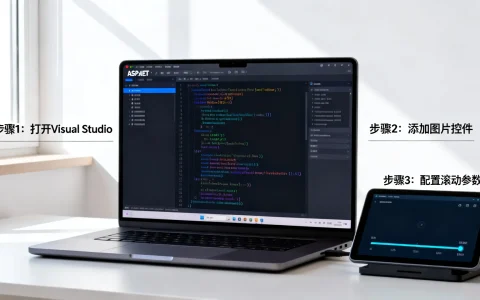
▶ 步骤1:配置IIS URL Rewrite规则
<rule name="Chinese SEO URL">
  <match url="^([u4e00-u9fa5_a-zA-Z0-9/-]+)$" />
  <conditions>
    <add input="{REQUEST_FILENAME}" matchType="IsFile" negate="true" />
    <add input="{REQUEST_FILENAME}" matchType="IsDirectory" negate="true" />
  </conditions>
  <action type="Rewrite" url="ContentRouter.aspx?path={UrlEncode:{R:1}}" />
</rule>
- 关键说明:
[u4e00-u9fa5]匹配中文字符范围{UrlEncode:{R:1}}自动进行URL编码转换
▶ 步骤2:创建路由处理器(ContentRouter.aspx)
protected void Page_Load(object sender, EventArgs e)
{
    string rawPath = Request.QueryString["path"];
    string decodedPath = HttpUtility.UrlDecode(rawPath, Encoding.UTF8);
    // 示例:/手机/华为 → 映射到 /ProductList.aspx?category=手机&brand=华为
    var segments = decodedPath.Split('/');
    if (segments.Length >= 2)
    {
        string category = segments[0];  // "手机"
        string brand = segments[1];     // "华为"
        Server.Transfer($"/ProductList.aspx?category={category}&brand={brand}");
    }
}
解决浏览器兼容性问题
方案A:前端显示优化
<!-- 在<head>中添加规范化标签 -->
<link rel="canonical" href="https://example.com/%E4%BA%A7%E5%93%81%E5%88%97%E8%A1%A8" />
- 作用:告知搜索引擎当前页面的标准URL格式
方案B:响应头强制UTF-8编码
<system.web>
  <globalization requestEncoding="utf-8" responseEncoding="utf-8" />
</system.web>
百度SEO专项优化策略
-
站长平台适配声明
在百度搜索资源平台提交「URL适配」规则:原始URL:https://example.com/ProductList.aspx?cat=([^&]+) 目标URL:https://example.com/$1 -
结构化数据标记
使用JSON-LD标注中文URL的关联性:
{
  "@context": "https://schema.org",
  "@type": "BreadcrumbList",
  "itemListElement": [{
    "@type": "ListItem",
    "position": 1,
    "name": "手机",
    "item": "https://example.com/%E6%89%8B%E6%9C%BA"
  }]
}

进阶:中文参数传递方案
// 生成中文URL链接时
string chineseUrl = "/" + HttpUtility.UrlPathEncode("电子产品/苹果");
HyperLink.NavigateUrl = chineseUrl.Replace("%2f", "/");  // 保留路径分隔符
// 接收端解析
string[] params = Context.Request.Path.Trim('/').Split('/');
string category = HttpUtility.UrlDecode(params[0]);  // "电子产品"
string product = HttpUtility.UrlDecode(params[1]);   // "苹果"
避坑指南:当URL中包含、等特殊符号时,需使用
UrlTokenEncode替代:string safeParam = Server.UrlTokenEncode(Encoding.UTF8.GetBytes("参数#带特殊符号"));
技术验证与监控
-
日志诊断配置
<rewrite>
  <rules>
    <rule name="Log Chinese URLs">
      <match url="." />
      <serverVariables>
        <set name="HTTP_X_ORIGINAL_URL" value="{UrlDecode:{REQUEST_URI}}" />
      </serverVariables>
    </rule>
  </rules>
</rewrite>
在IIS日志中查看
X-Original-URL字段获取解码后的中文路径 -
百度抓取模拟测试
使用curl命令验证:curl -A "Mozilla/5.0 (compatible; Baiduspider/2.0)" http://example.com/手机

您遇到的具体场景是?
若您的网站已有英文URL结构需兼容中文,或遇到百度收录异常,欢迎描述您的技术架构细节(如:使用Umbraco/Sitecore等CMS、WebForms/MVC框架版本),我将提供针对性迁移方案,您更关注多语言URL的规范化处理,还是动态参数的中文优化?
首发原创文章,作者:王坚,如若转载,请注明出处:https://idctop.com/article/21318.html