


在 Python 中与 OKCoin(现通常指 OKX,因为 OKCoin 和 OKEx 已合并为 OKX)进行交互,主要可以通过以下几种方式:
✅ 推荐方式:使用官方 REST API + Python 请求库
OKX 提供了完整的 REST API 和 WebSocket API,支持现货、合约、杠杆、期权等交易。

安装依赖
pip install requests
示例:获取市场数据(公开接口)
import requests
def get_ticker():
    url = "https://www.okx.com/api/v5/market/ticker?instId=BTC-USDT"
    response = requests.get(url)
    if response.status_code == 200:
        data = response.json()
        print(data)
    else:
        print("Error:", response.status_code)
get_ticker()
示例:发送签名请求(需要 API Key)
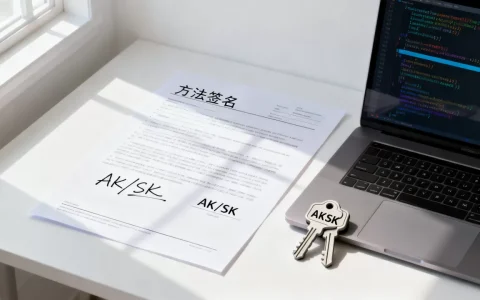
OKX 使用 HMAC-SHA256 签名,以下是带签名的示例:
import requests
import hmac
import hashlib
import time
import base64
API_KEY = "your_api_key"
SECRET_KEY = "your_secret_key"
PASSPHRASE = "your_passphrase"
def sign_request(timestamp, method, request_path, body=""):
message = timestamp + method + request_path + body
mac = hmac.new(SECRET_KEY.encode(), message.encode(), hashlib.sha256)
return base64.b64en
code(mac.digest()).decode()
def get_account_balance():
timestamp = time.time()
request_path = "/api/v5/account/balance"
method = "GET"
body = ""
sign = sign_request(str(timestamp), method, request_path, body)
headers = {
"OK-ACCESS-KEY": API_KEY,
"OK-ACCESS-SIGN": sign,
"OK-ACCESS-TIMESTAMP": str(timestamp),
"OK-ACCESS-PASSPHRASE": PASSPHRASE,
"Content-Type": "application/json"
}
url = "https://www.okx.com" + request_path
response = requests.get(url, headers=headers)
if response.status_code == 200:
print(response.json())
else:
print("Error:", response.status_code, response.text)
get_account_balance()
⚠️ 注意:
- OKX 的 API 基础 URL 是
https://www.okx.com- 测试网 URL 是
https://www.okx.com(测试网需单独申请)- 所有私有接口都需要签名
✅ 更推荐:使用第三方封装库
okx-python(非官方,但常用)
pip install okx-python
from okx import MarketDataAPI, TradeAPI
# 获取行情
market_api = MarketDataAPI()
tickers = market_api.get_tickers(instId="BTC-USDT")
print(tickers)
# 下单(需要配置 API Key)
trade_api = TradeAPI(api_key, secret_key, passphrase, flag="live")
result = trade_api.place_order(
    instId="BTC-USDT",
    tdMode="cash",
    side="buy",
    ordType="limit",
    px="20000",
    sz="0.01"
)
print(result)
ccxt(通用加密货币交易库)
pip install ccxt
import ccxt
okx = ccxt.okx({
    'apiKey': 'your_api_key',
    'secret': 'your_secret_key',
    'password': 'your_passphrase',
})
# 获取余额
balance = okx.fetch_balance()
print(balance)
# 下单
order = okx.create_order(
    symbol='BTC/USDT',
    type='limit',
    side='buy',
    amount=0.01,
    price=20000
)
print(order)
✅
ccxt支持 100+ 交易所,包括 OKX,接口统一,适合多交易所策略。
✅ WebSocket 实时行情(可选)
OKX 提供 WebSocket 接口,适合实时价格推送。
import websocket
import json
import threading
def on_message(ws, message):
print("Received:", message)
def on_error(ws, error):
print("Error:", error)
def on_close(ws, c
lose_status_code, close_msg):
print("Connection closed")
def on_open(ws):
# 订阅 BTC-USDT ticker
subscribe_msg = {
"op": "subscribe",
"args": [
{
"channel": "tickers",
"instId": "BTC-USDT"
}
]
}
ws.send(json.dumps(subscribe_msg))
if __name__ == "__main__":
ws = websocket.WebSocketApp(
"wss://ws.okx.com:8443/ws/v5/public",
on_open=on_open,
on_message=on_message,
on_error=on_error,
on_close=on_close
)
ws.run_forever()
📌 注意事项
- API 密钥安全:不要将 API Key 硬编码在代码中,建议使用环境变量。
- 速率限制:OKX 有请求频率限制,避免频繁请求。
- 测试网:开发阶段建议使用测试网。
- OKCoin vs OKX:OKCoin 是早期品牌,现已统一为 OKX,API 文档以 OKX 官方文档 为准。
📚 官方文档
首发原创文章,作者:王坚,如若转载,请注明出处:https://idctop.com/article/479389.html



评论列表(1条)
卧槽…看这标题手都抖了!刚查了下OKX API,想起上个月改个持仓参数差点爆仓,手一滑多填了个零…中年人的苦啊,连代码注