在 Python 中操作 SugarCRM(现称为 SuiteCRM 或 Sugar Suite)通常有几种主要方式,具体取决于你使用的 SugarCRM 版本(Cloud vs On-Premise)以及 API 版本(REST v10 是主流)。
以下是几种常见的方法:

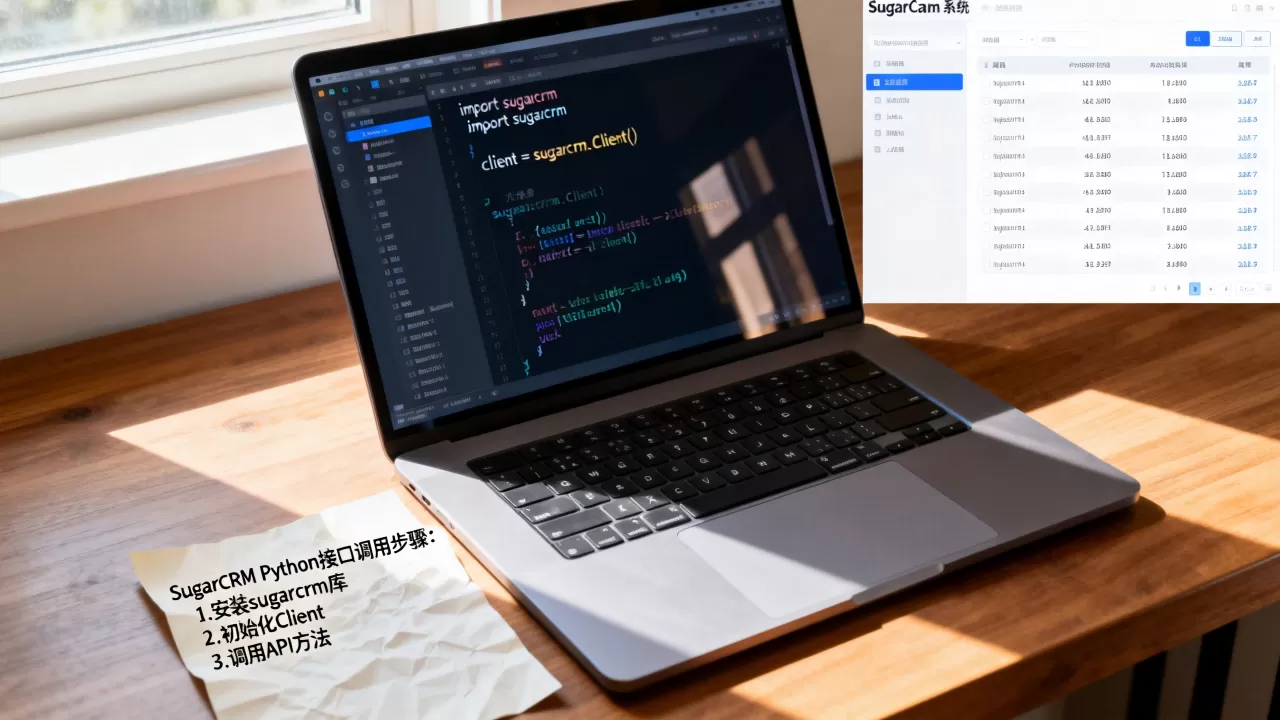
使用官方/社区推荐的 Python 库:sugarcrm 或 sugar7
目前最常用的是基于 SugarCRM REST API v10 的库。
推荐库:sugarcrm (pip 安装)
注意:PyPI 上名为
sugarcrm的库可能维护不活跃,更推荐使用sugar7或手动调用 REST API。
更推荐的方案:使用 requests 库直接调用 REST API v10
这是最灵活、最可靠的方式,适用于所有 SugarCRM 7+ 版本。
使用 requests 调用 SugarCRM REST API v10(推荐)
步骤 1:获取 Access Token(OAuth 2.0)
import requests
import json
# SugarCRM 实例 URL
SUGAR_URL = "https://your-sugar-instance.com"
CLIENT_ID = "your_client_id"  # 在 SugarCRM 中创建 OAuth 客户端时获得
CLIENT_SECRET = "your_client_secret"
USERNAME = "admin"
PASSWORD = "your_password"
# 1. 获取 Access Token
token_url = f"{SUGAR_URL}/rest/v10/oauth2/token"
token_payload = {
    "grant_type": "password",
    "client_id": CLIENT_ID,
    "client_secret": CLIENT_SECRET,
    "username": USERNAME,
    "password": PASSWORD,
    "platform": "rest"
}
response = requests.post(token_url, data=token_payload)
if response.status_code == 200:
    access_token = response.json()["access_token"]
    print("Token 获取成功")
else:
    raise Exception(f"Token 获取失败: {response.text}")
步骤 2:查询记录(例如查询 Accounts)
headers = {
    "Authorization": f"Bearer {access_token}",
    "Content-Type": "application/json"
}
# 查询所有 Accounts,限制返回 5 条
query_url = f"{SUGAR_URL}/rest/v10/Accounts"
params = {
    "max_num": 5,
    "offset": 0
}
response = requests.get(query_url, headers=headers, params=params)
if response.status_code == 200:
    accounts = response.json()["entries"]
    for account in accounts:
        print(f"Account ID: {account['id']}, Name: {account['name']}")
else:
    print(f"查询失败: {response.text}")

步骤 3:创建记录(例如创建新 Account)
create_url = f"{SUGAR_URL}/rest/v10/Accounts"
new_account_data = {
    "name": "新测试公司",
    "phone_office": "123-456-7890",
    "website": "https://example.com"
}
response = requests.post(create_url, headers=headers, json=new_account_data)
if response.status_code == 200:
    result = response.json()
    print(f"创建成功,新记录 ID: {result['id']}")
else:
    print(f"创建失败: {response.text}")
步骤 4:更新记录
account_id = "12345678-1234-1234-1234-123456789abc"  # 替换为实际 ID
update_url = f"{SUGAR_URL}/rest/v10/Accounts/{account_id}"
update_data = {
    "name": "更新后的公司名称"
}
response = requests.put(update_url, headers=headers, json=update_data)
if response.status_code == 200:
    print("更新成功")
else:
    print(f"更新失败: {response.text}")
步骤 5:删除记录
delete_url = f"{SUGAR_URL}/rest/v10/Accounts/{account_id}"
response = requests.delete(delete_url, headers=headers)
if response.status_code == 200:
    print("删除成功")
else:
    print(f"删除失败: {response.text}")
使用 ORM 风格库:sugar7 或 sugarcrm-python
有些第三方库封装了上述逻辑,提供更像 Django ORM 或 SQLAlchemy 的接口。
示例:使用 sugar7 库
pip install sugar7
from sugar7 import Sugar7
# 连接
sugar = Sugar7('https://your-sugar-instance.com', oauth1={
    'token': 'your_access_token',
    'secret': 'your_client_secret'
})
# 查询
accounts = sugar.get('Accounts', max_num=5)
for account in accounts:
    print(account['name'])
# 创建
new_account = {
    'name': '新公司',
    'phone_office': '123-456-7890'
}
result = sugar.create('Accounts', new_account)
print(f"Created ID: {result['id']}")
⚠️ 注意:
sugar7库可能已停止维护,建议优先使用requests直接调用 API,或查找更新更活跃的库如sugarcrm-python。
使用 SuiteCRM(SugarCRM 开源分支)
如果你使用的是 SuiteCRM,API 基本兼容 SugarCRM REST v10,上述 requests 方法完全适用。
使用 SugarCRM SOAP API(旧版,不推荐)
旧版 SugarCRM(6.x 及更早)使用 SOAP API,Python 中可以使用 zeep 或 suds 库。
from zeep import Client
from zeep.transports import Transport
import requests
# 需要 session 登录获取 SID
session_url = "https://your-sugar-instance.com/service/v4_1/rest.php"
login_payload = {
    "user_auth": {
        "user_name": "admin",
        "password": "your_password",
        "version": "1.0"
    },
    "application_name": "PythonApp"
}
session = requests.Session()
response = session.post(session_url, json=login_payload)
sid = response.json()["id"]
# 创建 SOAP 客户端
wsdl_url = "https://your-sugar-instance.com/service/v4_1/wsdl.php"
client = Client(wsdl=wsdl_url, transport=Transport(session=session))
# 调用方法
result = client.service.get_entry_list(
    session_id=sid,
    module_name="Accounts",
    query="",
    order_by="",
    offset=0,
    select_fields=["id", "name"],
    link_name_to_fields_array=[]
)
print(result)
⚠️ SOAP API 已废弃,新项目请使用 REST v10。
最佳实践建议
- 使用 REST API v10:这是当前 SugarCRM 和 SuiteCRM 的标准 API,功能完整、性能好。
- 使用 OAuth 2.0:不要使用基本认证(Basic Auth),应通过 OAuth 2.0 获取 Access Token。
- 错误处理:始终检查 HTTP 状态码和响应内容。
- 分页处理:SugarCRM API 默认限制返回数量(如 20 条),需处理
offset和next_offset进行分页。 - 字段映射:注意 SugarCRM 的字段名可能与 UI 显示名称不同,可通过
module_name/{module_id}/fields端点获取字段元数据。
完整示例:封装一个 SugarCRM Client 类
import requests
class SugarCRMClient:
def __init__(self, base_url, client_id, client_secret, username, password):
self.base_url = base_url.rstrip('/')
self.client_id = client_id
self.client_secret = client_secret
self.usern
ame = username
self.password = password
self.access_token = None
self.session = requests.Session()
def authenticate(self):
url = f"{self.base_url}/rest/v10/oauth2/token"
payload = {
"grant_type": "password",
"client_id": self.client_id,
"client_secret": self.client_secret,
"username": self.username,
"password": self.password,
"platform": "rest"
}
response = self.session.post(url, data=payload)
response.raise_for_status()
self.access_token = response.json()["access_token"]
self.session.headers.update({
"Authorization": f"Bearer {self.access_token}",
"Content-Type": "application/json"
})
def get(self, module, max_num=20, offset=0):
url = f"{self.base_url}/rest/v10/{module}"
params = {"max_num": max_num, "offset": offset}
response = self.session.get(url, params=params)
response.raise_for_status()
return response.json()
def create(self, module, data):
url = f"{self.base_url}/rest/v10/{module}"
response = self.session.post(url, json=data)
response.raise_for_status()
return response.json()
def update(self, module, record_id, data):
url = f"{self.base_url}/rest/v10/{module}/{record_id}"
response = self.session.put(url, json=data)
response.raise_for_status()
return response.json()
def delete(self, module, record_id):
url = f"{self.base_url}/rest/v10/{module}/{record_id}"
response = self.session.delete(url)
response.raise_for_status()
return response.json()

使用示例:
client = SugarCRMClient(
    base_url="https://your-sugar-instance.com",
    client_id="your_client_id",
    client_secret="your_client_secret",
    username="admin",
    password="your_password"
)
client.authenticate()
# 查询
accounts = client.get("Accounts", max_num=5)
for acc in accounts["entries"]:
    print(acc["name"])
# 创建
new_acc = client.create("Accounts", {"name": "新公司", "phone_office": "123-456-7890"})
print(f"Created ID: {new_acc['id']}")
这样你就可以用 Python 轻松操作 SugarCRM 了。
首发原创文章,作者:王坚,如若转载,请注明出处:https://idctop.com/article/483979.html