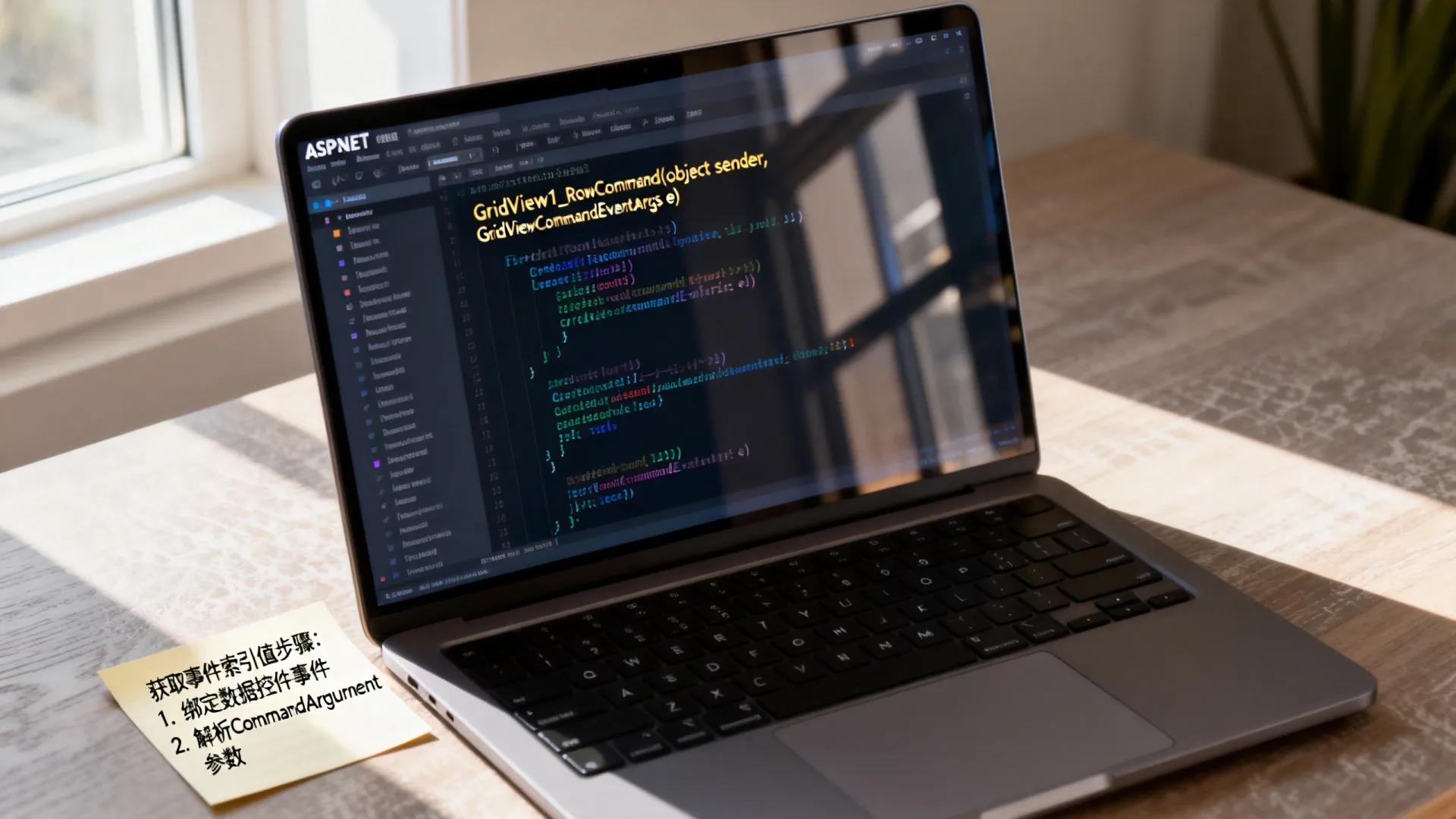
在ASP.NET中,通过数据控件的事件参数(如GridViewCommandEventArgs或RepeaterCommandEventArgs)可获取事件触发的索引位置,再结合FindControl方法定位行内控件并提取值,核心步骤包括:设置控件的CommandArgument属性绑定索引、在事件中解析索引、通过NamingContainer定位数据行、最终获取目标控件值。

为什么需要事件索引和值?
数据控件(GridView、Repeater、DataList等)动态生成多行数据时,用户操作(如点击编辑按钮)需精确定位到具体行,索引是行的唯一标识,结合控件ID可提取该行特定数据(如隐藏的ID字段),实现增删改查等业务逻辑。
常用数据控件的事件模型
- GridView
使用RowCommand事件,通过GridViewCommandEventArgs参数的CommandArgument获取行索引。 - Repeater/DataList
使用ItemCommand事件,通过RepeaterCommandEventArgs参数的Item.ItemIndex直接获取索引。
四步获取事件索引与值
步骤1:绑定索引到控件
在控件模板中,将行索引赋值给按钮的CommandArgument属性:
<!-- GridView示例 -->
<asp:GridView ID="gvUsers" OnRowCommand="gvUsers_RowCommand">
  <Columns>
    <asp:TemplateField>
      <ItemTemplate>
        <asp:Button runat="server" Text="编辑"
                    CommandName="EditRow"
                    CommandArgument='<%# Container.DataItemIndex %>' />
        <asp:HiddenField ID="hdnUserID" runat="server"
                         Value='<%# Eval("UserID") %>' />
      </ItemTemplate>
    </asp:TemplateField>
  </Columns>
</asp:GridView>
<!-- Repeater示例 -->
<asp:Repeater ID="rpProducts" OnItemCommand="rpProducts_ItemCommand">
  <ItemTemplate>
    <asp:Button runat="server" Text="删除"
                CommandName="DeleteItem"
                CommandArgument='<%# Container.ItemIndex %>' />
  </ItemTemplate>
</asp:Repeater>
步骤2:事件中解析索引
在后台事件处理函数中提取索引:
// GridView事件处理
protected void gvUsers_RowCommand(object sender, GridViewCommandEventArgs e) {
  int rowIndex = Convert.ToInt32(e.CommandArgument); // 获取行索引
  GridViewRow row = gvUsers.Rows[rowIndex];         // 定位行
}
// Repeater事件处理
protected void rpProducts_ItemCommand(object source, RepeaterCommandEventArgs e) {
  int itemIndex = e.Item.ItemIndex; // 直接获取项索引
}
步骤3:定位行内控件
通过FindControl在行内搜索目标控件:
// GridView中获取隐藏字段值
HiddenField hdn = (HiddenField)row.FindControl("hdnUserID");
string userID = hdn.Value;
// Repeater中获取文本框值
TextBox txtName = (TextBox)e.Item.FindControl("txtProductName");
string productName = txtName.Text;
步骤4:处理边界情况
- 分页时索引偏移
GridView分页需加上PageIndex PageSize校正索引:int trueIndex = rowIndex + gvUsers.PageIndex gvUsers.PageSize;
- 控件为空校验
使用安全转换避免空引用异常:if (row.FindControl("hdnUserID") is HiddenField hdn) { string id = hdn.Value; }
实战场景示例
场景1:GridView行内按钮删除数据
protected void gvUsers_RowCommand(object sender, GridViewCommandEventArgs e) {
  if (e.CommandName == "DeleteUser") {
    int rowIndex = Convert.ToInt32(e.CommandArgument);
    GridViewRow row = gvUsers.Rows[rowIndex];
    string userID = ((HiddenField)row.FindControl("hdnUserID")).Value;
    // 调用业务层删除操作
    UserService.DeleteUser(userID);
    BindGridView(); // 重新绑定数据
  }
}
场景2:Repeater内更新商品价格
protected void rpProducts_ItemCommand(object source, RepeaterCommandEventArgs e) {
  if (e.CommandName == "UpdatePrice") {
    TextBox txtPrice = (TextBox)e.Item.FindControl("txtPrice");
    int productID = Convert.ToInt32(e.CommandArgument); // 绑定时传递的ID
    ProductService.UpdatePrice(productID, decimal.Parse(txtPrice.Text));
  }
}
性能与安全最佳实践
- 索引绑定优化
优先传递数据ID(如CommandArgument='<%# Eval("ID") %>'),避免依赖索引位置,防止分页/排序导致错乱。 - 事件冒泡管理
为不同操作定义明确的CommandName(如”Edit”、”Delete”),避免事件冲突。 - 防注入处理
对从控件获取的值进行验证:if (int.TryParse(txtQuantity.Text, out int quantity)) { // 安全使用数据 } - 客户端辅助验证
结合JavaScript确认危险操作(如删除):<asp:Button runat="server" Text="删除" OnClientClick="return confirm('确定删除?');" ... />
常见问题解决方案
-
问题1:FindControl返回null
原因:控件位于嵌套容器中。
解决:逐层查找容器,如e.Item.FindControl("panel1").FindControl("txtName")。 -
问题2:索引在分页后错误
解决:GridView使用DataKeys替代索引:<GridView DataKeyNames="UserID" ... >
后台通过
gvUsers.DataKeys[rowIndex].Value获取ID。 -
问题3:动态生成控件ID不一致
解决:设置ClientIDMode="Static"固定客户端ID:
<asp:TextBox ID="txtEmail" ClientIDMode="Static" ... />

互动讨论
你在处理GridView或Repeater事件时遇到过哪些棘手的索引问题?是否有更优雅的解决方案?欢迎分享你的实战经验或疑问!
首发原创文章,作者:王坚,如若转载,请注明出处:https://idctop.com/article/21973.html