


将XML数据文件导入WordPress网站,核心在于利用内置的“导入”工具或第三方插件,将结构化数据解析为文章、页面或自定义内容类型,整个过程无需编写代码,通过后台几步操作即可完成数据迁移。参考2
很多站长在更换主题、迁移服务器或从其他CMS系统(如Blogger、Typecho)转移内容时,都会遇到XML文件,这个文件就像是一个装满内容的“压缩包”,里面记录了标题、正文、图片链接、分类标签等关键信息,直接上传并解析它,是最高效的数据恢复方式。

WordPress原生导入工具的使用流程
WordPress自带了强大的导入功能,这是最基础也最推荐的第一步,它支持多种数据格式,其中就包括通用的XML格式。
准备工作:安装必要的导入插件
虽然后台有“导入”入口,但WordPress默认只安装了一部分核心导入器,对于大多数XML文件,你需要先确认源系统类型。
具体操作步骤
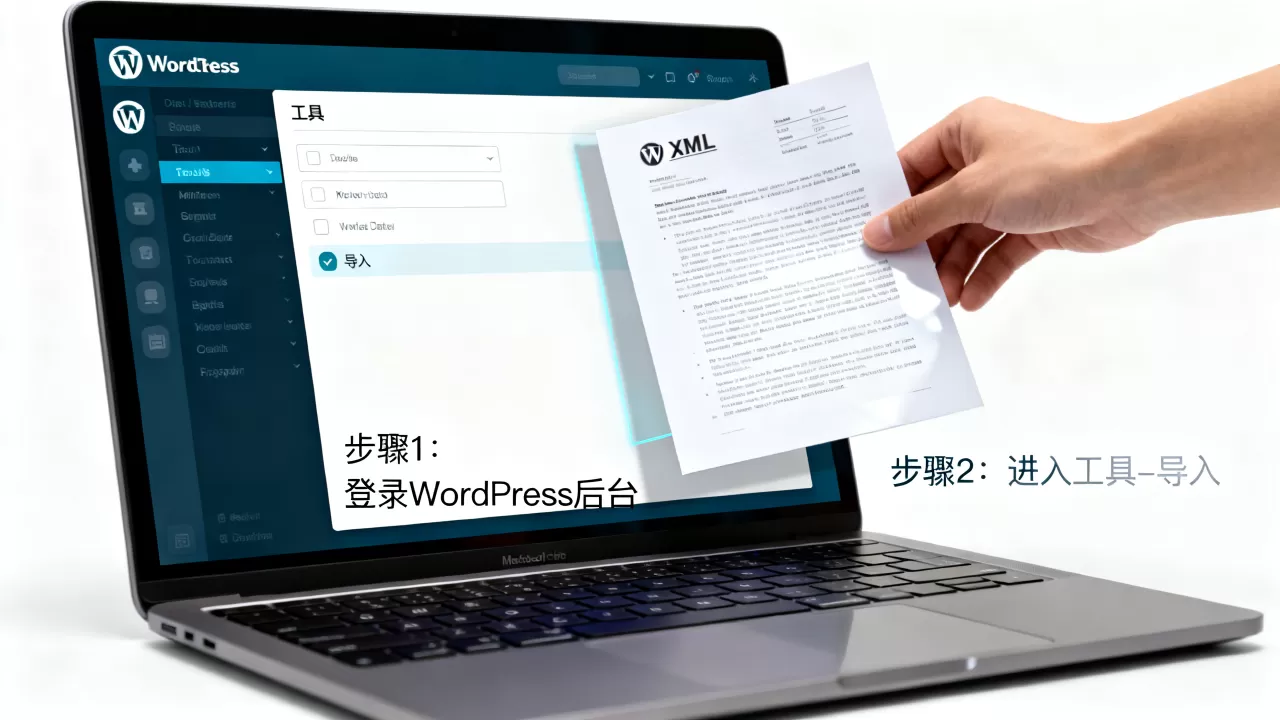
- 登录WordPress后台,进入工具 > 导入页面。
- 在列表中找到对应的源系统,Blogger”、“Tumblr”或“WordPress”本身。
- 点击“安装运行器”,等待插件安装完成。
- 安装后,点击“运行导入器”,此时会出现文件上传界面。
上传与解析:处理数据映射
上传XML文件后,系统会自动解析文件结构,这一步至关重要,因为你需要告诉WordPress如何处理这些数据。
- 分配作者:系统会列出XML中包含的所有作者,你可以选择将内容归并到现有用户,或创建新用户,建议尽量映射到现有作者,以保持评论和元数据的完整性。
- 导入附件:勾选此选项可确保XML中引用的图片、PDF等媒体文件被下载并上传到媒体库,如果不勾选,文章内的图片链接可能会失效。
- 处理分类:对于复杂的XML结构,系统可能会尝试自动创建分类目录,检查生成的分类是否与你的网站结构匹配。
业内专家指出,原生导入工具在处理简单内容时表现良好,但在面对包含自定义字段(Custom Fields)或复杂排版的数据时,可能会出现格式丢失,如果数据量较大或结构复杂,建议进入下一步。参考2
高级场景下的XML导入解决方案
当原生工具无法满足需求,或者你需要导入的是特定平台的专用XML(如Shopify产品数据、特定论坛导出数据)时,第三方插件提供了更精细的控制权。
选择适合的导入插件
市面上有许多插件专门处理XML解析,选择插件时,需关注其对自定义文章类型的支持程度。
- WP All Import:这是业内公认的强大工具,支持拖拽式映射,几乎可以导入任何XML结构,它允许你精确指定哪个XML节点对应标题,哪个对应正文,哪个对应自定义字段。
- Custom Import for WordPress:轻量级选择,适合简单的XML结构,如Sitemap或基本文章列表。
配置映射规则:精准控制数据流向
使用高级插件时,核心在于“映射”,你需要像做填空题一样,将XML中的标签与WordPress的字段一一对应。
关键映射点
- 字段:通常对应XML中的
或 <li>字段</b>:对应<description>、<content:encoded>或<item>主体部分,注意检查HTML标签是否被正确保留。</li> <li><b>媒体文件</b>:在WP All Import中,你可以设置“下载并导入图片”选项,插件会自动处理远程图片的本地化。</li> <li><b>自定义字段</b>:如果XML中包含SEO元数据、价格、库存等额外信息,需将其映射到对应的Meta Key。</li> </ol> <p>行业共识认为,对于电商或复杂内容站点,手动映射虽然耗时,但能确保数据零误差,特别是当涉及<b>XML数据文件怎么导入WordPress且保留自定义字段</b>时,插件的映射功能是唯一可靠的途径。</p> <h2>常见陷阱与数据清洗策略</h2> <p style="text-align:center"><img class="lazy lazy-hidden" decoding="async" src="data:image/gif;base64,R0lGODdhAQABAPAAAP///wAAACwAAAAAAQABAEACAkQBADs=" data-lazy-type="image" data-lazy-src="https://idctop.com/wp-content/uploads/2026/06/jimeng_20260624224932_4da88f9f.webp" alt="XML数据文件怎么导入WordPress网站?WordPress导入XML数据教程" title="XML数据文件怎么导入WordPress网站?WordPress导入XML数据教程" /><noscript><img decoding="async" src="https://idctop.com/wp-content/uploads/2026/06/jimeng_20260624224932_4da88f9f.webp" alt="XML数据文件怎么导入WordPress网站?WordPress导入XML数据教程" title="XML数据文件怎么导入WordPress网站?WordPress导入XML数据教程" /></noscript></p> <p>导入过程并非一帆风顺,许多用户反馈导入后出现乱码、图片丢失或重复内容,这些问题通常源于数据源不规范或导入配置不当。</p> <h3>解决乱码问题</h3> <p>XML文件通常声明编码格式(如UTF-8),如果导入后中文显示为乱码,说明编码不匹配。</p> <ul> <li>使用文本编辑器(如Notepad++)打开XML文件,检查首行编码声明。</li> <li>在导入前,尝试将文件另存为UTF-8无BOM格式。</li> <li>部分插件允许在导入设置中手动指定编码,务必选择与文件一致的编码。</li> </ul> <h3>处理重复数据</h3> <p>如果多次运行导入脚本,可能会导致大量重复文章。</p> <h4>预防与修复措施</h4> <ol> <li><b>启用去重功能</b>:WP All Import等高级插件提供“更新现有文章”选项,基于标题或唯一ID匹配,避免创建重复项。</li> <li><b>分批导入</b>:对于超过1000条数据的XML,建议拆分文件分批导入,减少服务器超时风险。</li> <li><b>清理数据库</b>:若已产生重复,可使用数据库清理插件(如WP-Optimize)或SQL命令删除重复Post。</li> </ol> <p>据统计,多数导入失败案例源于服务器资源限制,大文件导入需要较高的PHP内存限制和执行时间。</p> <h3>优化服务器配置</h3> <p>在导入大型XML文件前,调整服务器参数至关重要。</p> <ul> <li><b>PHP Memory Limit</b>:建议设置为<b>256M</b>或更高,以防止内存溢出。</li> <li><b>Max Execution Time</b>:设置为<b>300</b>秒或更长,避免脚本中途终止。</li> <li><b>Upload Max Filesize</b>:确保允许上传XML文件的大小限制大于文件实际体积。</li> </ul> <p>据工信部相关技术规范显示,合理的服务器资源配置能显著提升数据迁移成功率。</p> <h2>导入后的验证与维护</h2> <p>导入完成并非终点,验证数据完整性是确保网站正常运行的关键。</p> <h3>数据完整性检查清单</h3> <ul> <li><b>文章数量核对</b>:对比XML中的条目数与WordPress后台的文章总数。</li> <p style="text-align:center"><img class="lazy lazy-hidden" decoding="async" src="data:image/gif;base64,R0lGODdhAQABAPAAAP///wAAACwAAAAAAQABAEACAkQBADs=" data-lazy-type="image" data-lazy-src="https://idctop.com/wp-content/uploads/2026/06/jimeng_20260624224934_2debd64a.webp" alt="XML数据文件怎么导入WordPress网站?WordPress导入XML数据教程" title="XML数据文件怎么导入WordPress网站?WordPress导入XML数据教程" /><noscript><img decoding="async" src="https://idctop.com/wp-content/uploads/2026/06/jimeng_20260624224934_2debd64a.webp" alt="XML数据文件怎么导入WordPress网站?WordPress导入XML数据教程" title="XML数据文件怎么导入WordPress网站?WordPress导入XML数据教程" /></noscript></p> <li><b>图片链接测试</b>:随机抽查几篇文章,确认图片正常显示,无404错误。</li> <li><b>分类与标签</b>:检查文章是否被正确归类,标签云是否更新。</li> <li><b>SEO元数据</b>:使用SEO插件(如Yoast SEO或Rank Math)检查每篇文章的标题、描述是否已正确导入。</li> </ul> <h3>性能优化建议</h3> <p>的加入可能会暂时影响网站加载速度。</p> <ol> <li><b>重建索引</b>:在SEO插件中重新生成站点地图,确保新内容被搜索引擎抓取。</li> <li><b>缓存清理</b>:清除服务器缓存和浏览器缓存,确保前端显示最新数据。</li> <li><b>图片压缩</b>:如果导入的图片未优化,使用插件批量压缩,提升页面加载速度。</li> </ol> <h2>XML数据文件怎么导入WordPress常见问题解答</h2> <h3>XML文件太大导致导入中断怎么办?</h3> <p>当XML文件超过服务器上传限制或执行时间限制时,导入会中断,解决方法包括:使用文本编辑器或专用工具将大XML文件拆分为多个小文件(如按年份或类别拆分),然后分批导入,联系主机商提高PHP执行时间和内存限制,考虑使用命令行工具(如WP-CLI)进行导入,这种方式更稳定且不受浏览器超时影响。</p> <h3>导入后自定义字段丢失如何处理?</h3> <p>原生导入工具通常不支持自定义字段的映射,若出现此情况,需使用支持自定义字段映射的第三方插件(如WP All Import),在插件中,手动将XML中的特定节点映射到WordPress的Meta Key,若已导入但字段缺失,可尝试重新导入并启用“更新现有文章”选项,同时确保映射规则正确。</p> <h3>如何确保导入的图片链接有效?</h3> <p>XML中的图片链接可能是绝对路径或相对路径,导入时务必勾选“下载并导入附件”选项,插件会将远程图片下载到本地媒体库,并替换文章中的链接,若图片仍无法显示,检查图片URL是否包含防盗链设置,或尝试手动重新上传损坏的图片。</p> <div class="entry-copyright"><p>首发原创文章,作者:王坚,如若转载,请注明出处:https://idctop.com/article/420393.html</p></div> </div> <div class="entry-tag"><a href="https://idctop.com/article/tag/wordpress%e5%af%bc%e5%85%a5xml%e6%95%b0%e6%8d%ae%e6%95%99%e7%a8%8b" rel="tag">WordPress导入XML数据教程</a><a href="https://idctop.com/article/tag/wordpress%e5%af%bc%e5%85%a5xml%e6%95%b0%e6%8d%ae%e6%ad%a5%e9%aa%a4" rel="tag">WordPress导入XML数据步骤</a><a href="https://idctop.com/article/tag/%e5%a6%82%e4%bd%95%e5%b0%86xml%e6%96%87%e4%bb%b6%e5%af%bc%e5%85%a5wordpress" rel="tag">如何将XML文件导入WordPress</a><a href="https://idctop.com/article/tag/%e8%a7%a3%e5%86%b3wordpress%e5%af%bc%e5%85%a5xml%e6%95%b0%e6%8d%ae%e9%97%ae%e9%a2%98" rel="tag">解决WordPress导入XML数据问题</a></div> <div class="entry-action"> <div class="btn-zan" data-id="420393"><i class="wpcom-icon wi"><svg aria-hidden="true"><use xlink:href="#wi-thumb-up-fill"></use></svg></i> 赞 <span class="entry-action-num">(0)</span></div> </div> <div class="entry-bar"> <div class="entry-bar-inner"> <div class="entry-bar-info entry-bar-info2"> <div class="info-item meta"> <a class="meta-item" href="#comments"><i class="wpcom-icon wi"><svg aria-hidden="true"><use xlink:href="#wi-comment"></use></svg></i> <span class="data">0</span></a> </div> <div class="info-item share"> <a class="meta-item mobile j-mobile-share" href="javascript:;" data-id="420393" data-qrcode="https://idctop.com/article/420393.html"> <i class="wpcom-icon wi"><svg aria-hidden="true"><use xlink:href="#wi-share"></use></svg></i> 生成海报 </a> <a class="meta-item wechat" data-share="wechat" target="_blank" rel="nofollow noopener noreferrer" href="#"> <i class="wpcom-icon wi"><svg aria-hidden="true"><use xlink:href="#wi-wechat"></use></svg></i> </a> <a class="meta-item weibo" data-share="weibo" target="_blank" rel="nofollow noopener noreferrer" href="#"> <i class="wpcom-icon wi"><svg aria-hidden="true"><use xlink:href="#wi-weibo"></use></svg></i> </a> <a class="meta-item qq" data-share="qq" target="_blank" rel="nofollow noopener noreferrer" href="#"> <i class="wpcom-icon wi"><svg aria-hidden="true"><use xlink:href="#wi-qq"></use></svg></i> </a> </div> <div class="info-item act"> <a href="javascript:;" id="j-reading"><i class="wpcom-icon wi"><svg aria-hidden="true"><use xlink:href="#wi-article"></use></svg></i></a> </div> </div> </div> </div> </div> <div class="entry-author"> <h3 class="entry-author-title">关于作者</h3> <div class="entry-author-inner"> <div class="entry-author-avatar"> <a class="avatar j-user-card" href="https://idctop.com/article/author/adminzy" target="_blank" data-user="1"><img alt='王坚' src="data:image/gif;base64,R0lGODdhAQABAPAAAP///wAAACwAAAAAAQABAEACAkQBADs=" data-lazy-type="image" data-lazy-src='https://gravatar.loli.net/avatar/6fefc8e9e4992b14f0fd2cdc39060fcf933683eaf903ad418f3f3ea266829de2?s=120&d=mm&r=g' data-lazy-srcset='https://gravatar.loli.net/avatar/6fefc8e9e4992b14f0fd2cdc39060fcf933683eaf903ad418f3f3ea266829de2?s=240&d=mm&r=g 2x' class='lazy lazy-hidden avatar avatar-120 photo' height='120' width='120' decoding='async'/><noscript><img alt='王坚' src='https://gravatar.loli.net/avatar/6fefc8e9e4992b14f0fd2cdc39060fcf933683eaf903ad418f3f3ea266829de2?s=120&d=mm&r=g' srcset='https://gravatar.loli.net/avatar/6fefc8e9e4992b14f0fd2cdc39060fcf933683eaf903ad418f3f3ea266829de2?s=240&d=mm&r=g 2x' class='avatar avatar-120 photo' height='120' width='120' decoding='async'/></noscript></a> </div> <div class="entry-author-content"> <div class="entry-author-info"> <h4 class="entry-author-name"> <a class="j-user-card" href="https://idctop.com/article/author/adminzy" target="_blank" data-user="1">王坚</a> </h4> <div class="entry-author-action"> </div> </div> <div class="entry-author-description">计算机分布式系统硕士,10 年云原生存储与数据库研发经验,曾任头部云厂商数据库实验室核心研究员,持有 20 余项存储内核专利,CNCF 云原生讲师,常年受邀出席 KubeCon、数据库技术大会,多篇行业白皮书联合撰稿人,技术成果获得多家头部互联网厂商技术团队落地验证。</div> </div> </div> </div> <div class="entry-page"> <div class="entry-page-prev"> <img src="https://idctop.com/wp-content/uploads/2026/06/jimeng_20260624224911_8cc0f26e-480x300.webp" alt="Gname云产品低至2.5折是真的吗?云服务器怎么选性价比高" decoding="async" loading="lazy"> <a href="https://idctop.com/article/420389.html" title="Gname云产品低至2.5折是真的吗?云服务器怎么选性价比高" rel="prev"> <span>Gname云产品低至2.5折是真的吗?云服务器怎么选性价比高</span> </a> <div class="entry-page-info"> <span class="pull-left"><i class="wpcom-icon wi"><svg aria-hidden="true"><use xlink:href="#wi-arrow-left-double"></use></svg></i> 上一篇</span> <span class="pull-right">2026年6月24日 22:49</span> </div> </div> <div class="entry-page-next"> <img src="https://idctop.com/wp-content/uploads/2026/06/jimeng_20260624225155_7a3107bc-480x300.webp" alt="Namecheap注册.ai域名贵吗?.ai域名注册费用是多少" decoding="async" loading="lazy"> <a href="https://idctop.com/article/420397.html" title="Namecheap注册.ai域名贵吗?.ai域名注册费用是多少" rel="next"> <span>Namecheap注册.ai域名贵吗?.ai域名注册费用是多少</span> </a> <div class="entry-page-info"> <span class="pull-right">下一篇 <i class="wpcom-icon wi"><svg aria-hidden="true"><use xlink:href="#wi-arrow-right-double"></use></svg></i></span> <span class="pull-left">2026年6月24日 22:52</span> </div> </div> </div> <div class="entry-related-posts"> <h3 class="entry-related-title">相关推荐</h3><ul class="entry-related cols-3 post-loop post-loop-default"><li class="item"> <div class="item-img"> <a class="item-img-inner" href="https://idctop.com/article/366772.html" title="HTML5图片插入失败怎么办?html5 img标签用法" target="_blank" rel="bookmark"> <img width="480" height="300" src="data:image/gif;base64,R0lGODdhAQABAPAAAP///wAAACwAAAAAAQABAEACAkQBADs=" data-lazy-type="image" data-lazy-src="https://idctop.com/wp-content/uploads/2026/06/jimeng_20260611111633_b38754e9-480x300.webp" class="lazy lazy-hidden attachment-default size-default wp-post-image" alt="HTML5图片插入失败怎么办?html5 img标签用法" decoding="async" fetchpriority="high" /><noscript><img width="480" height="300" src="https://idctop.com/wp-content/uploads/2026/06/jimeng_20260611111633_b38754e9-480x300.webp" class="attachment-default size-default wp-post-image" alt="HTML5图片插入失败怎么办?html5 img标签用法" decoding="async" fetchpriority="high" /></noscript> </a> <a class="item-category" href="https://idctop.com/article/category/kd" target="_blank">服务器宽带</a> </div> <div class="item-content"> <h3 class="item-title"> <a href="https://idctop.com/article/366772.html" target="_blank" rel="bookmark"> HTML5图片插入失败怎么办?html5 img标签用法 </a> </h3> <div class="item-excerpt"> <p>在HTML5中插入图片的标准方法是使用标签,并通过src属性指定图片路径,alt属性提供替代文本,这是构建网页视觉内容的基础且必须遵循的语义化规范,网页开发中,图片不仅仅是装饰,更是信息传递的核心载体,很多初学者在尝试HTML5插入图片教程时,往往只关注“怎么显示”,却忽略了“怎么显示得更好”,一个优秀的图片插……</p> </div> <div class="item-meta"> <span class="item-meta-li date">2026年6月11日</span> <div class="item-meta-right"> <span class="item-meta-li views" title="阅读数"><i class="wpcom-icon wi"><svg aria-hidden="true"><use xlink:href="#wi-eye"></use></svg></i>46</span><span class="item-meta-li likes" title="点赞数"><i class="wpcom-icon wi"><svg aria-hidden="true"><use xlink:href="#wi-thumb-up"></use></svg></i>0</span><a class="item-meta-li comments" href="https://idctop.com/article/366772.html#comments" target="_blank" title="评论数"><i class="wpcom-icon wi"><svg aria-hidden="true"><use xlink:href="#wi-comment"></use></svg></i>1</a><span class="item-meta-li stars" title="收藏数"><i class="wpcom-icon wi"><svg aria-hidden="true"><use xlink:href="#wi-star"></use></svg></i>0</span> </div> </div> </div> </li> <li class="item"> <div class="item-img"> <a class="item-img-inner" href="https://idctop.com/article/395332.html" title="Discuz论坛怎么设置邮件验证注册?注册邮箱验证不通过怎么办" target="_blank" rel="bookmark"> <img width="480" height="300" src="data:image/gif;base64,R0lGODdhAQABAPAAAP///wAAACwAAAAAAQABAEACAkQBADs=" data-lazy-type="image" data-lazy-src="https://idctop.com/wp-content/uploads/2026/06/jimeng_20260617223714_147f1aac-480x300.webp" class="lazy lazy-hidden attachment-default size-default wp-post-image" alt="Discuz论坛怎么设置邮件验证注册?注册邮箱验证不通过怎么办" decoding="async" /><noscript><img width="480" height="300" src="https://idctop.com/wp-content/uploads/2026/06/jimeng_20260617223714_147f1aac-480x300.webp" class="attachment-default size-default wp-post-image" alt="Discuz论坛怎么设置邮件验证注册?注册邮箱验证不通过怎么办" decoding="async" /></noscript> </a> <a class="item-category" href="https://idctop.com/article/category/kd" target="_blank">服务器宽带</a> </div> <div class="item-content"> <h3 class="item-title"> <a href="https://idctop.com/article/395332.html" target="_blank" rel="bookmark"> Discuz论坛怎么设置邮件验证注册?注册邮箱验证不通过怎么办 </a> </h3> <div class="item-excerpt"> <p>在Discuz论坛中设置邮件验证注册,核心路径是进入后台“站长”->“UCenter”->“应用管理”,编辑默认应用并开启“开启邮件验证”,随后在“用户”->“注册设置”中勾选“启用邮件验证”即可实现,这一操作看似简单,但很多站长在配置过程中容易忽略服务器环境匹配和垃圾邮件过滤的问题,导致用户……</p> </div> <div class="item-meta"> <span class="item-meta-li date">2026年6月17日</span> <div class="item-meta-right"> <span class="item-meta-li views" title="阅读数"><i class="wpcom-icon wi"><svg aria-hidden="true"><use xlink:href="#wi-eye"></use></svg></i>21</span><span class="item-meta-li likes" title="点赞数"><i class="wpcom-icon wi"><svg aria-hidden="true"><use xlink:href="#wi-thumb-up"></use></svg></i>0</span><a class="item-meta-li comments" href="https://idctop.com/article/395332.html#comments" target="_blank" title="评论数"><i class="wpcom-icon wi"><svg aria-hidden="true"><use xlink:href="#wi-comment"></use></svg></i>0</a><span class="item-meta-li stars" title="收藏数"><i class="wpcom-icon wi"><svg aria-hidden="true"><use xlink:href="#wi-star"></use></svg></i>0</span> </div> </div> </div> </li> <li class="item"> <div class="item-img"> <a class="item-img-inner" href="https://idctop.com/article/326063.html" title="互联网区块链仓单系统追踪技术到底如何运作?区块链仓单防伪溯源原理" target="_blank" rel="bookmark"> <img width="480" height="300" src="data:image/gif;base64,R0lGODdhAQABAPAAAP///wAAACwAAAAAAQABAEACAkQBADs=" data-lazy-type="image" data-lazy-src="https://idctop.com/wp-content/uploads/2026/06/jimeng_20260603211707_2d46ef19-480x300.webp" class="lazy lazy-hidden attachment-default size-default wp-post-image" alt="互联网区块链仓单系统追踪技术到底如何运作?区块链仓单防伪溯源原理" decoding="async" loading="lazy" /><noscript><img width="480" height="300" src="https://idctop.com/wp-content/uploads/2026/06/jimeng_20260603211707_2d46ef19-480x300.webp" class="attachment-default size-default wp-post-image" alt="互联网区块链仓单系统追踪技术到底如何运作?区块链仓单防伪溯源原理" decoding="async" loading="lazy" /></noscript> </a> <a class="item-category" href="https://idctop.com/article/category/kd" target="_blank">服务器宽带</a> </div> <div class="item-content"> <h3 class="item-title"> <a href="https://idctop.com/article/326063.html" target="_blank" rel="bookmark"> 互联网区块链仓单系统追踪技术到底如何运作?区块链仓单防伪溯源原理 </a> </h3> <div class="item-excerpt"> <p>互联网区块链仓单系统通过分布式账本技术实现货物全生命周期不可篡改追踪,彻底解决了传统供应链金融中“一货多卖”和信任缺失的痛点,区块链仓单系统如何重构供应链信任机制传统仓储管理依赖纸质单据或中心化数据库,信息孤岛现象严重,数据易被篡改且追溯困难,区块链技术的引入,本质上是在去中心化的网络中建立了一个共享的“真理账……</p> </div> <div class="item-meta"> <span class="item-meta-li date">2026年6月3日</span> <div class="item-meta-right"> <span class="item-meta-li views" title="阅读数"><i class="wpcom-icon wi"><svg aria-hidden="true"><use xlink:href="#wi-eye"></use></svg></i>30</span><span class="item-meta-li likes" title="点赞数"><i class="wpcom-icon wi"><svg aria-hidden="true"><use xlink:href="#wi-thumb-up"></use></svg></i>0</span><a class="item-meta-li comments" href="https://idctop.com/article/326063.html#comments" target="_blank" title="评论数"><i class="wpcom-icon wi"><svg aria-hidden="true"><use xlink:href="#wi-comment"></use></svg></i>0</a><span class="item-meta-li stars" title="收藏数"><i class="wpcom-icon wi"><svg aria-hidden="true"><use xlink:href="#wi-star"></use></svg></i>0</span> </div> </div> </div> </li> <li class="item item-no-thumb"> <div class="item-content"> <h3 class="item-title"> <a href="https://idctop.com/article/395680.html" target="_blank" rel="bookmark"> 论坛建站为何越来越少?新手如何低成本搭建个人论坛 </a> </h3> <div class="item-excerpt"> <p>论坛建站数量锐减并非技术倒退,而是流量入口从“社区沉淀”向“算法推荐”转移,以及传统BBS模式在移动互联网时代无法匹配用户碎片化阅读习惯的必然结果,曾经,一个论坛是互联网内容的核心枢纽,打开浏览器,你很难再找到活跃度高、更新频繁的综合性BBS,这种消失感并非错觉,而是互联网生态重构后的真实写照,我们不再需要在一……</p> </div> <div class="item-meta"> <a class="item-meta-li category" href="https://idctop.com/article/category/kd" target="_blank">服务器宽带</a> <span class="item-meta-li date">2026年6月18日</span> <div class="item-meta-right"> <span class="item-meta-li views" title="阅读数"><i class="wpcom-icon wi"><svg aria-hidden="true"><use xlink:href="#wi-eye"></use></svg></i>44</span><span class="item-meta-li likes" title="点赞数"><i class="wpcom-icon wi"><svg aria-hidden="true"><use xlink:href="#wi-thumb-up"></use></svg></i>0</span><a class="item-meta-li comments" href="https://idctop.com/article/395680.html#comments" target="_blank" title="评论数"><i class="wpcom-icon wi"><svg aria-hidden="true"><use xlink:href="#wi-comment"></use></svg></i>0</a><span class="item-meta-li stars" title="收藏数"><i class="wpcom-icon wi"><svg aria-hidden="true"><use xlink:href="#wi-star"></use></svg></i>0</span> </div> </div> </div> </li> <li class="item"> <div class="item-img"> <a class="item-img-inner" href="https://idctop.com/article/364275.html" title="html内嵌部分网页怎么实现?iframe嵌入指定网页代码" target="_blank" rel="bookmark"> <img width="480" height="300" src="data:image/gif;base64,R0lGODdhAQABAPAAAP///wAAACwAAAAAAQABAEACAkQBADs=" data-lazy-type="image" data-lazy-src="https://idctop.com/wp-content/uploads/2026/06/jimeng_20260611002419_8cb2ced2-480x300.webp" class="lazy lazy-hidden attachment-default size-default wp-post-image" alt="html内嵌部分网页怎么实现?iframe嵌入指定网页代码" decoding="async" loading="lazy" /><noscript><img width="480" height="300" src="https://idctop.com/wp-content/uploads/2026/06/jimeng_20260611002419_8cb2ced2-480x300.webp" class="attachment-default size-default wp-post-image" alt="html内嵌部分网页怎么实现?iframe嵌入指定网页代码" decoding="async" loading="lazy" /></noscript> </a> <a class="item-category" href="https://idctop.com/article/category/kd" target="_blank">服务器宽带</a> </div> <div class="item-content"> <h3 class="item-title"> <a href="https://idctop.com/article/364275.html" target="_blank" rel="bookmark"> html内嵌部分网页怎么实现?iframe嵌入指定网页代码 </a> </h3> <div class="item-excerpt"> <p>在HTML中嵌入部分网页最稳定且兼容性的方案是使用标签,而追求高性能与SEO友好的现代替代方案则是通过JavaScript动态加载内容或采用服务端渲染(SSR)技术,许多开发者在构建复杂Web应用时,常遇到需要在一个页面中展示另一个页面片段的需求,这不仅仅是简单的代码复制,更涉及到性能优化、用户体验以及搜索引擎……</p> </div> <div class="item-meta"> <span class="item-meta-li date">2026年6月11日</span> <div class="item-meta-right"> <span class="item-meta-li views" title="阅读数"><i class="wpcom-icon wi"><svg aria-hidden="true"><use xlink:href="#wi-eye"></use></svg></i>30</span><span class="item-meta-li likes" title="点赞数"><i class="wpcom-icon wi"><svg aria-hidden="true"><use xlink:href="#wi-thumb-up"></use></svg></i>0</span><a class="item-meta-li comments" href="https://idctop.com/article/364275.html#comments" target="_blank" title="评论数"><i class="wpcom-icon wi"><svg aria-hidden="true"><use xlink:href="#wi-comment"></use></svg></i>1</a><span class="item-meta-li stars" title="收藏数"><i class="wpcom-icon wi"><svg aria-hidden="true"><use xlink:href="#wi-star"></use></svg></i>0</span> </div> </div> </div> </li> <li class="item"> <div class="item-img"> <a class="item-img-inner" href="https://idctop.com/article/335374.html" title="百度智能云登录入口在哪?百度智能云账号密码找回" target="_blank" rel="bookmark"> <img width="480" height="300" src="data:image/gif;base64,R0lGODdhAQABAPAAAP///wAAACwAAAAAAQABAEACAkQBADs=" data-lazy-type="image" data-lazy-src="https://idctop.com/wp-content/uploads/2026/06/jimeng_20260606021843_d10d5861-480x300.webp" class="lazy lazy-hidden attachment-default size-default wp-post-image" alt="百度智能云登录入口在哪?百度智能云账号密码找回" decoding="async" loading="lazy" /><noscript><img width="480" height="300" src="https://idctop.com/wp-content/uploads/2026/06/jimeng_20260606021843_d10d5861-480x300.webp" class="attachment-default size-default wp-post-image" alt="百度智能云登录入口在哪?百度智能云账号密码找回" decoding="async" loading="lazy" /></noscript> </a> <a class="item-category" href="https://idctop.com/article/category/kd" target="_blank">服务器宽带</a> </div> <div class="item-content"> <h3 class="item-title"> <a href="https://idctop.com/article/335374.html" target="_blank" rel="bookmark"> 百度智能云登录入口在哪?百度智能云账号密码找回 </a> </h3> <div class="item-excerpt"> <p>百度智能云登录是访问其云计算、AI大模型及企业级服务的唯一入口,支持账号密码、手机号验证码及第三方授权等多种方式,确保用户能快速、安全地进入控制台管理资源,对于初次接触云计算的用户来说,面对复杂的控制台界面往往会有些迷茫,登录过程并不复杂,关键在于选对入口和准备好凭证,无论是个人开发者还是企业IT管理员,掌握正……</p> </div> <div class="item-meta"> <span class="item-meta-li date">2026年6月6日</span> <div class="item-meta-right"> <span class="item-meta-li views" title="阅读数"><i class="wpcom-icon wi"><svg aria-hidden="true"><use xlink:href="#wi-eye"></use></svg></i>33</span><span class="item-meta-li likes" title="点赞数"><i class="wpcom-icon wi"><svg aria-hidden="true"><use xlink:href="#wi-thumb-up"></use></svg></i>0</span><a class="item-meta-li comments" href="https://idctop.com/article/335374.html#comments" target="_blank" title="评论数"><i class="wpcom-icon wi"><svg aria-hidden="true"><use xlink:href="#wi-comment"></use></svg></i>0</a><span class="item-meta-li stars" title="收藏数"><i class="wpcom-icon wi"><svg aria-hidden="true"><use xlink:href="#wi-star"></use></svg></i>0</span> </div> </div> </div> </li> <li class="item item-no-thumb"> <div class="item-content"> <h3 class="item-title"> <a href="https://idctop.com/article/322158.html" target="_blank" rel="bookmark"> https证书错误怎么解决?网站https证书申请费用多少 </a> </h3> <div class="item-excerpt"> <p>遇到HTTPS证书错误时,最直接的解决办法是检查系统时间是否准确,若时间无误则需确认证书是否过期或被浏览器拦截,对于普通用户建议联系网站管理员修复,对于开发者则需重新部署有效证书并检查域名配置,当你在浏览器地址栏看到那个醒目的红色警告标志时,心里难免会咯噔一下,这种“不安全”的提示不仅影响浏览体验,更让人对网站……</p> </div> <div class="item-meta"> <a class="item-meta-li category" href="https://idctop.com/article/category/kd" target="_blank">服务器宽带</a> <span class="item-meta-li date">2026年6月2日</span> <div class="item-meta-right"> <span class="item-meta-li views" title="阅读数"><i class="wpcom-icon wi"><svg aria-hidden="true"><use xlink:href="#wi-eye"></use></svg></i>41</span><span class="item-meta-li likes" title="点赞数"><i class="wpcom-icon wi"><svg aria-hidden="true"><use xlink:href="#wi-thumb-up"></use></svg></i>0</span><a class="item-meta-li comments" href="https://idctop.com/article/322158.html#comments" target="_blank" title="评论数"><i class="wpcom-icon wi"><svg aria-hidden="true"><use xlink:href="#wi-comment"></use></svg></i>0</a><span class="item-meta-li stars" title="收藏数"><i class="wpcom-icon wi"><svg aria-hidden="true"><use xlink:href="#wi-star"></use></svg></i>0</span> </div> </div> </div> </li> <li class="item item-no-thumb"> <div class="item-content"> <h3 class="item-title"> <a href="https://idctop.com/article/558857.html" target="_blank" rel="bookmark"> 武汉大带宽服务器租用是不是越大越合适,怎么选带宽? </a> </h3> <div class="item-excerpt"> <p>武汉大带宽服务器租用,并非越大越合适,选择关键在匹配实际业务需求,很多人在租用服务器时,容易陷入“带宽越大越好”的误区,尤其面对武汉本地机房的各种套餐,总觉得多花点钱买大带宽就能一劳永逸,但实际运营中,带宽过大不仅浪费预算,还可能因为配置失衡导致体验下降,本文从实际场景出发,帮你理清到底需要多大的带宽,大带宽服……</p> </div> <div class="item-meta"> <a class="item-meta-li category" href="https://idctop.com/article/category/kd" target="_blank">服务器宽带</a> <span class="item-meta-li date">2026年8月9日</span> <div class="item-meta-right"> <span class="item-meta-li views" title="阅读数"><i class="wpcom-icon wi"><svg aria-hidden="true"><use xlink:href="#wi-eye"></use></svg></i>7</span><span class="item-meta-li likes" title="点赞数"><i class="wpcom-icon wi"><svg aria-hidden="true"><use xlink:href="#wi-thumb-up"></use></svg></i>0</span><a class="item-meta-li comments" href="https://idctop.com/article/558857.html#comments" target="_blank" title="评论数"><i class="wpcom-icon wi"><svg aria-hidden="true"><use xlink:href="#wi-comment"></use></svg></i>0</a><span class="item-meta-li stars" title="收藏数"><i class="wpcom-icon wi"><svg aria-hidden="true"><use xlink:href="#wi-star"></use></svg></i>0</span> </div> </div> </div> </li> <li class="item"> <div class="item-img"> <a class="item-img-inner" href="https://idctop.com/article/62743.html" title="中小企业服务器带宽选择建议,带宽多少合适?" target="_blank" rel="bookmark"> <img width="480" height="300" src="data:image/gif;base64,R0lGODdhAQABAPAAAP///wAAACwAAAAAAQABAEACAkQBADs=" data-lazy-type="image" data-lazy-src="https://idctop.com/wp-content/uploads/ly-ai-image/2026/06/0c463f62f7aeeddda125c786aadf8a30-480x300.webp" class="lazy lazy-hidden attachment-default size-default wp-post-image" alt="中小企业服务器带宽选择建议,带宽多少合适?" decoding="async" loading="lazy" /><noscript><img width="480" height="300" src="https://idctop.com/wp-content/uploads/ly-ai-image/2026/06/0c463f62f7aeeddda125c786aadf8a30-480x300.webp" class="attachment-default size-default wp-post-image" alt="中小企业服务器带宽选择建议,带宽多少合适?" decoding="async" loading="lazy" /></noscript> </a> <a class="item-category" href="https://idctop.com/article/category/kd" target="_blank">服务器宽带</a> </div> <div class="item-content"> <h3 class="item-title"> <a href="https://idctop.com/article/62743.html" target="_blank" rel="bookmark"> 中小企业服务器带宽选择建议,带宽多少合适? </a> </h3> <div class="item-excerpt"> <p>中小企业服务器带宽选择应遵循“按需配置、适度冗余、动态调整”的核心原则,切忌盲目追求高配或过度节省,带宽配置直接决定了企业业务的访问速度与用户体验,是服务器成本结构中弹性最大的部分,对于大多数初创及成长型中小企业而言,建议采用“独享带宽起步+峰值带宽计费”的混合模式,初期配置建议控制在5M-10M独享带宽,并配……</p> </div> <div class="item-meta"> <span class="item-meta-li date">2026年3月3日</span> <div class="item-meta-right"> <span class="item-meta-li views" title="阅读数"><i class="wpcom-icon wi"><svg aria-hidden="true"><use xlink:href="#wi-eye"></use></svg></i>112</span><span class="item-meta-li likes" title="点赞数"><i class="wpcom-icon wi"><svg aria-hidden="true"><use xlink:href="#wi-thumb-up"></use></svg></i>0</span><a class="item-meta-li comments" href="https://idctop.com/article/62743.html#comments" target="_blank" title="评论数"><i class="wpcom-icon wi"><svg aria-hidden="true"><use xlink:href="#wi-comment"></use></svg></i>0</a><span class="item-meta-li stars" title="收藏数"><i class="wpcom-icon wi"><svg aria-hidden="true"><use xlink:href="#wi-star"></use></svg></i>0</span> </div> </div> </div> </li> <li class="item"> <div class="item-img"> <a class="item-img-inner" href="https://idctop.com/article/443453.html" title="access怎么新建数据库连接?access创建新数据库连接步骤" target="_blank" rel="bookmark"> <img src="data:image/gif;base64,R0lGODdhAQABAPAAAP///wAAACwAAAAAAQABAEACAkQBADs=" data-lazy-type="image" data-lazy-src="https://idctop.com/wp-content/uploads/2026/07/jimeng_20260701165651_fbc9c832.webp" class="lazy lazy-hidden attachment-default size-default wp-post-image" alt="access怎么新建数据库连接?access创建新数据库连接步骤" decoding="async" loading="lazy" /><noscript><img src="https://idctop.com/wp-content/uploads/2026/07/jimeng_20260701165651_fbc9c832.webp" class="attachment-default size-default wp-post-image" alt="access怎么新建数据库连接?access创建新数据库连接步骤" decoding="async" loading="lazy" /></noscript> </a> <a class="item-category" href="https://idctop.com/article/category/kd" target="_blank">服务器宽带</a> </div> <div class="item-content"> <h3 class="item-title"> <a href="https://idctop.com/article/443453.html" target="_blank" rel="bookmark"> access怎么新建数据库连接?access创建新数据库连接步骤 </a> </h3> <div class="item-excerpt"> <p>在Access中建立数据库连接的核心在于通过“外部数据”选项卡或VBA代码配置ODBC数据源,确保目标数据源(如SQL Server或Excel)已正确安装驱动且网络通畅,这是实现数据互通的基础步骤,很多开发者在初次接触Access时,往往把它仅仅当作一个简单的桌面文件数据库,但实际上,Access最强大的地方……</p> </div> <div class="item-meta"> <span class="item-meta-li date">2026年7月1日</span> <div class="item-meta-right"> <span class="item-meta-li views" title="阅读数"><i class="wpcom-icon wi"><svg aria-hidden="true"><use xlink:href="#wi-eye"></use></svg></i>14</span><span class="item-meta-li likes" title="点赞数"><i class="wpcom-icon wi"><svg aria-hidden="true"><use xlink:href="#wi-thumb-up"></use></svg></i>0</span><a class="item-meta-li comments" href="https://idctop.com/article/443453.html#comments" target="_blank" title="评论数"><i class="wpcom-icon wi"><svg aria-hidden="true"><use xlink:href="#wi-comment"></use></svg></i>0</a><span class="item-meta-li stars" title="收藏数"><i class="wpcom-icon wi"><svg aria-hidden="true"><use xlink:href="#wi-star"></use></svg></i>0</span> </div> </div> </div> </li> </ul> </div> <div id="comments" class="entry-comments"> <div id="respond" class="comment-respond"> <h3 id="reply-title" class="comment-reply-title">发表回复 <small><a rel="nofollow" id="cancel-comment-reply-link" href="/article/420393.html#respond" style="display:none;"><i class="wpcom-icon wi"><svg aria-hidden="true"><use xlink:href="#wi-close"></use></svg></i></a></small></h3><form action="https://idctop.com/wp-comments-post.php" method="post" id="commentform" class="comment-form"><p class="comment-notes"><span id="email-notes">您的邮箱地址不会被公开。</span> <span class="required-field-message">必填项已用 <span class="required">*</span> 标注</span></p><div class="comment-form-comment"><textarea id="comment" name="comment" class="required" rows="4" placeholder="写下你的评论…"></textarea><div class="comment-form-smile j-smilies" data-target="#comment"><i class="wpcom-icon wi smile-icon"><svg aria-hidden="true"><use xlink:href="#wi-emotion"></use></svg></i></div></div><div class="comment-form-author"><label for="author"><span class="required">*</span>昵称:</label><input id="author" name="author" type="text" value="" size="30" class="required"></div> <div class="comment-form-email"><label for="email"><span class="required">*</span>邮箱:</label><input id="email" name="email" type="text" value="" class="required"></div> <div class="comment-form-url"><label for="url">网址:</label><input id="url" name="url" type="text" value="" size="30"></div> <label class="comment-form-cookies-consent"><input id="wp-comment-cookies-consent" name="wp-comment-cookies-consent" type="checkbox" value="yes"> 记住昵称、邮箱和网址,下次评论免输入</label> <div class="form-submit"><button name="submit" type="submit" id="submit" class="wpcom-btn btn-primary btn-xs submit">提交</button> <input type='hidden' name='comment_post_ID' value='420393' id='comment_post_ID' /> <input type='hidden' name='comment_parent' id='comment_parent' value='0' /> </div></form> </div><!-- #respond --> </div><!-- .comments-area --> </article> </main> <aside class="sidebar"> <div class="sbx-card"> <div class="sbx-hd"> <h3>最新发布</h3> </div> <div class="sbx-bd"> <a class="sbx-post" href="https://idctop.com/article/685041.html"> <span class="sbx-thumb"><img src="https://idctop.com/wp-content/uploads/2026/09/jimeng_20260924221540_f7e923f9-480x300.webp" alt="数据服务器厂商有哪些品牌,哪个性价比最高?" loading="lazy"></span> <span class="sbx-pinfo"> <span class="sbx-ptitle">数据服务器厂商有哪些品牌,哪个性价比最高?</span> <time class="sbx-pdate">9月24日</time> </span> </a> <a class="sbx-post nothumb" href="https://idctop.com/article/685036.html"> <span class="sbx-pinfo"> <span class="sbx-ptitle">成都域名服务器有哪些推荐?,哪家性价比高?</span> <time class="sbx-pdate">9月24日</time> </span> </a> <a class="sbx-post" href="https://idctop.com/article/685035.html"> <span class="sbx-thumb"><img src="https://idctop.com/wp-content/uploads/2026/09/jimeng_20260924221516_4e9f0615-480x300.webp" alt="电脑怎么玩PE我的世界,服务器地址怎么填?" loading="lazy"></span> <span class="sbx-pinfo"> <span class="sbx-ptitle">电脑怎么玩PE我的世界,服务器地址怎么填?</span> <time class="sbx-pdate">9月24日</time> </span> </a> <a class="sbx-post" href="https://idctop.com/article/685031.html"> <span class="sbx-thumb"><img src="https://idctop.com/wp-content/uploads/2026/09/jimeng_20260924221421_b4c6db8b-480x300.webp" alt="我的世界服务器封ID怎么办,封禁申诉怎么写容易过" loading="lazy"></span> <span class="sbx-pinfo"> <span class="sbx-ptitle">我的世界服务器封ID怎么办,封禁申诉怎么写容易过</span> <time class="sbx-pdate">9月24日</time> </span> </a> <a class="sbx-post" href="https://idctop.com/article/685024.html"> <span class="sbx-thumb"><img src="https://idctop.com/wp-content/uploads/2026/09/jimeng_20260924221251_a81a1fb6-480x300.webp" alt="更新ID设置为何连不上服务器,怎么解决?" loading="lazy"></span> <span class="sbx-pinfo"> <span class="sbx-ptitle">更新ID设置为何连不上服务器,怎么解决?</span> <time class="sbx-pdate">9月24日</time> </span> </a> <a class="sbx-post" href="https://idctop.com/article/685023.html"> <span class="sbx-thumb"><img src="https://idctop.com/wp-content/uploads/2026/09/jimeng_20260924221316_6f874a39-480x300.webp" alt="服务器压测工具怎么选?,压测软件哪个好用?" loading="lazy"></span> <span class="sbx-pinfo"> <span class="sbx-ptitle">服务器压测工具怎么选?,压测软件哪个好用?</span> <time class="sbx-pdate">9月24日</time> </span> </a> </div> </div> <div class="sbx-card"> <div class="sbx-tabs-hd"> <div class="sbx-tab on" data-i="0">云计算</div> <div class="sbx-tab" data-i="1">服务器测评</div> </div> <div class="sbx-bd"> <div class="sbx-tablist on" data-i="0"> <a class="sbx-trow" href="https://idctop.com/article/685041.html"> <span class="sbx-tthumb"><img src="https://idctop.com/wp-content/uploads/2026/09/jimeng_20260924221540_f7e923f9-480x300.webp" alt="数据服务器厂商有哪些品牌,哪个性价比最高?" loading="lazy"></span> <span class="sbx-pinfo"> <span class="sbx-ttitle">数据服务器厂商有哪些品牌,哪个性价比最高?</span> <time class="sbx-pdate">9月24日</time> </span> </a> <a class="sbx-trow" href="https://idctop.com/article/684777.html"> <span class="sbx-tthumb"><img src="https://idctop.com/wp-content/uploads/2026/09/jimeng_20260924201747_0624bca3-480x300.webp" alt="基线模板为何应由安全团队统一维护,安全基线怎么配置?" loading="lazy"></span> <span class="sbx-pinfo"> <span class="sbx-ttitle">基线模板为何应由安全团队统一维护,安全基线怎么配置?</span> <time class="sbx-pdate">9月24日</time> </span> </a> <a class="sbx-trow" href="https://idctop.com/article/684773.html"> <span class="sbx-tthumb"><img src="https://idctop.com/wp-content/uploads/2026/09/jimeng_20260924201727_364fe4dd-480x300.webp" alt="日志采集为何不能遗漏权限变更痕迹,权限变更记录怎么查?" loading="lazy"></span> <span class="sbx-pinfo"> <span class="sbx-ttitle">日志采集为何不能遗漏权限变更痕迹,权限变更记录怎么查?</span> <time class="sbx-pdate">9月24日</time> </span> </a> <a class="sbx-trow" href="https://idctop.com/article/684769.html"> <span class="sbx-tthumb"><img src="https://idctop.com/wp-content/uploads/2026/09/jimeng_20260924201710_1a13db07-480x300.webp" alt="补丁来源不可信会带来哪些风险,如何识别安全补丁?" loading="lazy"></span> <span class="sbx-pinfo"> <span class="sbx-ttitle">补丁来源不可信会带来哪些风险,如何识别安全补丁?</span> <time class="sbx-pdate">9月24日</time> </span> </a> <a class="sbx-trow" href="https://idctop.com/article/684557.html"> <span class="sbx-tthumb"><img src="https://idctop.com/wp-content/uploads/2026/09/jimeng_20260924185252_45b388a2-480x300.webp" alt="应急演练至少每季度一次吗,有什么规定?" loading="lazy"></span> <span class="sbx-pinfo"> <span class="sbx-ttitle">应急演练至少每季度一次吗,有什么规定?</span> <time class="sbx-pdate">9月24日</time> </span> </a> </div> <div class="sbx-tablist" data-i="1"> <a class="sbx-trow" href="https://idctop.com/article/680561.html"> <span class="sbx-tthumb"><img src="https://idctop.com/wp-content/uploads/2026/09/jimeng_20260923161650_c076ea99-480x300.webp" alt="hostsolutions抗投诉无视版权值吗?,性能如何" loading="lazy"></span> <span class="sbx-pinfo"> <span class="sbx-ttitle">hostsolutions抗投诉无视版权值吗?,性能如何</span> <time class="sbx-pdate">9月23日</time> </span> </a> <a class="sbx-trow" href="https://idctop.com/article/680543.html"> <span class="sbx-tthumb"><img src="https://idctop.com/wp-content/uploads/2026/09/jimeng_20260923161522_978b1576-480x300.webp" alt="年付10美元KVM VPS值得买吗,512M内存VPS够用吗" loading="lazy"></span> <span class="sbx-pinfo"> <span class="sbx-ttitle">年付10美元KVM VPS值得买吗,512M内存VPS够用吗</span> <time class="sbx-pdate">9月23日</time> </span> </a> <a class="sbx-trow" href="https://idctop.com/article/680492.html"> <span class="sbx-tthumb"><img src="https://idctop.com/wp-content/uploads/2026/09/jimeng_20260923160306_1956c9a6-480x300.webp" alt="优化VPS低至$10/年靠谱吗,亚洲CN2 VPS怎么选。" loading="lazy"></span> <span class="sbx-pinfo"> <span class="sbx-ttitle">优化VPS低至$10/年靠谱吗,亚洲CN2 VPS怎么选。</span> <time class="sbx-pdate">9月23日</time> </span> </a> <a class="sbx-trow" href="https://idctop.com/article/680491.html"> <span class="sbx-tthumb"><img src="https://idctop.com/wp-content/uploads/2026/09/jimeng_20260923160307_b481f9a2-480x300.webp" alt="VPS和独立服务器哪个好?俄罗斯机房推荐哪家。" loading="lazy"></span> <span class="sbx-pinfo"> <span class="sbx-ttitle">VPS和独立服务器哪个好?俄罗斯机房推荐哪家。</span> <time class="sbx-pdate">9月23日</time> </span> </a> <a class="sbx-trow" href="https://idctop.com/article/680391.html"> <span class="sbx-tthumb"><img src="https://idctop.com/wp-content/uploads/2026/09/jimeng_20260923153037_8a9bcddf-480x300.webp" alt="爱沙尼亚站群服务器vkusno怎么样,站群服务器哪个机房好" loading="lazy"></span> <span class="sbx-pinfo"> <span class="sbx-ttitle">爱沙尼亚站群服务器vkusno怎么样,站群服务器哪个机房好</span> <time class="sbx-pdate">9月23日</time> </span> </a> </div> </div> </div> <div class="sbx-card"> <div class="sbx-hd"><h3>热门标签</h3></div> <div class="widget widget_tags"> <div class="tagcloud"> <a href="https://idctop.com/article/tag/%e6%9c%8d%e5%8a%a1%e5%99%a8%e9%80%89%e8%b4%ad%e6%8c%87%e5%8d%97" title="服务器选购指南">服务器选购指南</a><a href="https://idctop.com/article/tag/%e6%9c%8d%e5%8a%a1%e5%99%a8%e5%b8%a6%e5%ae%bd%e5%a4%9a%e5%b0%91%e5%90%88%e9%80%82" title="服务器带宽多少合适">服务器带宽多少合适</a><a href="https://idctop.com/article/tag/%e9%ab%98%e9%98%b2%e6%9c%8d%e5%8a%a1%e5%99%a8%e7%a7%9f%e7%94%a8%e4%bb%b7%e6%a0%bc" title="高防服务器租用价格">高防服务器租用价格</a><a href="https://idctop.com/article/tag/%e9%ab%98%e6%80%a7%e4%bb%b7%e6%af%94%e6%9c%8d%e5%8a%a1%e5%99%a8%e6%8e%a8%e8%8d%90" title="高性价比服务器推荐">高性价比服务器推荐</a><a href="https://idctop.com/article/tag/%e9%ab%98%e6%80%a7%e4%bb%b7%e6%af%94%e4%ba%91%e6%9c%8d%e5%8a%a1%e5%99%a8%e6%8e%a8%e8%8d%90" title="高性价比云服务器推荐">高性价比云服务器推荐</a><a href="https://idctop.com/article/tag/%e6%9c%8d%e5%8a%a1%e5%99%a8%e5%93%81%e7%89%8c%e6%8e%a8%e8%8d%90" title="服务器品牌推荐">服务器品牌推荐</a><a href="https://idctop.com/article/tag/%e7%be%8e%e5%9b%bd%e4%be%bf%e5%ae%9cvps%e6%8e%a8%e8%8d%90" title="美国便宜VPS推荐">美国便宜VPS推荐</a><a href="https://idctop.com/article/tag/%e4%ba%91%e6%9c%8d%e5%8a%a1%e5%99%a8%e9%80%89%e8%b4%ad%e6%8c%87%e5%8d%97" title="云服务器选购指南">云服务器选购指南</a><a href="https://idctop.com/article/tag/%e6%9c%8d%e5%8a%a1%e5%99%a8%e5%b8%a6%e5%ae%bd%e8%ae%a1%e7%ae%97%e6%96%b9%e6%b3%95" title="服务器带宽计算方法">服务器带宽计算方法</a><a href="https://idctop.com/article/tag/%e6%9c%8d%e5%8a%a1%e5%99%a8%e9%85%8d%e7%bd%ae%e6%8e%a8%e8%8d%90" title="服务器配置推荐">服务器配置推荐</a><a href="https://idctop.com/article/tag/%e9%ab%98%e6%80%a7%e4%bb%b7%e6%af%94%e7%be%8e%e5%9b%bdvps%e6%8e%a8%e8%8d%90" title="高性价比美国VPS推荐">高性价比美国VPS推荐</a><a href="https://idctop.com/article/tag/%e6%b5%b7%e5%a4%96%e4%b8%89%e7%bd%91%e4%bc%98%e5%8c%96vps%e6%8e%a8%e8%8d%90" title="海外三网优化VPS推荐">海外三网优化VPS推荐</a><a href="https://idctop.com/article/tag/%e4%be%bf%e5%ae%9c%e4%ba%91%e6%9c%8d%e5%8a%a1%e5%99%a8%e6%8e%a8%e8%8d%90" title="便宜云服务器推荐">便宜云服务器推荐</a><a href="https://idctop.com/article/tag/%e7%be%8e%e5%9b%bdvps%e6%8e%a8%e8%8d%90" title="美国VPS推荐">美国VPS推荐</a><a href="https://idctop.com/article/tag/%e6%9c%8d%e5%8a%a1%e5%99%a8%e7%a7%9f%e7%94%a8%e4%bb%b7%e6%a0%bc" title="服务器租用价格">服务器租用价格</a><a href="https://idctop.com/article/tag/%e6%9c%8d%e5%8a%a1%e5%99%a8%e5%b8%a6%e5%ae%bd%e9%80%89%e6%8b%a9%e6%a0%87%e5%87%86" title="服务器带宽选择标准">服务器带宽选择标准</a><a href="https://idctop.com/article/tag/%e9%ab%98%e9%98%b2%e6%9c%8d%e5%8a%a1%e5%99%a8%e7%a7%9f%e7%94%a8%e4%bb%b7%e6%a0%bc%e8%a1%a8" title="高防服务器租用价格表">高防服务器租用价格表</a><a href="https://idctop.com/article/tag/%e5%9b%bd%e5%a4%96%e8%99%9a%e6%8b%9f%e4%b8%bb%e6%9c%ba%e6%8e%a8%e8%8d%90" title="国外虚拟主机推荐">国外虚拟主机推荐</a> </div> </div> </div> </aside> <script> (function () { var h = document.querySelector('.sbx-tabs-hd'); if (!h) return; h.addEventListener('click', function (e) { var t = e.target.closest('.sbx-tab'); if (!t) return; h.querySelectorAll('.sbx-tab').forEach(function (x) { x.classList.remove('on'); }); t.classList.add('on'); var i = t.getAttribute('data-i'); document.querySelectorAll('.sbx-tablist').forEach(function (l) { l.classList.toggle('on', l.getAttribute('data-i') === i); }); }); })(); </script> </div> </div> <footer class="ft3" role="contentinfo"> <section class="ft3-cta"> <div class="container ft3-cta-inner"> <h2>让每一次服务器选择,都有真实数据可依</h2> <p>从真实购买测评到线路晚高峰实测,持续整理服务器、云服务与建站运维内容,帮你更高效地完成选型与部署。</p> <div class="ft3-cta-actions"> <a href="https://idctop.com/article/category/vps" class="ft3-btn ft3-btn-primary">浏览测评文章 →</a> <a href="https://idctop.com/vendor-join/" class="ft3-btn ft3-btn-outline">合作咨询</a> </div> </div> </section> <section class="ft3-assurance"> <div class="container"> <div class="ft3-strip"> <a href="https://idctop.com/article/category/vps" class="ft3-item"> <i><svg viewBox="0 0 24 24" fill="none" stroke="currentColor" stroke-width="2" stroke-linecap="round" stroke-linejoin="round"><polyline points="23 4 23 10 17 10"/><path d="M20.49 15a9 9 0 1 1-2.12-9.36L23 10"/></svg></i> <span><strong>持续更新</strong><em>测评内容与实测数据持续沉淀</em></span> </a> <a href="https://idctop.com/vendors/" class="ft3-item"> <i><svg viewBox="0 0 24 24" fill="none" stroke="currentColor" stroke-width="2" stroke-linecap="round" stroke-linejoin="round"><path d="M12 22s8-4 8-10V5l-8-3-8 3v7c0 6 8 10 8 10z"/></svg></i> <span><strong>真实测评</strong><em>真实下单,关注性能与价格</em></span> </a> <a href="https://idctop.com/vendors/" class="ft3-item"> <i><svg viewBox="0 0 24 24" fill="none" stroke="currentColor" stroke-width="2" stroke-linecap="round" stroke-linejoin="round"><polyline points="3 17 9 11 13 15 21 7"/><polyline points="15 7 21 7 21 13"/></svg></i> <span><strong>数据公开</strong><em>跑分、线路与晚高峰全部公开</em></span> </a> <a href="https://idctop.com/vendor-join/" class="ft3-item"> <i><svg viewBox="0 0 24 24" fill="none" stroke="currentColor" stroke-width="2" stroke-linecap="round" stroke-linejoin="round"><path d="M21 11.5a8.38 8.38 0 0 1-.9 3.8 8.5 8.5 0 0 1-7.6 4.7 8.38 8.38 0 0 1-3.8-.9L3 21l1.9-5.7a8.38 8.38 0 0 1-.9-3.8 8.5 8.5 0 0 1 4.7-7.6 8.38 8.38 0 0 1 3.8-.9h.5a8.48 8.48 0 0 1 8 8v.5z"/></svg></i> <span><strong>合作支持</strong><em>商家收录与商务合作快速响应</em></span> </a> </div> </div> </section> <section class="ft3-links"> <div class="container"> <div class="ft3-main"> <div class="ft3-company"> <a href="https://idctop.com/" class="ft3-brand-row"> <span class="ft3-brand-mark">简</span> <span class="ft3-brand-text"> <strong>简米科技</strong> <em>专注服务器与云服务真实测评</em> </span> </a> <p>围绕服务器测评、云服务器观察、建站运维与安全防护,持续输出清晰、实用、可检索的内容资料。</p> <div class="ft3-caps"> <span>✓ 真实购买实测</span> <span>✓ 公开测试数据</span> </div> </div> <div class="ft3-col"> <h3>网站导航</h3> <ul> <li><a href="https://idctop.com/">网站首页</a></li> <li><a href="https://idctop.com/article/category/vps">测评文章</a></li> <li><a href="https://idctop.com/vendors/">商家库</a></li> <li><a href="https://idctop.com/vendor-join/">商家入驻</a></li> </ul> </div> <div class="ft3-col"> <h3>内容分类</h3> <ul> <li><a href="https://idctop.com/article/category/yjs">云计算</a></li><li><a href="https://idctop.com/article/category/yw">服务器运维</a></li><li><a href="https://idctop.com/article/category/cx">程序编程</a></li><li><a href="https://idctop.com/article/category/cxkf">程序开发</a></li> </ul> </div> <div class="ft3-col"> <h3>专题入口</h3> <ul> <li><a href="https://idctop.com/article/tag/%e6%9c%8d%e5%8a%a1%e5%99%a8%e9%80%89%e8%b4%ad%e6%8c%87%e5%8d%97">服务器选购指南</a></li><li><a href="https://idctop.com/article/tag/%e6%9c%8d%e5%8a%a1%e5%99%a8%e5%b8%a6%e5%ae%bd%e5%a4%9a%e5%b0%91%e5%90%88%e9%80%82">服务器带宽多少合适</a></li><li><a href="https://idctop.com/article/tag/%e9%ab%98%e9%98%b2%e6%9c%8d%e5%8a%a1%e5%99%a8%e7%a7%9f%e7%94%a8%e4%bb%b7%e6%a0%bc">高防服务器租用价格</a></li><li><a href="https://idctop.com/article/tag/%e9%ab%98%e6%80%a7%e4%bb%b7%e6%af%94%e6%9c%8d%e5%8a%a1%e5%99%a8%e6%8e%a8%e8%8d%90">高性价比服务器推荐</a></li> </ul> </div> <div class="ft3-col"> <h3>服务支持</h3> <ul><li id="menu-item-503933" class="menu-item menu-item-503933"><a href="https://idctop.com/about">关于我们</a></li> <li id="menu-item-503931" class="menu-item menu-item-503931"><a href="https://idctop.com/editorial-policy">编辑规范</a></li> <li id="menu-item-503930" class="menu-item menu-item-503930"><a href="https://idctop.com/review-methodology">测评方法</a></li> <li id="menu-item-503929" class="menu-item menu-item-503929"><a href="https://idctop.com/corrections">勘误与更新机制</a></li> <li id="menu-item-503934" class="menu-item menu-item-503934"><a href="https://idctop.com/authors">作者团队</a></li> <li id="menu-item-503932" class="menu-item menu-item-503932"><a href="https://idctop.com/contact">联系我们</a></li> </ul> </div> <aside class="ft3-panel"> <div class="ft3-panel-hd"> <i><svg viewBox="0 0 24 24" fill="none" stroke="currentColor" stroke-width="2" stroke-linecap="round" stroke-linejoin="round"><path d="M21 11.5a8.38 8.38 0 0 1-.9 3.8 8.5 8.5 0 0 1-7.6 4.7 8.38 8.38 0 0 1-3.8-.9L3 21l1.9-5.7a8.38 8.38 0 0 1-.9-3.8 8.5 8.5 0 0 1 4.7-7.6 8.38 8.38 0 0 1 3.8-.9h.5a8.48 8.48 0 0 1 8 8v.5z"/></svg></i> <div class="ft3-panel-tt"> <strong>商务合作 / 商家收录</strong> <span><em></em>免费收录 · 1-2 个工作日回复</span> </div> </div> <p>服务器测评合作、商家收录、内容投稿与广告投放等需求,欢迎通过邮件或入驻通道联系。</p> <a class="ft3-mail" href="mailto:m4g6@qq.com"> <svg viewBox="0 0 24 24" fill="none" stroke="currentColor" stroke-width="2" stroke-linecap="round" stroke-linejoin="round"><rect x="2" y="4" width="20" height="16" rx="2"/><path d="m22 7-10 6L2 7"/></svg> m4g6@qq.com </a> <a href="https://idctop.com/vendor-join/" class="ft3-panel-btn">立即联系 →</a> </aside> </div> </div> </section> <section class="ft3-bottom"> <div class="container ft3-bottom-in"> <div class="ft3-copyright"> <p>Copyright © 2026 简米科技 版权所有 <a href="https://beian.miit.gov.cn/" target="_blank" rel="nofollow noopener">豫ICP备2023018319号-2</a> </p> </div> </div> </section> </footer> <div class="action action-style-0 action-color-0 action-pos-0" style="bottom:20%;"> <div class="action-item j-share"> <i class="wpcom-icon wi action-item-icon"><svg aria-hidden="true"><use xlink:href="#wi-share"></use></svg></i> </div> <div class="action-item gotop j-top"> <i class="wpcom-icon wi action-item-icon"><svg aria-hidden="true"><use xlink:href="#wi-arrow-up-2"></use></svg></i> </div> </div> <script type="speculationrules"> {"prefetch":[{"source":"document","where":{"and":[{"href_matches":"/*"},{"not":{"href_matches":["/wp-*.php","/wp-admin/*","/wp-content/uploads/*","/wp-content/*","/wp-content/plugins/*","/wp-content/themes/justnews/*","/*\\?(.+)"]}},{"not":{"selector_matches":"a[rel~=\"nofollow\"]"}},{"not":{"selector_matches":".no-prefetch, .no-prefetch a"}}]},"eagerness":"conservative"}]} </script> <script> </script><script id="main-js-extra"> var _wpcom_js = {"webp":"","ajaxurl":"https://idctop.com/wp-admin/admin-ajax.php","theme_url":"https://idctop.com/wp-content/themes/justnews","slide_speed":"5000","is_admin":"0","lang":"zh_CN","js_lang":{"share_to":"\u5206\u4eab\u5230:","copy_done":"\u590d\u5236\u6210\u529f\uff01","copy_fail":"\u6d4f\u89c8\u5668\u6682\u4e0d\u652f\u6301\u62f7\u8d1d\u529f\u80fd","confirm":"\u786e\u5b9a","qrcode":"\u4e8c\u7ef4\u7801","page_loaded":"\u5df2\u7ecf\u5230\u5e95\u4e86","no_content":"\u6682\u65e0\u5185\u5bb9","load_failed":"\u52a0\u8f7d\u5931\u8d25\uff0c\u8bf7\u7a0d\u540e\u518d\u8bd5\uff01","expand_more":"\u9605\u8bfb\u5269\u4f59 %s"},"share":"1","lightbox":"1","post_id":"420393","poster":{"notice":"\u8bf7\u300c\u70b9\u51fb\u4e0b\u8f7d\u300d\u6216\u300c\u957f\u6309\u4fdd\u5b58\u56fe\u7247\u300d\u540e\u5206\u4eab\u7ed9\u66f4\u591a\u597d\u53cb","generating":"\u6b63\u5728\u751f\u6210\u6d77\u62a5\u56fe\u7247...","failed":"\u6d77\u62a5\u56fe\u7247\u751f\u6210\u5931\u8d25"},"video_height":"484","fixed_sidebar":"1","dark_style":"0","font_url":"//fonts.googleapis.com/css2?family=Noto+Sans+SC:wght@400;500&display=swap"}; //# sourceURL=main-js-extra </script> <script id="main-js" src="https://idctop.com/wp-content/themes/justnews/js/main.js?ver=6.23.1"></script> <script id="wpcom-icons-js" src="https://idctop.com/wp-content/themes/justnews/themer/assets/js/icons-2.8.9.js?ver=2.8.9"></script> <script id="comment-reply-js" src="https://idctop.com/wp-content/themes/justnews/themer/assets/js/comment-reply.js?ver=6.23.1"></script> <script id="ly-ref-frontend-js" src="https://idctop.com/wp-content/plugins/ly-reference/assets/frontend.js?ver=1.2.0"></script> <script id="wp-postviews-cache-js-extra"> var viewsCacheL10n = {"admin_ajax_url":"https://idctop.com/wp-admin/admin-ajax.php","nonce":"c9c8eca2b0","post_id":"420393"}; //# sourceURL=wp-postviews-cache-js-extra </script> <script id="wp-postviews-cache-js" src="https://idctop.com/wp-content/plugins/wp-postviews/postviews-cache.js?ver=1.78"></script> <script id="PCLL-js" src="https://idctop.com/wp-content/plugins/powered-cache/dist/js/lazyload.js?ver=3.7.3"></script> <script id="wp-embed-js" src="https://idctop.com/wp-content/themes/justnews/js/wp-embed.js?ver=6.23.1"></script> <script> var _hmt = _hmt || []; (function() { var hm = document.createElement("script"); hm.src = "https://hm.baidu.com/hm.js?a7b841dd3b0190a0c6149ec13e77f75c"; var s = document.getElementsByTagName("script")[0]; s.parentNode.insertBefore(hm, s); })(); </script> <script type="application/ld+json">{"@context":"https://schema.org","@type":"Article","@id":"https://idctop.com/article/420393.html","url":"https://idctop.com/article/420393.html","headline":"XML数据文件怎么导入WordPress网站?WordPress导入XML数据教程","description":"将XML数据文件导入WordPress网站,核心在于利用内置的“导入”工具或第三方插件,将结构化数据解析为文章、页面或自定义内容类型,整个过程无需编写代码,通过后台几步操作即可完成数据迁移,很多站长在更换主题、迁移服务器或从其他CMS系统(如Blogger、Typecho)转移内容时,都会遇到XML文件,这个文……","datePublished":"2026-06-24T22:50:00+08:00","dateModified":"2026-06-24T22:50:00+08:00","author":{"@type":"Person","name":"王坚","url":"https://idctop.com/article/author/adminzy"},"image":["https://idctop.com/wp-content/uploads/2026/06/jimeng_20260624224928_d17c12bb.webp","https://idctop.com/wp-content/uploads/2026/06/jimeng_20260624224932_4da88f9f.webp","https://idctop.com/wp-content/uploads/2026/06/jimeng_20260624224934_2debd64a.webp"]}</script> </body> </html> <!-- Cache served by Powered Cache --> <!-- If you like fast websites like this, visit: https://poweredcache.com --> <!-- Last modified: Thu, 24 Sep 2026 14:17:55 GMT --> <!-- Dynamic page generated in 2.500 -->